My Pets: Stray Cat Simulator
Updated
Current Version
1.6.0.210
Offered By

With your passion for My Pets: Stray Cat Simulator, you shouldn’t have to limit yourself to the small screen of a phone. Play like a pro and take full control of the game using a keyboard and mouse. MEmu gives you everything you’re looking for. Download and play My Pets: Stray Cat Simulator on PC. Play as long as you want — no more worries about battery life, mobile data, or unexpected calls. The all-new MEmu 9 is the best way to play My Pets: Stray Cat Simulator on PC. With our expertly designed keymapping system, My Pets: Stray Cat Simulator feels just like a real PC game. The MEmu multi-instance manager lets you run two or more accounts on the same device at the same time. Most importantly, our exclusive emulation engine unlocks your PC’s full potential, delivering smooth and seamless performance.
Show more
Download My Pets: Stray Cat Simulator on PC with MEmu Android Emulator. Enjoy playing on big screen. Step into the meow-niverse of this fusion of pet sims offering an authentic kitten experience.
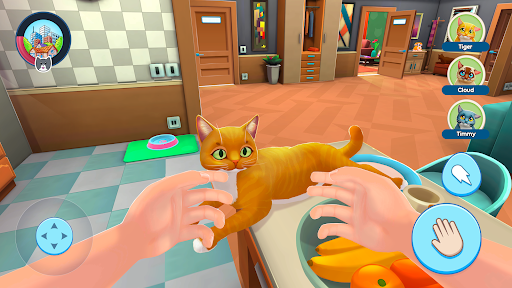
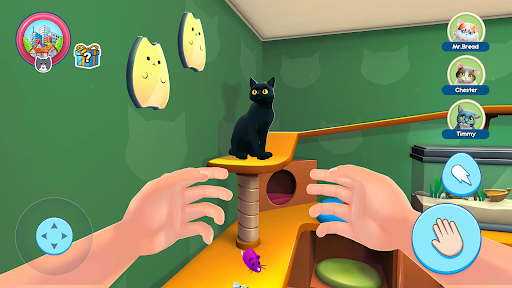
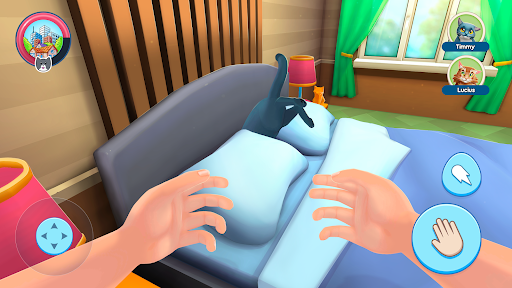
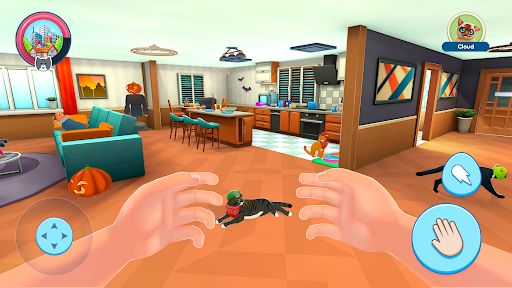
Step into the meow-niverse of this fusion of pet sims offering an authentic kitten experience. As a cat collector, you'll nurture and bond with adorable stray kitties, creating a home for them in our captivating cat simulator.
Listen to their meows and respond through our talking feature, fostering heartwarming interactions with each kitten. They all have unique desires, whether chasing a frisky squirrel, befriending a playful puppy, or forming friendships in the goat sim mode.
Become a dedicated pet lover in our kitten sim, finding the balance between the joy of kittens' meows and essential pet responsibilities. Embark on this fulfilling journey and unlock the joys and surprises of pet ownership.
Caring for your cats goes beyond filling their bowls. Each rescued stray has unique traits, adding to the dynamic experience. The cat simulator lets you explore the world through your kitties' eyes, aiding them in activities and solving intriguing puzzles.
Is there a mouse teasing a playful kitty? Guide her through the chase and relish in her triumph. Or has a kitten spotted a squirrel? Assist her interaction, creating a melody of meows that fill the home.
The more you interact in our cat simulator, the deeper your bond grows with each kitten, opening the exciting possibility of building an enchanting cat collection. The challenge doesn't end with just tending to their needs.
Through our intuitive talking feature, understand your cats' whims and find joy in their contented purrs. Each meow is a dialogue. Are they hungry, in a mood to play, or do they crave your affection? The cat simulator offers more than just digital pet ownership.
Each day introduces new challenges and adventures. Can your kitties outwit a cunning mouse, or will they need your assistance to solve these dynamic puzzles? Master our escape modes, where kittens face off against obstacles like a playful puppy or a surprise in the goat sim. Every escapade enriches the sim experience.
Your new furry friends eagerly anticipate meeting you. Remember, every welcomed stray, understood meow, and solved puzzle brings you closer to your dream kitten haven. Let's embark on this journey together!
Show more

1. Download MEmu installer and finish the setup

2. Start MEmu then open Google Play on the desktop

3. Search My Pets: Stray Cat Simulator in Google Play
Install
4. Download and Install My Pets: Stray Cat Simulator
5. On install completion click the icon to start

6. Enjoy playing My Pets: Stray Cat Simulator on PC with MEmu
MEmu Play is the best Android emulator and 100 million people already enjoy its superb Android gaming experience. The MEmu virtualization technology empowers you to play thousands of Android games smoothly on your PC, even the most graphic-intensive ones.
Bigger screen with better graphics; Long duration, without limitation of battery or mobile data.
Full Keymapping support for precise control of keyboard and mouse or gamepad.
Multiple game accounts or tasks on single PC at one time with Multi-Instance manager.
Play My Pets: Stray Cat Simulator on PC by following steps: