Cozy Ropes: Relaxing Knitting
Updated
Current Version
1.0.7
Offered By

With your passion for Cozy Ropes: Relaxing Knitting, you shouldn’t have to limit yourself to the small screen of a phone. Play like a pro and take full control of the game using a keyboard and mouse. MEmu gives you everything you’re looking for. Download and play Cozy Ropes: Relaxing Knitting on PC. Play as long as you want — no more worries about battery life, mobile data, or unexpected calls. The all-new MEmu 9 is the best way to play Cozy Ropes: Relaxing Knitting on PC. With our expertly designed keymapping system, Cozy Ropes: Relaxing Knitting feels just like a real PC game. The MEmu multi-instance manager lets you run two or more accounts on the same device at the same time. Most importantly, our exclusive emulation engine unlocks your PC’s full potential, delivering smooth and seamless performance.
Show more
Download Cozy Ropes: Relaxing Knitting on PC with MEmu Android Emulator. Enjoy playing on big screen. CONNECT THE DOTS: KNITTING EDITION.
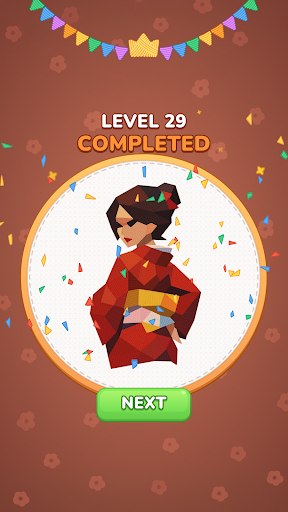
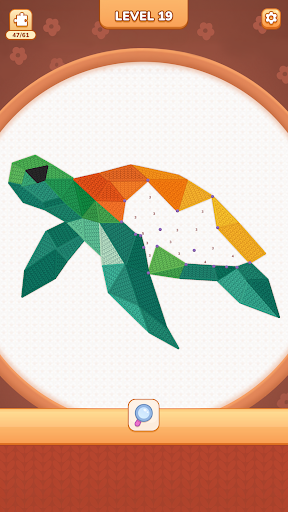
CONNECT THE DOTS: KNITTING EDITION
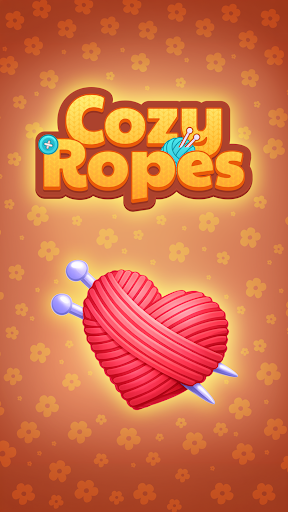
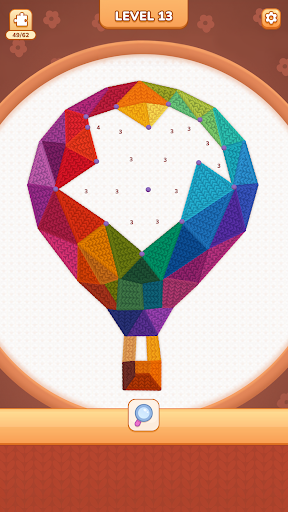
When life’s got you down and you’re feeling stressed out, what better way to make things right than to reach for your favorite cozy relaxing knitting puzzle and partake in a few puzzle solving game levels? Cozy Ropes is a satisfying ASMR game where you connect dots with rope to form colors and shapes that will come together and reveal a hidden puzzle. Your mood is sure to lighten as you make your way from dot to dot in this cheerful puzzle solving game!
COLORS AND SHAPES AND PUZZLES, OH MY!
Each level consists of a hidden puzzle, your job is to connect the dots based on how many pieces of rope you need, thus forming colorful geometric shapes that soon reveal the picture within. This satisfying logic puzzle is heavy on the relaxation aspect, so take your time trying various combos with no penalties.
Get ready for:
- Satisfying ASMR gameplay– if you’re a fan of fun noises and haptic effects you’ll love this logic puzzle! For those who just want to connect dots peacefully feel free to just toggle on the music, or even play in total silence.
- Cozy knitting vibes – all of the puzzles have fun crafting vibes, so if you’re a fan of any of the fiber arts this satisfying game is sure to please. Enjoy all of the fun of creating, with none of the mess or need to purchase supplies.
- Your ticket to relaxation – this cozy relaxing puzzle game was specifically designed to help you destress, which means no timers, no crazy graphics or rules, and no punishments for mistakes. Take as long as you need to figure out which dots to connect and step away whenever you need to, with the knowledge that your puzzle will be calmly waiting right where you left it when you come back.
- Adorable graphics – no relaxing knitting game is complete without the cutest graphics, so we made sure levels are chock full of calming but bright colors and pictures to set the mood. Plus solving the puzzles is super straightforward and there aren’t any distracting elements that might otherwise kill the vibe.
THE COZY RELAXING KNITTING PUZZLE OF YOUR DREAMS
Cozy Ropes is your ticket happiness, so why not download it today and let the fun begin! Connect the rope from dot to dot to form shapes and colors then reveal beautiful pictures and make the most of the chill graphics and mood in this satisfying ASMR game. The levels in this logic puzzle are just stimulating enough to keep your brain focused while also giving you a moment to pause and take a deep breath, so hop on in to this cozy relaxing puzzle for some dot connecting and cozy knitting goodness.
Privacy Policy: https://say.games/privacy-policy
Terms of Use: https://say.games/terms-of-use
Show more

1. Download MEmu installer and finish the setup

2. Start MEmu then open Google Play on the desktop

3. Search Cozy Ropes: Relaxing Knitting in Google Play
Install
4. Download and Install Cozy Ropes: Relaxing Knitting
5. On install completion click the icon to start

6. Enjoy playing Cozy Ropes: Relaxing Knitting on PC with MEmu
MEmu Play is the best Android emulator and 100 million people already enjoy its superb Android gaming experience. The MEmu virtualization technology empowers you to play thousands of Android games smoothly on your PC, even the most graphic-intensive ones.
Bigger screen with better graphics; Long duration, without limitation of battery or mobile data.
Full Keymapping support for precise control of keyboard and mouse or gamepad.
Multiple game accounts or tasks on single PC at one time with Multi-Instance manager.
Play Cozy Ropes: Relaxing Knitting on PC by following steps: