DAVE THE DIVER
Updated
Current Version
1.0.40
Offered By

With your passion for DAVE THE DIVER, you shouldn’t have to limit yourself to the small screen of a phone. Play like a pro and take full control of the game using a keyboard and mouse. MEmu gives you everything you’re looking for. Download and play DAVE THE DIVER on PC. Play as long as you want — no more worries about battery life, mobile data, or unexpected calls. The all-new MEmu 9 is the best way to play DAVE THE DIVER on PC. With our expertly designed keymapping system, DAVE THE DIVER feels just like a real PC game. The MEmu multi-instance manager lets you run two or more accounts on the same device at the same time. Most importantly, our exclusive emulation engine unlocks your PC’s full potential, delivering smooth and seamless performance.
Show more
Download DAVE THE DIVER on PC with MEmu Android Emulator. Enjoy playing on big screen. Dive by Day, Serve by Night!
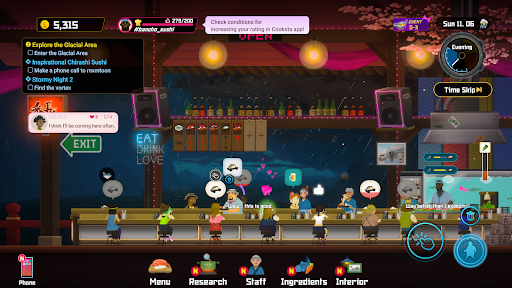
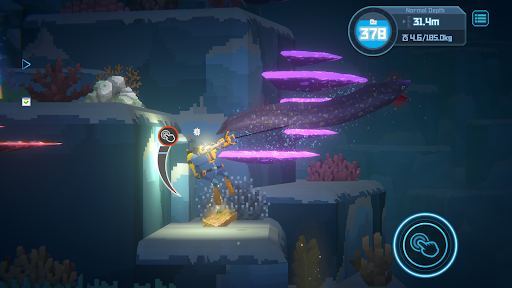
Dive by Day, Serve by Night!
[An adventure, RPG, management hybrid]
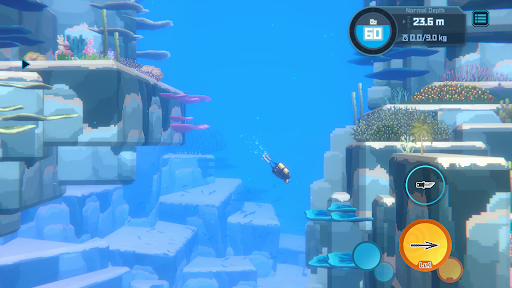
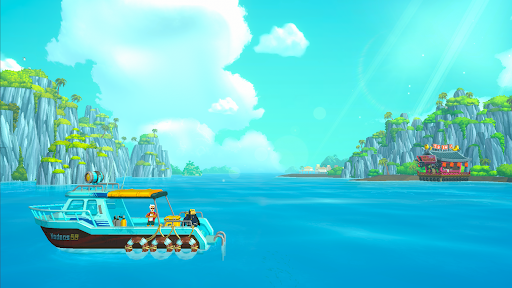
Explore and unravel the mysteries in the depths of the Blue Hole by day and run a successful exotic sushi restaurant by night.
It's easy to get hooked on the satisfying gameplay loop!
[Casual combat and gathering gameplay with rogue-like elements]
Dive into the ever-changing Blue Hole and use a harpoon and other weapons to catch fish and various creatures.
Upgrade and forge equipment with collected resources and sushi restaurant profits to prepare for the dangers that lurk in the unknown.
Running out of oxygen means leaving collected items and fish behind!
[Eccentric characters with a lighthearted narrative]
Quirky but lovable characters and a story full of in-jokes, spoofs, and other humorous scenes provide an approachable and enjoyable gameplay experience.
[A beautiful sea environment with attractive 2D/3D Art]
A combination of pixel and 3D graphics provides a stunning art style that showcases breathtaking underwater scenery.
This oceanic adventure is set in the real marine environment of a Blue Hole filled with over 200 kinds of sea creatures.
[Ample additional content to complement the main gameplay loop]
Minigames, side quests, and multiple storylines provide many hours of entertainment and varied gameplay.
[Supported Devices]
Minimum: Android 8.0 or higher / 6GB RAM / Snapdragon 680 or equivalent processor
Recommended: Android 8.0 or higher / 8GB RAM / Snapdragon 730G or equivalent processor
Show more

1. Download MEmu installer and finish the setup

2. Start MEmu then open Google Play on the desktop

3. Search DAVE THE DIVER in Google Play
Install
4. Download and Install DAVE THE DIVER
5. On install completion click the icon to start

6. Enjoy playing DAVE THE DIVER on PC with MEmu
MEmu Play is the best Android emulator and 100 million people already enjoy its superb Android gaming experience. The MEmu virtualization technology empowers you to play thousands of Android games smoothly on your PC, even the most graphic-intensive ones.
Bigger screen with better graphics; Long duration, without limitation of battery or mobile data.
Full Keymapping support for precise control of keyboard and mouse or gamepad.
Multiple game accounts or tasks on single PC at one time with Multi-Instance manager.
Play DAVE THE DIVER on PC by following steps: