Extra Lives
Updated
Current Version
1724553947
Offered By

With your passion for Extra Lives, you shouldn’t have to limit yourself to the small screen of a phone. Play like a pro and take full control of the game using a keyboard and mouse. MEmu gives you everything you’re looking for. Download and play Extra Lives on PC. Play as long as you want — no more worries about battery life, mobile data, or unexpected calls. The all-new MEmu 9 is the best way to play Extra Lives on PC. With our expertly designed keymapping system, Extra Lives feels just like a real PC game. The MEmu multi-instance manager lets you run two or more accounts on the same device at the same time. Most importantly, our exclusive emulation engine unlocks your PC’s full potential, delivering smooth and seamless performance.
Show more
Download Extra Lives on PC with MEmu Android Emulator. Enjoy playing on big screen. See how long you can survive in a world full of brainless zombies and heartless humans!
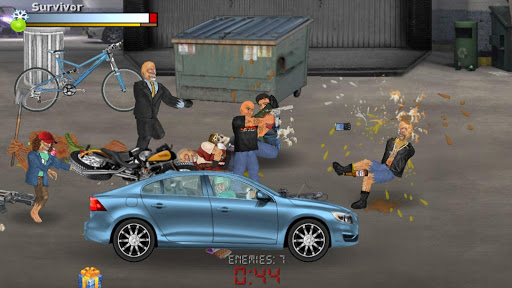
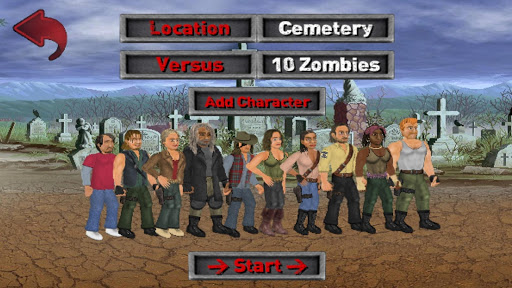
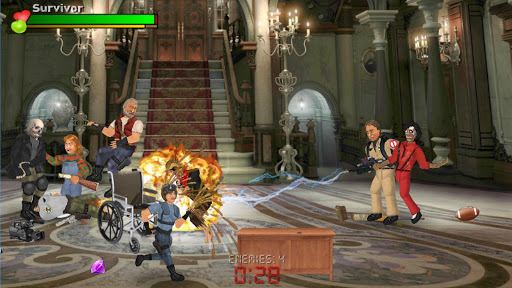
See how long you can survive in a world full of brainless zombies and heartless humans! Develop unique relationships with 200 other characters spread across 8 warring factions - each with their own beliefs about what the problem is and how to solve it. Explore over 50 different locations on your journey to restore order to every corner of the city, with hundreds of interactive objects to help you along the way. Featuring an above-average combat system from the Wrestling Revolution series, tearing enemies apart has never been so satisfying!
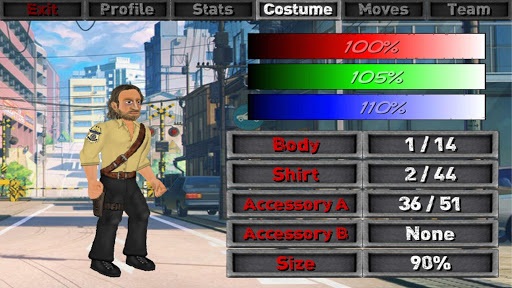
Although the game is mostly free to play, you can upgrade to "infinitely" enhance your experience. Start with a character of your creation and save your changes to all others to make the world your own. You can even choose how many zombies you start with to either dive in at the deep end or ensure a slow build. Full access to the special "Deathmatch" mode also gives you all the fun of slaying zombies with none of the pressure!
HOW TO PLAY:
Players of previous games may need to take the time to adjust to the new control system, which distinguishes between the left or right hands:
* The RED fist buttons allow you to ATTACK from either side.
* The BLUE hand buttons allow you to PICK-UP or DROP with either hand (hold a direction to THROW).
+ Pressing BOTH buttons on either SIDE will attempt to USE what is in that hand - such as eating food or reading books (notice that some actions may cause you to swap hands to use them properly).
+ Pressing BOTH pick-up buttons together will COMBINE the objects you have in each hand or nearby on the ground. Both hands can also be used to pick up larger furniture so long as they are empty and there is nothing closer to handle.
+ Pressing BOTH attack buttons together will attempt to GRAB your opponent (press again to release or any other combination of buttons to execute moves).
+ DOUBLE-TAP any direction to RUN.
- Touch the HEALTH METER to SLEEP when your energy is low.
- Touch the CLOCK to PAUSE - where you can exit or access other options.
I regret that there's more to this game than could ever be explained here, so please look out for additional hints in the game itself.
Show more

1. Download MEmu installer and finish the setup

2. Start MEmu then open Google Play on the desktop

3. Search Extra Lives in Google Play
Install
4. Download and Install Extra Lives
5. On install completion click the icon to start

6. Enjoy playing Extra Lives on PC with MEmu
MEmu Play is the best Android emulator and 100 million people already enjoy its superb Android gaming experience. The MEmu virtualization technology empowers you to play thousands of Android games smoothly on your PC, even the most graphic-intensive ones.
Bigger screen with better graphics; Long duration, without limitation of battery or mobile data.
Full Keymapping support for precise control of keyboard and mouse or gamepad.
Multiple game accounts or tasks on single PC at one time with Multi-Instance manager.
Play Extra Lives on PC by following steps: