Wrestling Revolution 3D
Updated
Current Version
1724580467
Offered By

With your passion for Wrestling Revolution 3D, you shouldn’t have to limit yourself to the small screen of a phone. Play like a pro and take full control of the game using a keyboard and mouse. MEmu gives you everything you’re looking for. Download and play Wrestling Revolution 3D on PC. Play as long as you want — no more worries about battery life, mobile data, or unexpected calls. The all-new MEmu 9 is the best way to play Wrestling Revolution 3D on PC. With our expertly designed keymapping system, Wrestling Revolution 3D feels just like a real PC game. The MEmu multi-instance manager lets you run two or more accounts on the same device at the same time. Most importantly, our exclusive emulation engine unlocks your PC’s full potential, delivering smooth and seamless performance.
Show more
Download Wrestling Revolution 3D on PC with MEmu Android Emulator. Enjoy playing on big screen. The heavyweight champion of mobile wrestling - celebrating over 60 MILLION downloads!
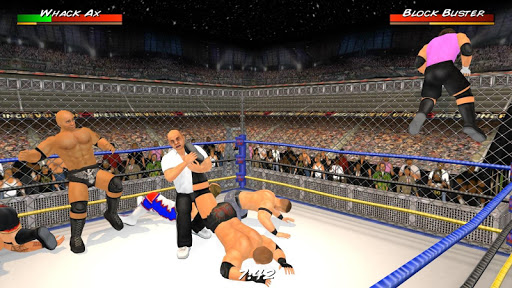
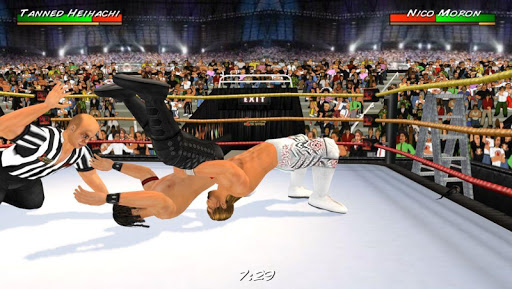
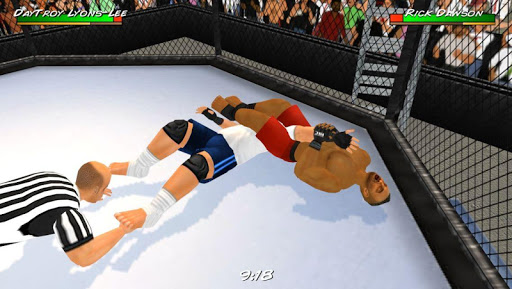
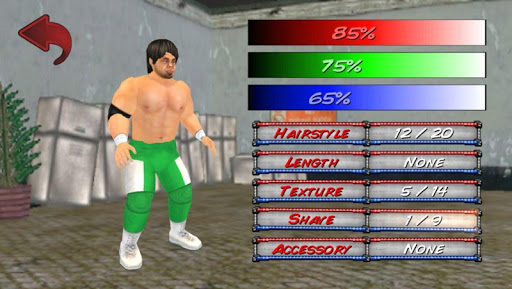
The heavyweight champion of mobile wrestling - celebrating over 60 MILLION downloads!
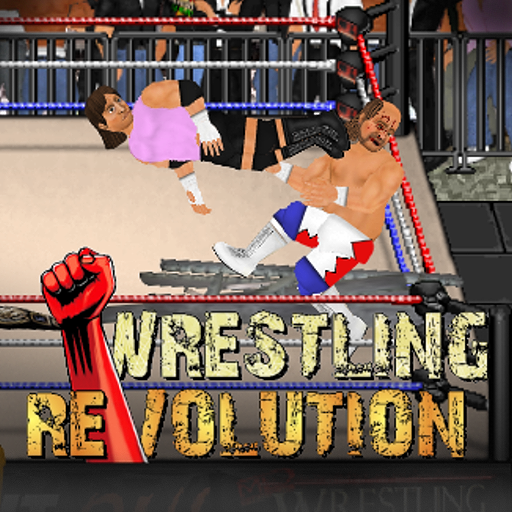
The "Wrestling Revolution" rumbles into the 3rd dimension, where it now features BOTH aspects of the business in ONE epic universe. A wrestling career challenges you to take shots in the ring, whereas a "booking" career allows you to call the shots backstage - promoting entertaining matches every week for ratings. Seeing each side of the curtain gives you an even better appreciation for the other, and ensures you'll never grow bored of wrestling again! Both modes are available to play for free, with the option to upgrade to enjoy the "Pro" experience with no ads or limitations.
And if playing Pro isn't enough, a separate "Backstage Pass" allows you to play God by saving your changes to all 9 rosters before pitting your immortals against each other in dream matches of your own creation! With 4 pages of rules to mix & match - including up to 20 wrestlers in rings of any shape or size - the only limit is your imagination. You can also blow off steam with no pressure by revisiting the 8 weeks of supercards from the game's promotional tour. Not to mention the interactive training process that teaches you how to lock up in the first place.
BASIC CONTROLS
The game features an interactive tutorial that you are advised to play through, but the basic controls are as follows:
CURSORS = Movement (double-tap to dash)
A = Attack (with a direction to aim high, without to aim low)
G = Grapple
R = Run
P = Pick-Up / Drop (with a direction to throw)
T = Taunt / Pin / Referee duties
EYE = Change focus / Turn opponent around
HEALTH METER = Switch character
CLOCK = Pause / Change camera angle
* This game is also compatible with Android controllers such as NVidia Shield 2k or MOGA Pro ("B" Mode).
PERFORMANCE
Although every effort has been made to keep performance as high as possible, some devices may benefit from a visit to the Options menu to fine tune the display:
- The number of characters is perhaps the biggest factor so consider turning off referees and setting a limit on the match size.
- If you don't want to sacrifice numbers, you can sacrifice polygons instead and opt for "Basic" character models (no fingers).
- The ropes are surprisingly demanding and you may squeeze in an extra character if you make them "Static".
- Turning off shadows and reducing crowd sprites may also help.
I regret that there's more to this game than I could ever fit in an app store description, so please consult the online guides for further reading:
www.MDickie.com/guides/wr3d_booking.htm
* Please note that Wrestling Revolution depicts a fictitious universe. Any similarity to real wrestlers or promotions is purely coincidental.
Show more

1. Download MEmu installer and finish the setup

2. Start MEmu then open Google Play on the desktop

3. Search Wrestling Revolution 3D in Google Play
Install
4. Download and Install Wrestling Revolution 3D
5. On install completion click the icon to start

6. Enjoy playing Wrestling Revolution 3D on PC with MEmu
MEmu Play is the best Android emulator and 100 million people already enjoy its superb Android gaming experience. The MEmu virtualization technology empowers you to play thousands of Android games smoothly on your PC, even the most graphic-intensive ones.
Bigger screen with better graphics; Long duration, without limitation of battery or mobile data.
Full Keymapping support for precise control of keyboard and mouse or gamepad.
Multiple game accounts or tasks on single PC at one time with Multi-Instance manager.
Play Wrestling Revolution 3D on PC by following steps: