Wrestling Revolution
Updated
Current Version
1724640349
Offered By

With your passion for Wrestling Revolution, you shouldn’t have to limit yourself to the small screen of a phone. Play like a pro and take full control of the game using a keyboard and mouse. MEmu gives you everything you’re looking for. Download and play Wrestling Revolution on PC. Play as long as you want — no more worries about battery life, mobile data, or unexpected calls. The all-new MEmu 9 is the best way to play Wrestling Revolution on PC. With our expertly designed keymapping system, Wrestling Revolution feels just like a real PC game. The MEmu multi-instance manager lets you run two or more accounts on the same device at the same time. Most importantly, our exclusive emulation engine unlocks your PC’s full potential, delivering smooth and seamless performance.
Show more
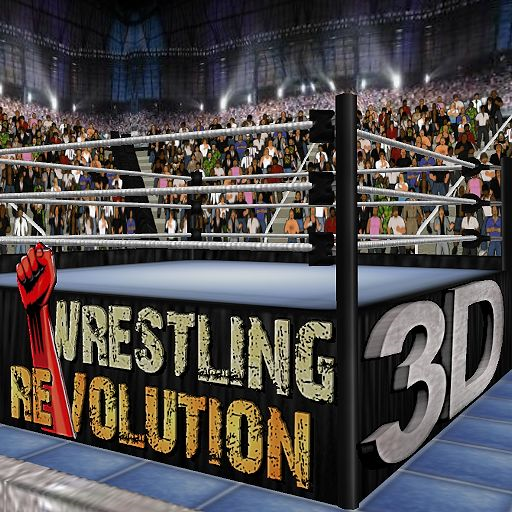
Download Wrestling Revolution on PC with MEmu Android Emulator. Enjoy playing on big screen. The original 2D wrestling game that started a mobile revolution - now celebrating over 30 MILLION downloads!
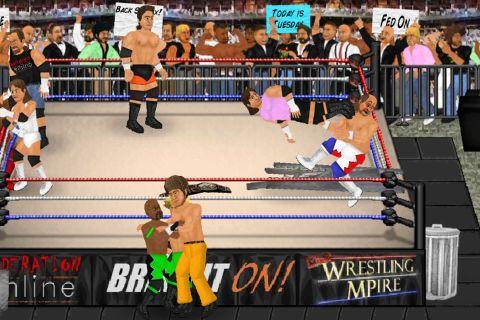
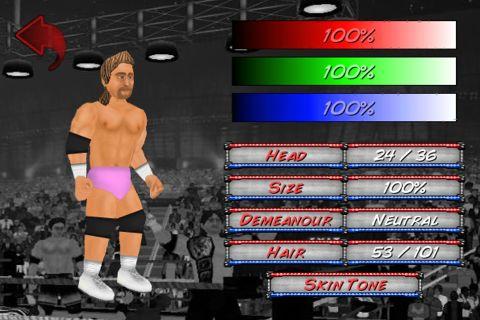
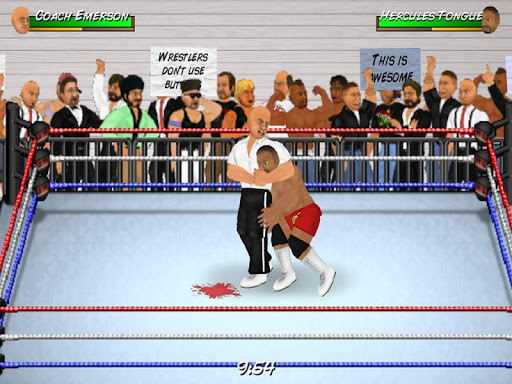

The original 2D wrestling game that started a mobile revolution - now celebrating over 30 MILLION downloads!
It harks back to the genre's 16-bit heyday where the fun comes first, and the versatile animation system means that anything could happen at any moment - with as many wrestlers in the ring as your device can handle! Create your own star and embark on an endless career full of possibilities, as you attempt to make the right moves backstage as well as in the ring. Or simply blow off steam in "Exhibition" matches of your own creation - where YOU make the rules, pick the players, and design the arena! Upon turning "Pro", your editing privileges even extend to saving your changes to all 350 characters across 9 rosters.
BUTTON CONTROLS
Please play through the tutorial for further instructions.
A = Attack (with a direction to aim high, without to aim low)
G = Grapple / Throw object
R = Run
P = Pick up / Drop
T = Taunt / Pin
* To set fire to a handheld weapon, press the R (Run) and P (Pick-Up) buttons simultaneously next to one on the ground. This torch can then be used to set fire to a larger item using the same command.
TOUCH CONTROLS:
- TOUCH anywhere in the arena to walk towards it.
- SWIPE to run or trigger moves.
- TAP your opponent to attack that part of their body.
- PINCH to grab or pick-up.
- PART your fingers to taunt, pin, or cancel an action.
- Touch the clock to PAUSE the game, and then the arrow to EXIT.
MENU CONTROLS
- Touch either side of a value or box to browse its contents left or right.
- When selecting characters, touching their slot once will display their stats and touching again will proceed to access them. Touch the company logo to choose a different roster.
- Hold your finger over a character slot to move it and switch with another. Move it to the company logo to switch rosters.
- At the calendar screen, touch any date to view its contents. Touch your character to edit them, touch their stats to train them, touch the company logo to view the whole roster, touch the match title to see an exact description of the rules.
- When setting up an exhibition, touch a character to replace them and touch the match title to change the rules. From that screen, touch the table icon to add weapons and touch the ring icon to edit the arena.
- Touch any speech bubbles to speed up conversations. Touch any other static screen to proceed as soon as possible.
* Please note that Wrestling Revolution depicts a fictitious universe and is not affiliated with any real wrestling promotions.
Show more

1. Download MEmu installer and finish the setup

2. Start MEmu then open Google Play on the desktop

3. Search Wrestling Revolution in Google Play
Install
4. Download and Install Wrestling Revolution
5. On install completion click the icon to start

6. Enjoy playing Wrestling Revolution on PC with MEmu
MEmu Play is the best Android emulator and 100 million people already enjoy its superb Android gaming experience. The MEmu virtualization technology empowers you to play thousands of Android games smoothly on your PC, even the most graphic-intensive ones.
Bigger screen with better graphics; Long duration, without limitation of battery or mobile data.
Full Keymapping support for precise control of keyboard and mouse or gamepad.
Multiple game accounts or tasks on single PC at one time with Multi-Instance manager.
Play Wrestling Revolution on PC by following steps: