FINAL FANTASY VII
Updated
Current Version
1.1.0
Offered By

With your passion for FINAL FANTASY VII, you shouldn’t have to limit yourself to the small screen of a phone. Play like a pro and take full control of the game using a keyboard and mouse. MEmu gives you everything you’re looking for. Download and play FINAL FANTASY VII on PC. Play as long as you want — no more worries about battery life, mobile data, or unexpected calls. The all-new MEmu 9 is the best way to play FINAL FANTASY VII on PC. With our expertly designed keymapping system, FINAL FANTASY VII feels just like a real PC game. The MEmu multi-instance manager lets you run two or more accounts on the same device at the same time. Most importantly, our exclusive emulation engine unlocks your PC’s full potential, delivering smooth and seamless performance.
Show more
Download FINAL FANTASY VII on PC with MEmu Android Emulator. Enjoy playing on big screen. Get FINAL FANTASY VII for 50% off the regular price!
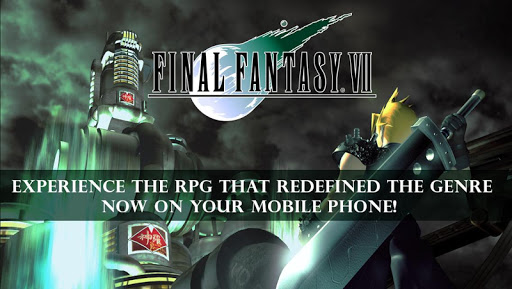
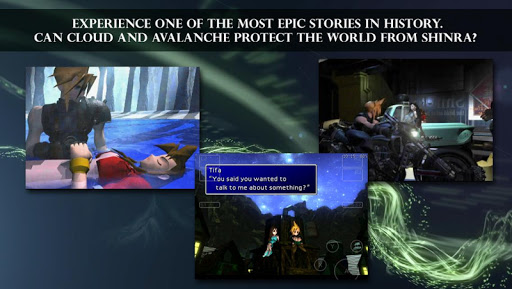
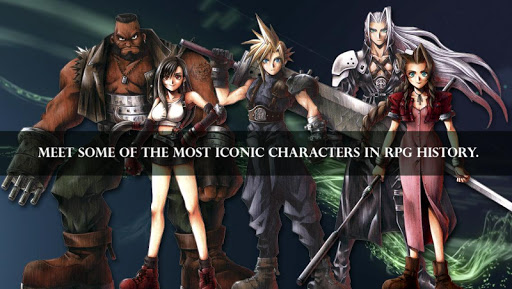
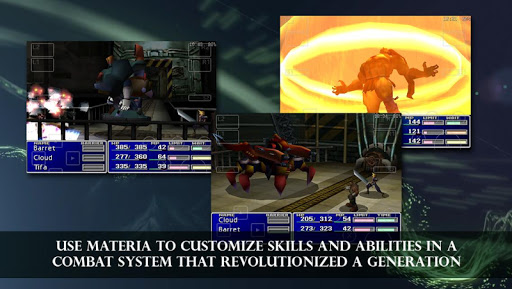
Get FINAL FANTASY VII for 50% off the regular price!
**************************************************
Note:
- As this application is very large, it will take some time to download.
- This application takes up around 2GB of memory. Over 4GB of free space is required to download it, so make sure that ample spare memory is available before attempting to do so.
------------------------------------------------------
===============
[Read before playing]
See the help page for how to trigger the special match while using the "MAX Stats" option.
Depending on the terrain and timing of the action, the buggy, submarines, airships, and other modes of transportation may cease to move when the player embarks or disembarks. Currently, the only fix is to restart the game from a data file saved before the bug occurred. We recommend saving frequently and/or utilizing multiple save files. This bug occurs most often when players embark or disembark while extremely close to the terrain, as well as during time-sensitive activities for events.
Please note that the game will not save automatically when escaping from a battle on the world map, even if the Auto Save function is set to the ON setting.
===============
[Applicable devices]
Check the URL below to see which devices are optimal for gameplay. Please note that even those devices listed may have speed issues or bugs depending on the user's specifications. Not all working devices have been tested with the app. The list will be updated as more devices are confirmed.
We cannot guarantee the app's functionality on devices other than those listed below.
www.jp.square-enix.com/ff7sp/en/device.html
[Applicable OS]
Android 4.2 and up
The smash hit RPG: Final Fantasy VII, which has sold over 11,000,000 units* worldwide, finally arrives on Android!
*Total includes both packaged sales and downloads.
The first Final Fantasy to feature 3D backgrounds and CG movie scenes, this dramatic tale continues to be loved by numerous fans around the world. Battle stages also appear in full 3D for the first time, bringing an even greater sense of awe and spectacle to combat!
Customize your characters in any way you like using the fantastic “material” system that allows endless combinations of spells and abilities.
This product is a port based on Final Fantasy VII for PC (No changes or additions have been made to the story).
Story
With its unshakeable monopoly over Mako energy production, the evil Shinra Electric Power Company holds tight to the reigns of world power.
One day, a Mako reactor serving the sprawling metropolis of Midgar is attacked and destroyed in a bombing raid by a revolutionary group calling themselves Avalanche.
Cloud Strife, a former member of Shinra’s elite “Soldier” unit takes part in the raid as a mercenary hired by Avalanche and sets events in motion that will draw him and his friends into an epic struggle for the fate of the planet itself…
Android ver. Feature
- Play using a simple and comfortable virtual controller designed not to obscure the action, choosing between virtual analogue or fixed 4-way digital control pad options. The opacity of on-screen controls can also be adjusted from the Config Menu.
- Two new features to make play easier and more convenient!
Android edition also includes an option to turn enemy encounters off on the world and area maps (will not skip event battles) and a Max Stats command to become all-powerful in the blink of an eye.
Major game controls
Movement: Virtual joypad (Select between analogue and digital modes)
Menu navigation: Fixed digital buttons
Confirm: A button
Cancel: B button
Open menu: Y button
Show more

1. Download MEmu installer and finish the setup

2. Start MEmu then open Google Play on the desktop

3. Search FINAL FANTASY VII in Google Play
Install
4. Download and Install FINAL FANTASY VII
5. On install completion click the icon to start

6. Enjoy playing FINAL FANTASY VII on PC with MEmu
MEmu Play is the best Android emulator and 100 million people already enjoy its superb Android gaming experience. The MEmu virtualization technology empowers you to play thousands of Android games smoothly on your PC, even the most graphic-intensive ones.
Bigger screen with better graphics; Long duration, without limitation of battery or mobile data.
Full Keymapping support for precise control of keyboard and mouse or gamepad.
Multiple game accounts or tasks on single PC at one time with Multi-Instance manager.
Play FINAL FANTASY VII on PC by following steps: