FINAL FANTASY
Updated
Current Version
1.2.3
Offered By

With your passion for FINAL FANTASY, you shouldn’t have to limit yourself to the small screen of a phone. Play like a pro and take full control of the game using a keyboard and mouse. MEmu gives you everything you’re looking for. Download and play FINAL FANTASY on PC. Play as long as you want — no more worries about battery life, mobile data, or unexpected calls. The all-new MEmu 9 is the best way to play FINAL FANTASY on PC. With our expertly designed keymapping system, FINAL FANTASY feels just like a real PC game. The MEmu multi-instance manager lets you run two or more accounts on the same device at the same time. Most importantly, our exclusive emulation engine unlocks your PC’s full potential, delivering smooth and seamless performance.
Show more
Download FINAL FANTASY on PC with MEmu Android Emulator. Enjoy playing on big screen. A remodeled 2D take on the first game in the world-renowned FINAL FANTASY series!
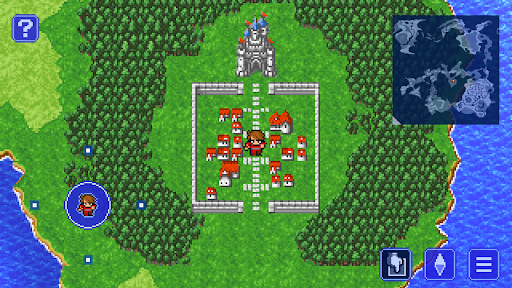
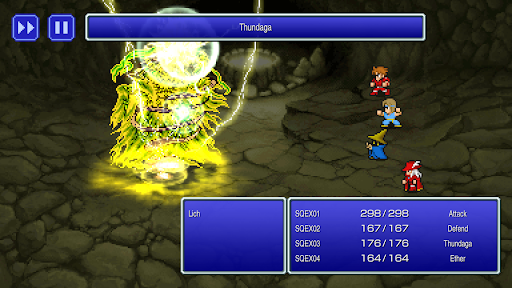
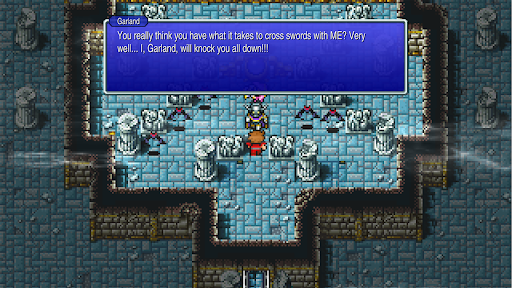

A remodeled 2D take on the first game in the world-renowned FINAL FANTASY series! Enjoy the timeless story told through charming retro graphics. All the magic of the original, with improved ease of play.
Earth, fire, water, wind... The light that once shone within the four Crystals was lost. Darkness covered the land, until the only hope for humanity rested in legends past. Become the Warriors of Light and embark on your own journey to restore power to the Crystals and save the world.
Switch between classes to improve your characters. Traverse the wide world with your airship and other vessels. Return to the game that started it all.
-------------------------------------------------------------------------------
■ Beautifully revived with new graphics and sound!
・Universally updated 2D pixel graphics, including the iconic FINAL FANTASY character pixel designs created by Kazuko Shibuya, the original artist and current collaborator.
・Beautifully rearranged soundtrack in a faithful FINAL FANTASY style, overseen by original composer Nobuo Uematsu.
■Improved gameplay!
・Including modernized UI, auto-battle options, and more.
・Also supports game pad controls, making it possible to play using a dedicated gamepad UI when connecting a gamepad to your device.
・Switch the soundtrack between the rearranged version, created for the pixel remaster, or the original version, capturing the sound of the original game.
・Now possible to switch between different fonts, including the default font and a pixel-based font based on the atmosphere of the original game.
・Additional boost features to expand gameplay options, including switching off random encounters and adjusting experience gained multipliers between 0 and 4.
・Dive into the world of the game with supplemental extras like the bestiary, illustration gallery, and music player.
*One-time purchase. The app will not require any additional payments to play through the game after the initial purchase and subsequent download.
*This remaster is based on the original "FINAL FANTASY" game released in 1987. Features and/or content may differ from previously rereleased versions of the game.
[Applicable Devices]
Devices equipped with Android 6.0 or higher
*Some models may not be compatible.
Show more

1. Download MEmu installer and finish the setup

2. Start MEmu then open Google Play on the desktop

3. Search FINAL FANTASY in Google Play
Install
4. Download and Install FINAL FANTASY
5. On install completion click the icon to start

6. Enjoy playing FINAL FANTASY on PC with MEmu
MEmu Play is the best Android emulator and 100 million people already enjoy its superb Android gaming experience. The MEmu virtualization technology empowers you to play thousands of Android games smoothly on your PC, even the most graphic-intensive ones.
Bigger screen with better graphics; Long duration, without limitation of battery or mobile data.
Full Keymapping support for precise control of keyboard and mouse or gamepad.
Multiple game accounts or tasks on single PC at one time with Multi-Instance manager.
Play FINAL FANTASY on PC by following steps: