Gods Riot
Updated
Current Version
2.1.1
Offered By

With your passion for Gods Riot, you shouldn’t have to limit yourself to the small screen of a phone. Play like a pro and take full control of the game using a keyboard and mouse. MEmu gives you everything you’re looking for. Download and play Gods Riot on PC. Play as long as you want — no more worries about battery life, mobile data, or unexpected calls. The all-new MEmu 9 is the best way to play Gods Riot on PC. With our expertly designed keymapping system, Gods Riot feels just like a real PC game. The MEmu multi-instance manager lets you run two or more accounts on the same device at the same time. Most importantly, our exclusive emulation engine unlocks your PC’s full potential, delivering smooth and seamless performance.
Show more
Download Gods Riot on PC with MEmu Android Emulator. Enjoy playing on big screen. In the distant reaches of the universe, there exists an empire ruled by gods.
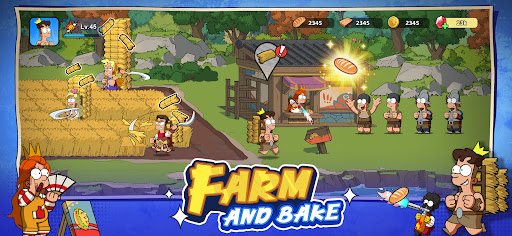
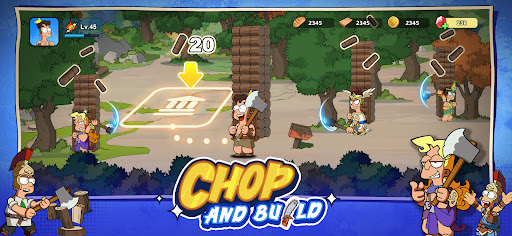
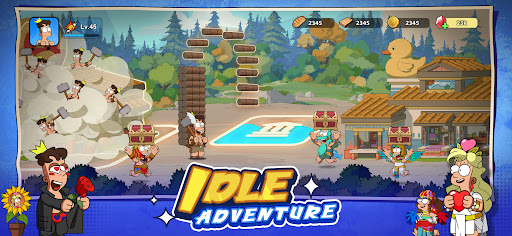
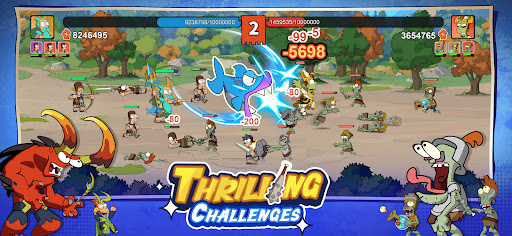
In the distant reaches of the universe, there exists an empire ruled by gods. These deities possess immense power, and their struggles have defined the empire. In a bid for control, the Lord of Chaos has invited in forbidden forces, sparking a divine war, and ripping open a portal to other dimensions. The power of this portal has drawn in heroes from the multiverse possessing a wide range of unique abilities, from advanced technology, to mutants and meta powers from alternate worlds. It wasn't just heroes that were drawn to the power of the portal; something else, something primordeal, snuck in with them, and it is affecting everyone - mortals and gods alike. Those infected by this evil gradually degrade and mutate into zombies, losing all of their original consciousness and form. As the number of infected grows, the zombie legions have expanded dramatically, shattering the empire and occupying huge swathes of formerly imperial territory. Hope is fading fast, but it is always darkest just before the dawn. An ordinary human, a mortal, has somehow gained the ability to summon gods and superheroes, and now embarks on a mission to save their homeland and reclaim the empire.
Simulation Management:
Collect Resources: Gather raw materials by chopping trees and harvesting wheat, then process them into planks and bread.
Building Construction: Use resources to build halls, huts, factories, and military zones, eventually building a city from scratch.
Hero Appointment: Assign heroes to tasks, and auto-collect resources.
RPG Exploration:
Hero Recruitment: Recruit Gods and Superheroes to build your team, fend off zombie attacks, and conquer cities on the world map.
Hero Development: Enhance hero abilities, unlock powerful fighting skills, and devise creative combat strategies.
Character Customization: Customize character appearances, use a variety of quirky emojis, and outfits with stylish and extravagant gear.
Show more

1. Download MEmu installer and finish the setup

2. Start MEmu then open Google Play on the desktop

3. Search Gods Riot in Google Play
Install
4. Download and Install Gods Riot
5. On install completion click the icon to start

6. Enjoy playing Gods Riot on PC with MEmu
MEmu Play is the best Android emulator and 100 million people already enjoy its superb Android gaming experience. The MEmu virtualization technology empowers you to play thousands of Android games smoothly on your PC, even the most graphic-intensive ones.
Bigger screen with better graphics; Long duration, without limitation of battery or mobile data.
Full Keymapping support for precise control of keyboard and mouse or gamepad.
Multiple game accounts or tasks on single PC at one time with Multi-Instance manager.
Play Gods Riot on PC by following steps: