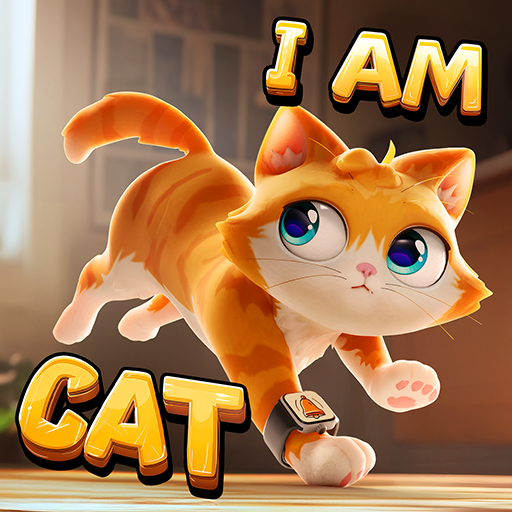
I Am Cat
Updated
Current Version
1.1.18
Offered By

With your passion for I Am Cat, you shouldn’t have to limit yourself to the small screen of a phone. Play like a pro and take full control of the game using a keyboard and mouse. MEmu gives you everything you’re looking for. Download and play I Am Cat on PC. Play as long as you want — no more worries about battery life, mobile data, or unexpected calls. The all-new MEmu 9 is the best way to play I Am Cat on PC. With our expertly designed keymapping system, I Am Cat feels just like a real PC game. The MEmu multi-instance manager lets you run two or more accounts on the same device at the same time. Most importantly, our exclusive emulation engine unlocks your PC’s full potential, delivering smooth and seamless performance.
Show more
Download I Am Cat on PC with MEmu Android Emulator. Enjoy playing on big screen. I Am Cat – The Ultimate Mischief Simulator!
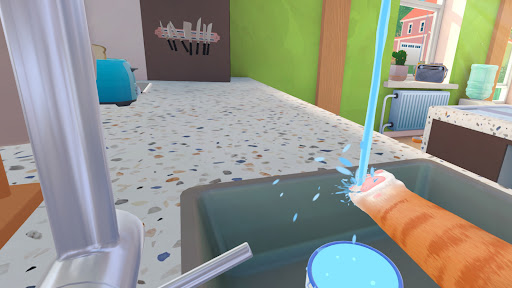
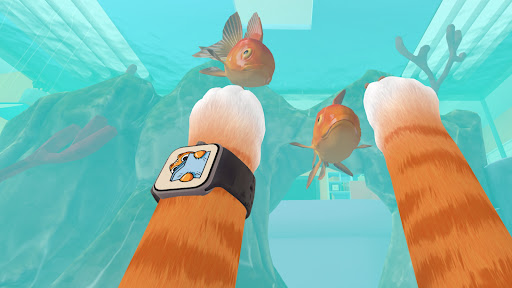
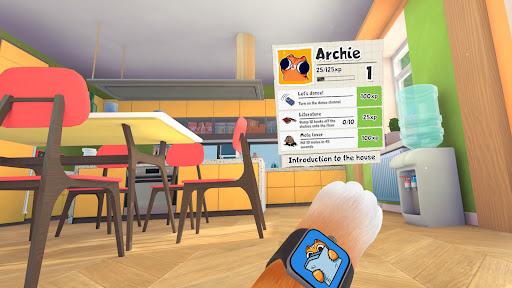
I Am Cat – The Ultimate Mischief Simulator!
Step into the paws of a mischievous kitty and join millions of players in I Am Cat. Experience life as a virtual cat in this casual house pet simulator.
The I Am Cat original game lets you become the ultimate feline troublemaker in this hilarious cat simulator, where your mission is to cause chaos in a world built for humans! Knock over vases, scratch furniture, steal food, and sneak into forbidden places - all in the name of being the most mischievous kitty!
CREATE CHAOS & HAVE FUN!
Fans of sandbox games will enjoy exploring a detailed world filled with interactive objects.
Unleash havoc - scratch, jump, knock, and be as naughty as you want!
Play mini-games and complete feline challenges.
Customize your virtual pet with different skins and accessories.
Show off your favorite look.
Outsmart humans - how much mischief can you get away with?
HOW TO PLAY
Explore every room of the house.
Jump onto tables, shelves, and furniture.
Interact with a variety of objects.
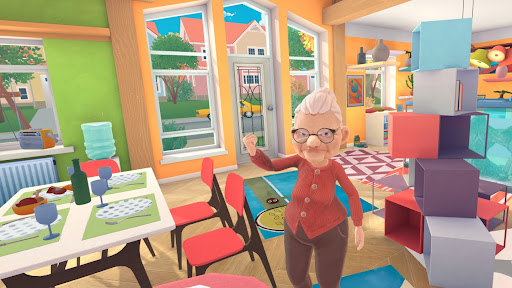
Experience hilarious cat and granny moments in every room.
Complete tasks and fun cat challenges.
Discover hidden secrets and rewards.
Earn rewards and unlock customization options.
Whether you want to be a curious pet, a playful prankster, or a complete troublemaker, the choice is yours. Fans of cat games will love exploring the house and creating their own adventures in this fun cat life simulator.
CREATE CHAOS EVERYWHERE
Every action creates funny situations and unexpected reactions that make the game endlessly entertaining. If you enjoy simulator games with freedom and humor, you'll feel right at home causing chaos as a bad cat. Fans of sandbox games will discover countless ways to interact with objects and create their own mischief.
OUTSMART GRANDMA
Steal snacks and surprise Grandma with unexpected gifts.
Throw objects, make a mess, and see how she reacts.
Change TV channels and cause chaos throughout the house.
Hide, escape, and outsmart Grandma before she catches you.
Grandma tries to keep everything under control, but a naughty kitty always finds new ways to create chaos. Fans of prank games and grandma games will love testing their skills against Grandma while planning the perfect cat escape.
Create your own unique style and experience life as a playful kitten or a mischievous bad cat. There are plenty of ways to express your personality throughout this cat life simulator adventure.
PERFECT FOR PLAYERS WHO LOVE
If you enjoy sandbox games, simulator games, prank games, cat games, and funny adventures, I Am Cat is the perfect game for you. Discover secrets, create chaos, and enjoy endless cat and grandma adventures in one of the most entertaining games around.
Unleash your inner cat and start your adventure now!
Show more

1. Download MEmu installer and finish the setup

2. Start MEmu then open Google Play on the desktop

3. Search I Am Cat in Google Play
Install
4. Download and Install I Am Cat
5. On install completion click the icon to start

6. Enjoy playing I Am Cat on PC with MEmu
MEmu Play is the best Android emulator and 100 million people already enjoy its superb Android gaming experience. The MEmu virtualization technology empowers you to play thousands of Android games smoothly on your PC, even the most graphic-intensive ones.
Bigger screen with better graphics; Long duration, without limitation of battery or mobile data.
Full Keymapping support for precise control of keyboard and mouse or gamepad.
Multiple game accounts or tasks on single PC at one time with Multi-Instance manager.
Play I Am Cat on PC by following steps: