I Am Bird
Updated
Current Version
1.0.3
Offered By

With your passion for I Am Bird, you shouldn’t have to limit yourself to the small screen of a phone. Play like a pro and take full control of the game using a keyboard and mouse. MEmu gives you everything you’re looking for. Download and play I Am Bird on PC. Play as long as you want — no more worries about battery life, mobile data, or unexpected calls. The all-new MEmu 9 is the best way to play I Am Bird on PC. With our expertly designed keymapping system, I Am Bird feels just like a real PC game. The MEmu multi-instance manager lets you run two or more accounts on the same device at the same time. Most importantly, our exclusive emulation engine unlocks your PC’s full potential, delivering smooth and seamless performance.
Show more
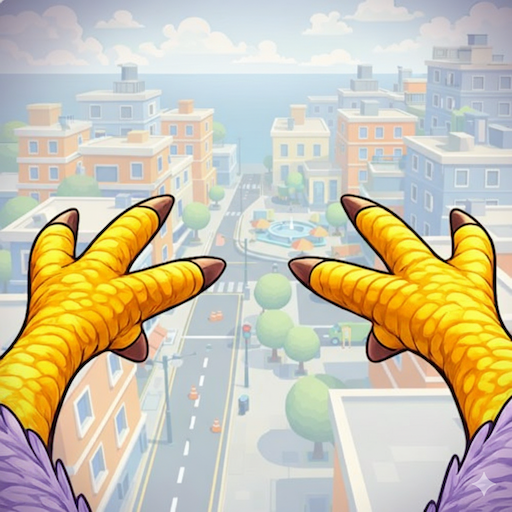
Download I Am Bird on PC with MEmu Android Emulator. Enjoy playing on big screen. I Am Bird is a next-generation bird game that lets you rule the skies of a bustling metropolis as a mischievous city pigeon.
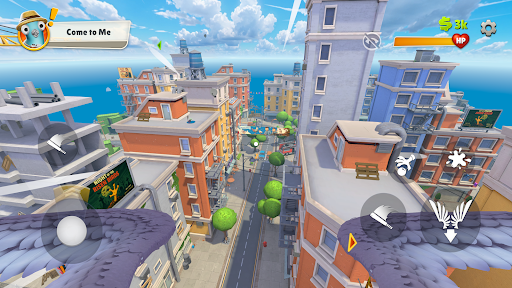
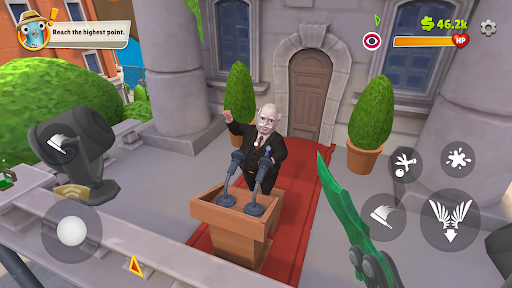
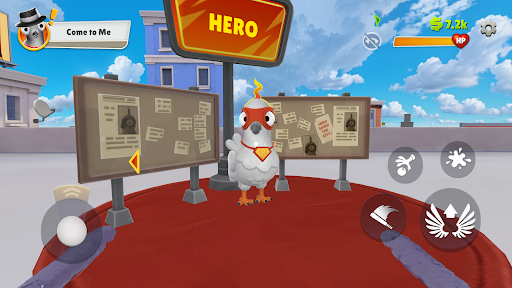
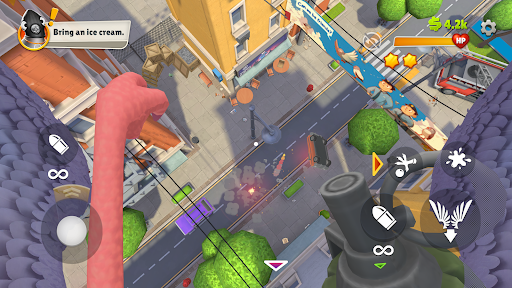
I Am Bird is a next-generation bird game that lets you rule the skies of a bustling metropolis as a mischievous city pigeon. Fly freely above the crowds, swoop between buildings, and turn the streets below into your personal playground.
Every pedestrian has a unique personality:
some share crumbs, some panic easily, and others get angry at the slightest flutter. Each fly-by creates new moments of comedy, chaos, or unexpected reactions.
A Living, Breathing Bird Sandbox
Explore a vibrant urban world where everything is interactive — rooftops, café tables, power lines, markets, and the unsuspecting heads of the citizens. Grab fries, steal shiny objects, peck your way through crowds, or deliver “special gifts” from above. Every flight becomes a new story.
Immersive Pigeon Gameplay
Built with dynamic physics and unpredictable NPC behavior, I Am Bird blends humor, freedom, and mischief into one chaotic bird game experience. Glide smoothly, dive fast, distract humans, or unleash total airborne madness.
Gameplay Features
• Be the Bird – Experience the world through the eyes of an urban scavenger.
• Multiple Playstyles – Beg for food, steal treasures, annoy crowds, or spread chaos from the skies.
• Dynamic Citizens – Friendly feeders, angry haters, distracted walkers, and perfect targets.
• Full Sandbox Interactivity – Drop “gifts,” snatch items, harass humans, and shape the city’s reactions.
• Freedom to Explore – Every rooftop, alley, street, and object can be used to your advantage.
Live Like a Real Pigeon
In I Am Bird, you rise above the noise of the city — but every human you meet affects your journey. Kind, cruel, confused or surprised, each one becomes part of the story of the feathered menace you choose to be.
Show more

1. Download MEmu installer and finish the setup

2. Start MEmu then open Google Play on the desktop

3. Search I Am Bird in Google Play
Install
4. Download and Install I Am Bird
5. On install completion click the icon to start

6. Enjoy playing I Am Bird on PC with MEmu
MEmu Play is the best Android emulator and 100 million people already enjoy its superb Android gaming experience. The MEmu virtualization technology empowers you to play thousands of Android games smoothly on your PC, even the most graphic-intensive ones.
Bigger screen with better graphics; Long duration, without limitation of battery or mobile data.
Full Keymapping support for precise control of keyboard and mouse or gamepad.
Multiple game accounts or tasks on single PC at one time with Multi-Instance manager.
Play I Am Bird on PC by following steps: