ポコロンダンジョンズ
Updated
Current Version
10.12.2
Offered By

With your passion for ポコロンダンジョンズ, you shouldn’t have to limit yourself to the small screen of a phone. Play like a pro and take full control of the game using a keyboard and mouse. MEmu gives you everything you’re looking for. Download and play ポコロンダンジョンズ on PC. Play as long as you want — no more worries about battery life, mobile data, or unexpected calls. The all-new MEmu 9 is the best way to play ポコロンダンジョンズ on PC. With our expertly designed keymapping system, ポコロンダンジョンズ feels just like a real PC game. The MEmu multi-instance manager lets you run two or more accounts on the same device at the same time. Most importantly, our exclusive emulation engine unlocks your PC’s full potential, delivering smooth and seamless performance.
Show more
Download ポコロンダンジョンズ on PC with MEmu Android Emulator. Enjoy playing on big screen. 人気急上昇中のなぞるパズルのRPGが満を持して登場!
人気急上昇中のなぞるパズルのRPGが満を持して登場!
スマホ・タブレットのために生み出されたパズルRPGを体感しよう!
ドラゴンなどのモンスターたち、仕掛け満載の多彩なダンジョン、カンタン操作で爽快バトル!
「ポコロンダンジョンズ(ポコダン)」はダウンロード無料でお楽しみいただけるパズルRPGです。
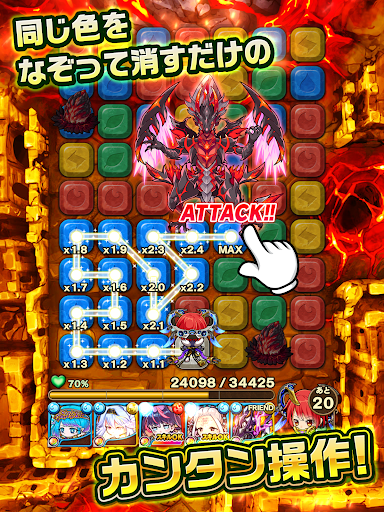
▼基本ルールは簡単!パズルをなぞるだけ!
同じ色のパズル「ポコロン」をなぞって主人公キャラクターを動かすだけ!
「ポコロン」をうまくなぞって、挑戦する度に姿を変える不思議なダンジョンを攻略しよう!
▼ダンジョンの敵モンスターをやっつけろ!
同じ色のパズル「ポコロン」をなぞって進んで、敵モンスターを攻撃!
たくさん繋げればチェイン効果で攻撃力アップ!連続攻撃でコンボ効果も!
なぞったポコロンの色で仲間モンスターを召喚できる!
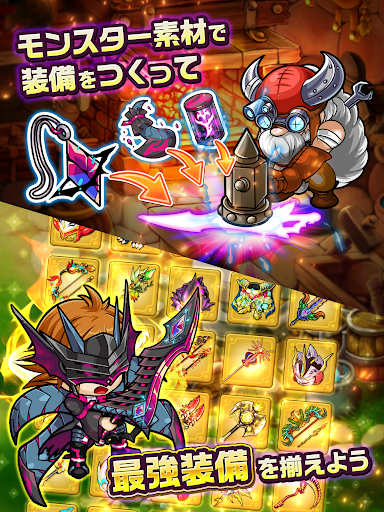
▼入手した素材から装備を作ろう!
ダンジョンで入手した素材を鍛冶屋で合成して、武器・防具を生成しよう!
レアな素材を入手できれば、レアな装備が作れるようになるぞ!
お気に入りの装備を身につけよう!
▼モンスターを育てて最強パーティを組もう!
ダンジョンで仲間にしたモンスターを強化・進化させて、キミだけのパーティを作ろう!
特定の条件で進化するモンスターや、限定ダンジョンでしか仲間にできないモンスターも…!
▼友達と協力して共闘クエスト(マルチプレイ)にチャレンジ!
クリアできないクエストがあったら、友達に助けてもらおう!
友達と組んでレアアイテムを手に入れよう!!
Show more

1. Download MEmu installer and finish the setup

2. Start MEmu then open Google Play on the desktop

3. Search ポコロンダンジョンズ in Google Play
Install
4. Download and Install ポコロンダンジョンズ
5. On install completion click the icon to start

6. Enjoy playing ポコロンダンジョンズ on PC with MEmu
MEmu Play is the best Android emulator and 100 million people already enjoy its superb Android gaming experience. The MEmu virtualization technology empowers you to play thousands of Android games smoothly on your PC, even the most graphic-intensive ones.
Bigger screen with better graphics; Long duration, without limitation of battery or mobile data.
Full Keymapping support for precise control of keyboard and mouse or gamepad.
Multiple game accounts or tasks on single PC at one time with Multi-Instance manager.
Play ポコロンダンジョンズ on PC by following steps: