League of Grimm: Idle RPG
Updated
Current Version
Offered By

With your passion for League of Grimm: Idle RPG, you shouldn’t have to limit yourself to the small screen of a phone. Play like a pro and take full control of the game using a keyboard and mouse. MEmu gives you everything you’re looking for. Download and play League of Grimm: Idle RPG on PC. Play as long as you want — no more worries about battery life, mobile data, or unexpected calls. The all-new MEmu 9 is the best way to play League of Grimm: Idle RPG on PC. With our expertly designed keymapping system, League of Grimm: Idle RPG feels just like a real PC game. The MEmu multi-instance manager lets you run two or more accounts on the same device at the same time. Most importantly, our exclusive emulation engine unlocks your PC’s full potential, delivering smooth and seamless performance.
Show more
Download League of Grimm: Idle RPG on PC with MEmu Android Emulator. Enjoy playing on big screen. The mirror has shattered.
The mirror has shattered.
The fairytales you once knew are no longer innocent.
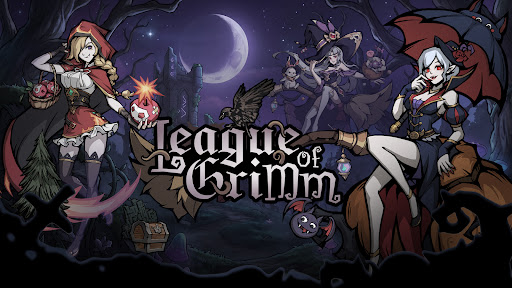
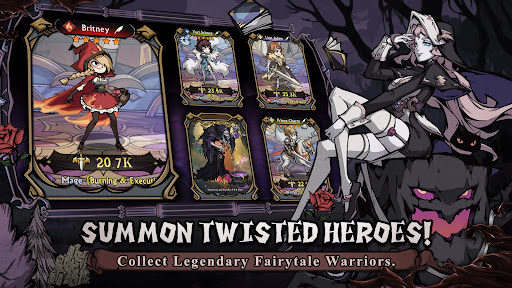
Step into a twisted dreamworld as a Mirrorbreaker and summon legendary heroes from corrupted tales. Snow White, Red Riding Hood, Aladdin, the Genie, and many more familiar characters return in darker, stronger, and more rebellious forms.
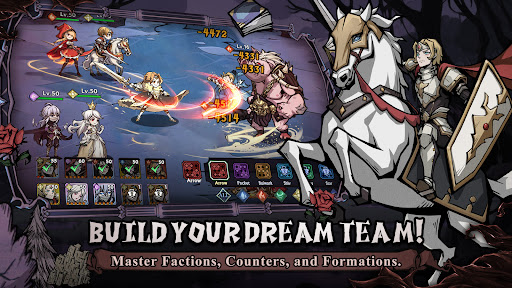
Build your dream team, master elemental counters, collect powerful spirits, and challenge endless adventures in a beautifully illustrated dark fantasy world.
Launch Rewards Are Waiting!
① Summon powerful fairytale heroes and build your ultimate team!
② Log in to claim rare heroes, upgrade materials, and exclusive rewards!
③ Enjoy idle rewards even while offline!
④ Challenge dungeons, arenas, guild wars, and limited-time events!
Game Features
----Twisted Fairytale Heroes----
Collect dark versions of classic fairytale characters and unlock their hidden powers. Each hero has unique skills, roles, and battle styles.
----Strategic Idle Battles----
Form your lineup and let your heroes fight automatically. Choose the right heroes, positions, and factions to defeat stronger enemies.
----Five Element Factions----
Water, Fire, Wind, Light, and Dark factions create deep strategic counters. Use faction advantages to gain bonus damage and higher hit rates in battle.
----Build Your Dream Team----
Activate powerful team bonuses through same-faction lineups, mixed-element teams, and advanced formations. Every choice can change the result of battle.
----Hero Growth System----
Upgrade, advance, awaken, and equip your heroes. Strengthen them with gear, runes, talents, and spirits to unlock their full potential.
----Spirit Companion System----
Equip up to four magical spirits to support your heroes in battle. Spirits can unleash active or passive abilities and turn the tide at key moments.
----Endless Idle Rewards----
Collect resources even when you are offline. Return anytime to claim rewards and keep growing stronger.
----Multiple Game Modes----
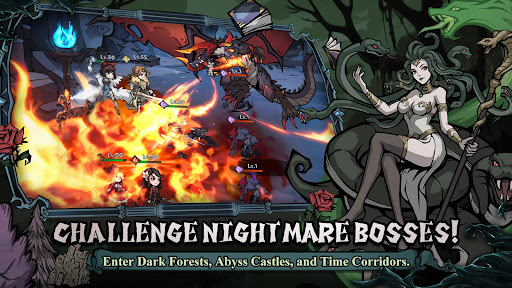
Explore story chapters, adventure stages, arena battles, guild wars, alliance battles, time-limited missions, and mysterious dungeons such as enchanted forests, abyss castles, moonlit springs, and time corridors.
The mirror is broken.
The nightmare has begun.
Will you rewrite the ending?
Short Description
Collect dark fairytale heroes in a strategic idle RPG.
Show more

1. Download MEmu installer and finish the setup

2. Start MEmu then open Google Play on the desktop

3. Search League of Grimm: Idle RPG in Google Play
Install
4. Download and Install League of Grimm: Idle RPG
5. On install completion click the icon to start

6. Enjoy playing League of Grimm: Idle RPG on PC with MEmu
MEmu Play is the best Android emulator and 100 million people already enjoy its superb Android gaming experience. The MEmu virtualization technology empowers you to play thousands of Android games smoothly on your PC, even the most graphic-intensive ones.
Bigger screen with better graphics; Long duration, without limitation of battery or mobile data.
Full Keymapping support for precise control of keyboard and mouse or gamepad.
Multiple game accounts or tasks on single PC at one time with Multi-Instance manager.
Play League of Grimm: Idle RPG on PC by following steps: