Mahjong Master: Daily Match
Updated
Current Version
1.28.1
Offered By

With your passion for Mahjong Master: Daily Match, you shouldn’t have to limit yourself to the small screen of a phone. Play like a pro and take full control of the game using a keyboard and mouse. MEmu gives you everything you’re looking for. Download and play Mahjong Master: Daily Match on PC. Play as long as you want — no more worries about battery life, mobile data, or unexpected calls. The all-new MEmu 9 is the best way to play Mahjong Master: Daily Match on PC. With our expertly designed keymapping system, Mahjong Master: Daily Match feels just like a real PC game. The MEmu multi-instance manager lets you run two or more accounts on the same device at the same time. Most importantly, our exclusive emulation engine unlocks your PC’s full potential, delivering smooth and seamless performance.
Show more
Download Mahjong Master: Daily Match on PC with MEmu Android Emulator. Enjoy playing on big screen. Mahjong Master: Daily Match: Logic, Strategy, and Brain Training .
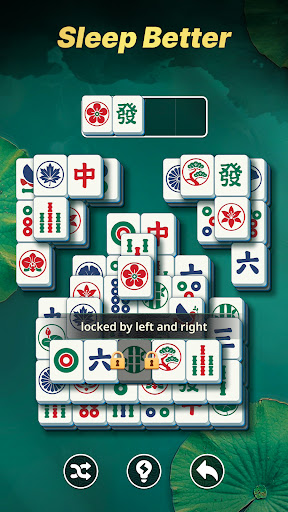
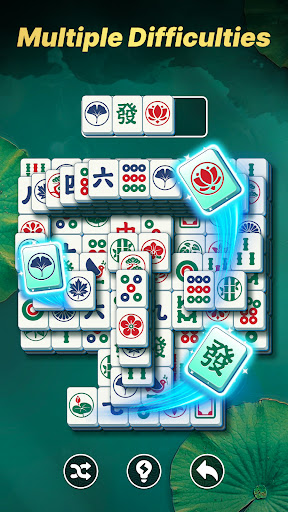
Mahjong Master: Daily Match: Logic, Strategy, and Brain Training
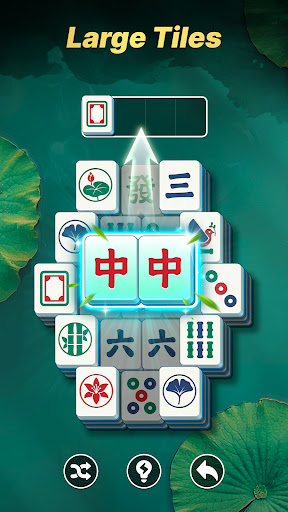
Mahjong Master: Daily Match is a classic tile-matching game designed for those who love a mental challenge. While the rules are familiar, the experience is strictly about logic and strategy. Unlike casual relaxation games, we treat every level as a unique puzzle to be solved.
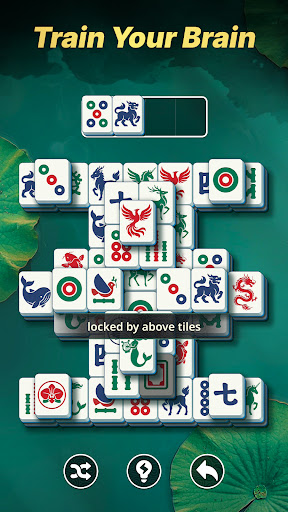
Dive into intricate tile structures where every move counts. This game is your daily gym for the mind, designed to improve pattern recognition, boost memory, and refine your problem-solving skills through pure, classic gameplay.
How to Play:
Your goal is to dismantle intricate tile structures by identifying and matching pairs of "free" tiles that aren't blocked on the sides or top. This requires more than just tapping; you must use a sharp eye and a strategic mind to plan your moves carefully. By peeling back layers systematically and avoiding dead ends, your objective is to clear every single tile from the board to solve the logic puzzle and master the challenge.
⭐ Why You’ll Love Mahjong Master:
- Pure Puzzle Satisfaction – Experience the thrill of "cracking the code." Each layout is a logic puzzle that requires you to find the right order of matching to win.
- Serious Brain Training – Designed to keep your mind active and agile. Perfect for seniors looking to prevent memory loss or anyone wanting to test their IQ.
-
Show more

1. Download MEmu installer and finish the setup

2. Start MEmu then open Google Play on the desktop

3. Search Mahjong Master: Daily Match in Google Play
Install
4. Download and Install Mahjong Master: Daily Match
5. On install completion click the icon to start

6. Enjoy playing Mahjong Master: Daily Match on PC with MEmu
MEmu Play is the best Android emulator and 100 million people already enjoy its superb Android gaming experience. The MEmu virtualization technology empowers you to play thousands of Android games smoothly on your PC, even the most graphic-intensive ones.
Bigger screen with better graphics; Long duration, without limitation of battery or mobile data.
Full Keymapping support for precise control of keyboard and mouse or gamepad.
Multiple game accounts or tasks on single PC at one time with Multi-Instance manager.
Play Mahjong Master: Daily Match on PC by following steps: