
Midgard Rising
Updated
Current Version
1.0
Offered By

With your passion for Midgard Rising, you shouldn’t have to limit yourself to the small screen of a phone. Play like a pro and take full control of the game using a keyboard and mouse. MEmu gives you everything you’re looking for. Download and play Midgard Rising on PC. Play as long as you want — no more worries about battery life, mobile data, or unexpected calls. The all-new MEmu 9 is the best way to play Midgard Rising on PC. With our expertly designed keymapping system, Midgard Rising feels just like a real PC game. The MEmu multi-instance manager lets you run two or more accounts on the same device at the same time. Most importantly, our exclusive emulation engine unlocks your PC’s full potential, delivering smooth and seamless performance.
Show more
Download Midgard Rising on PC with MEmu Android Emulator. Enjoy playing on big screen. Encounter your own love, unite with many cute pets, and defeat evil!
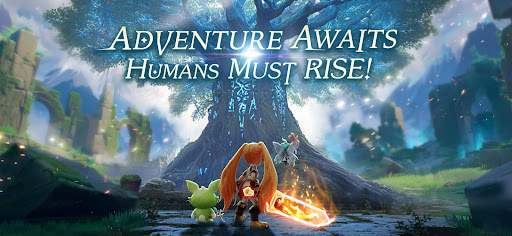
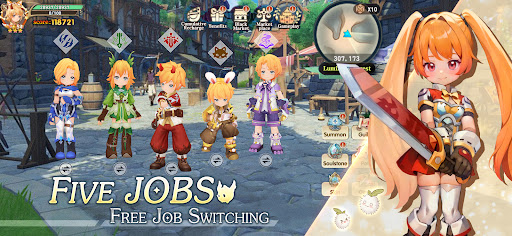
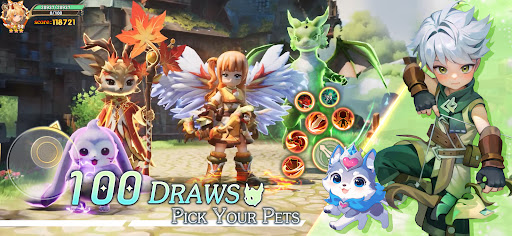
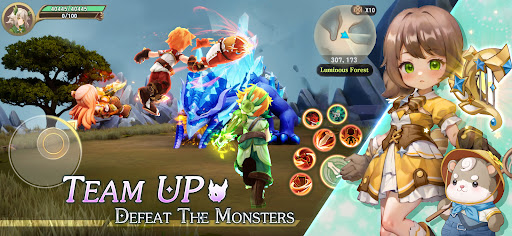
Encounter your own love, unite with many cute pets, and defeat evil!
The cute fantasy adventure begins!
—————————— game features ————————————
[Battle Pet Cooperation, Evolutionary Bond Subverts the Battle Situation]
A variety of cute pets are waiting for you to meet, pet attribute qualifications grow dynamically, and multiple evolutions achieve soaring combat power! The original pet wheel battle system can carry 3 war pets into battle at the same time, you can fight, raise and sell cute, always accompany you, cute pets turn the whole field, help you turn the tide of the battle.
[Unlimited points, the ultimate enjoyment of various genres]
Skills are freely constructed, unlimited points are added, and the real-time calculation of collision effects is used to realize the immersive experience of knives and knives into the bones. The archer summons the tornado with arrow rain carry the whole field, the assassin stacks and dodges, the critical hit damage adds a bleeding effect, and kills in one shot, truly realizing "one job and a thousand faces".
[Changeable Shapes, Your Style is Defined by You]
Unique professional appearance, different career branches have different professional fashions, and cute pet back accessories, from cool pandas to crying kittens, all kinds of cute objects will accompany you on a fantasy adventure! One-horned sweet star phantom beasts, sun and moon wolves, and all kinds of cute corgi mounts will take you to the world of the divine tree! Whether you are an action person looking for exhilarating adventures or a cute player who likes cute interactions, you can start an adventure journey to meet your inner needs here!
[Warm and Warm Social Ecology]
Walking together in the sacred tree world, feeling the wind and healing light, overlooking the wasteland, countless cute pets are waiting for you to start an adventure together, in addition, there are partners who fight side by side, in the cute romantic and cute journey, find your own TA!
Show more

1. Download MEmu installer and finish the setup

2. Start MEmu then open Google Play on the desktop

3. Search Midgard Rising in Google Play
Install
4. Download and Install Midgard Rising
5. On install completion click the icon to start

6. Enjoy playing Midgard Rising on PC with MEmu
MEmu Play is the best Android emulator and 100 million people already enjoy its superb Android gaming experience. The MEmu virtualization technology empowers you to play thousands of Android games smoothly on your PC, even the most graphic-intensive ones.
Bigger screen with better graphics; Long duration, without limitation of battery or mobile data.
Full Keymapping support for precise control of keyboard and mouse or gamepad.
Multiple game accounts or tasks on single PC at one time with Multi-Instance manager.
Play Midgard Rising on PC by following steps: