Mobile Legends: Bang Bang FT
Updated
Current Version
1.9.67.10604
Offered By

With your passion for Mobile Legends: Bang Bang FT, you shouldn’t have to limit yourself to the small screen of a phone. Play like a pro and take full control of the game using a keyboard and mouse. MEmu gives you everything you’re looking for. Download and play Mobile Legends: Bang Bang FT on PC. Play as long as you want — no more worries about battery life, mobile data, or unexpected calls. The all-new MEmu 9 is the best way to play Mobile Legends: Bang Bang FT on PC. With our expertly designed keymapping system, Mobile Legends: Bang Bang FT feels just like a real PC game. The MEmu multi-instance manager lets you run two or more accounts on the same device at the same time. Most importantly, our exclusive emulation engine unlocks your PC’s full potential, delivering smooth and seamless performance.
Show more
Download Mobile Legends: Bang Bang FT on PC with MEmu Android Emulator. Enjoy playing on big screen. Decision approving the script content No.
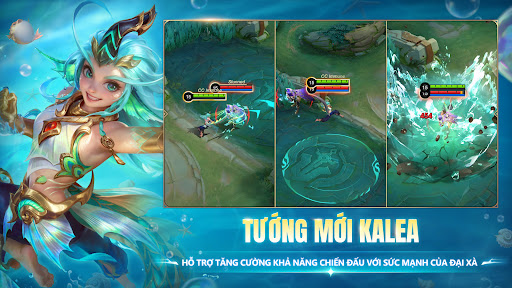
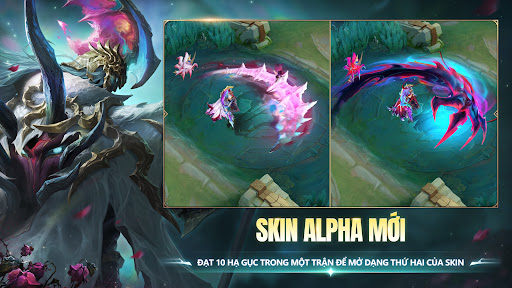
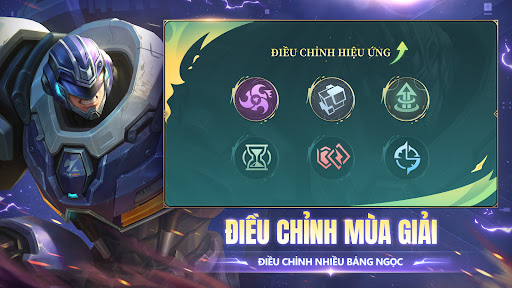
Decision approving the script content No. 842/QD-BTTTT issued on May 23, 2024
Join your friends in Mobile Legends: Bang Bang, a brand new 5v5 MOBA, to compete with other players from around the world! Choose your favorite champion to create a great team with your teammates! Team up in 10 seconds, compete for 10 minutes. From laning and jungle to tower destruction and fighting, all the fun from MOBA games on PC and other action games is now in the palm of your hand! Show everyone your passionate eSports spirit!
Mobile Legends: Bang Bang, an attractive MOBA game on mobile. Together with your teammates, overwhelm your opponents to win glory!
Let your phone freely immerse yourself in fierce matches!
Features:
1. Classic MOBA Maps & 5v5 Competition
5v5 matches with real opponents. 3 lanes, 4 jungle areas, 2 bosses, 18 defensive towers, and endless battles, everything that comes together in a classic MOBA game is here!
2. Unity & Strategy, Strength & Glory
Avoid damage, control enemies, and save teammates! Transform into a Tank, Mage, Gunner, Assassin, Support... to balance the squad and own the MVP title of the whole match! New champions will be released periodically!
3. Compete Extremely Fairly, Carry Your Team And Win
Like other classic MOBA games, the generals here do not have to be upgraded to become stronger. Mastering new skills and strategic thinking is the key to helping you win matches in this fair and balanced game. The More You Practice, The Better You Get, Not The More Money The Better.
4. Simple Operation, Easy Control
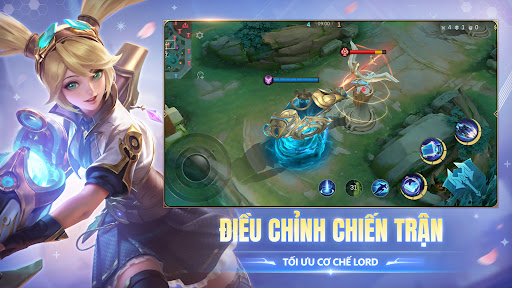
With the movement button on the left and the skill button on the right, it only takes 2 fingers to train yourself to become a master! Automatically locking and switching targets allows you to push your limits. Wherever you aim, you'll hit! Included is an extremely convenient tap-to-use system that allows you to purchase equipment anywhere on the map, increasing your focus on the action of the match!
5. 10 Seconds Team Matching, 10 Minutes Competing
Matching teams only takes 10 seconds, and a match lasts only 10 minutes. Forget the boring silence at the beginning of the match and turn your attention to the thrilling fights. Don't wait and farm everywhere, try to overwhelm your opponent to easily win. Anytime, anywhere, just pick up your phone, ignite your fire, and engage in truly thrilling MOBA matches.
6. AI Smart Assist
A network outage can cause your team to lose in a fierce match, but with Mobile Legends: Bang Bang's extremely useful reconnection system, if you have connection problems, you can still be back in just a few seconds. And during the time you are offline, the game's AI system will temporarily control your champion to avoid a 4-vs-5 situation.
ATTENTION! Mobile Legends: Bang Bang is a game that can be downloaded and played for free, but there will still be some in-game items that need to be purchased with money. If you want to use this feature, set up purchase password security in the settings in the Google Play Store app. Also, as stated in the Terms of Service and Privacy Policy, the minimum age of the player must be 12 years old to play or download Mobile Legends: Bang Bang.
Contact Us
If you encounter any difficulties while playing the game, you can ask for support from the customer service department by pressing the [Contact] button in the game. You can also contact us through the platforms below. We always welcome suggestions and comments from Mobile Legends: Bang Bang players
Decision 842/QD-BTTTT issued on May 23, 2024
Show more

1. Download MEmu installer and finish the setup

2. Start MEmu then open Google Play on the desktop

3. Search Mobile Legends: Bang Bang FT in Google Play
Install
4. Download and Install Mobile Legends: Bang Bang FT
5. On install completion click the icon to start

6. Enjoy playing Mobile Legends: Bang Bang FT on PC with MEmu
MEmu Play is the best Android emulator and 100 million people already enjoy its superb Android gaming experience. The MEmu virtualization technology empowers you to play thousands of Android games smoothly on your PC, even the most graphic-intensive ones.
Bigger screen with better graphics; Long duration, without limitation of battery or mobile data.
Full Keymapping support for precise control of keyboard and mouse or gamepad.
Multiple game accounts or tasks on single PC at one time with Multi-Instance manager.
Play Mobile Legends: Bang Bang FT on PC by following steps:












































