My Avatar Puzzle
Updated
Current Version
1.0.7
Offered By

With your passion for My Avatar Puzzle, you shouldn’t have to limit yourself to the small screen of a phone. Play like a pro and take full control of the game using a keyboard and mouse. MEmu gives you everything you’re looking for. Download and play My Avatar Puzzle on PC. Play as long as you want — no more worries about battery life, mobile data, or unexpected calls. The all-new MEmu 9 is the best way to play My Avatar Puzzle on PC. With our expertly designed keymapping system, My Avatar Puzzle feels just like a real PC game. The MEmu multi-instance manager lets you run two or more accounts on the same device at the same time. Most importantly, our exclusive emulation engine unlocks your PC’s full potential, delivering smooth and seamless performance.
Show more
Download My Avatar Puzzle on PC with MEmu Android Emulator. Enjoy playing on big screen. Generate your AI-Avatar, select from hundreds of templates.
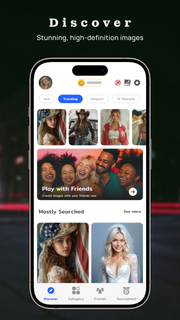
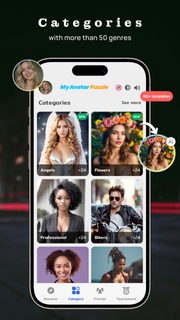
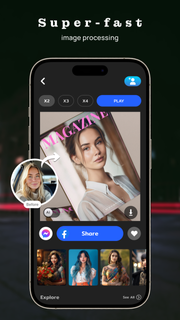
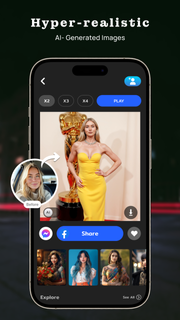
Generate your AI-Avatar, select from hundreds of templates.Welcome to My Avatar Puzzle, the innovative game that puts you in the center of the action! With My Avatar Puzzle, you have the power to personalize your gaming experience like never before. Begin by uploading your own photo from your phone gallery, or conveniently fetch your profile picture from Facebook or Instagram to establish your unique avatar within the game.Once your avatar is set, dive into a world of endless possibilities with our extensive collection of themed templates. Whether you fancy becoming a doctor, celebrating Valentine's Day, or posing with your favourite furry friend, there's a template to suit every mood and occasion. Watch in amazement as your image seamlessly morphs into the selected scene, creating a one-of-a-kind masterpiece personalised just for you. Whether you need to enhance your photo, beautify your profile picture, you need a professional photo for your resume or you want to show your friends that you travelled to different countries, we have solution for every problem. This app will make you look young and more beautiful. But the excitement doesn't stop there! My Avatar Puzzle offers a stimulating challenge by allowing you to transform your customised image into a captivating puzzle. Select your preferred difficulty level—be it 3x3, 4x4, or 5x5—and watch as the image is fragmented into pieces before your eyes. Now it's up to you to put the pieces back together and reveal the original picture. With each completed puzzle, you'll unlock new levels and earn rewards, keeping you engaged and entertained for hours on end.Immerse yourself in the creativity and fun of My Avatar Puzzle today. Discover the joy of seeing yourself in a whole new light, and embark on an unforgettable journey of self-expression and puzzle-solving prowess. Are you ready to unleash your inner avatar and conquer the challenge? Download My Avatar Puzzle now and let the adventure begin!
Show more

1. Download MEmu installer and finish the setup

2. Start MEmu then open Google Play on the desktop

3. Search My Avatar Puzzle in Google Play
Install
4. Download and Install My Avatar Puzzle
5. On install completion click the icon to start

6. Enjoy playing My Avatar Puzzle on PC with MEmu
MEmu Play is the best Android emulator and 100 million people already enjoy its superb Android gaming experience. The MEmu virtualization technology empowers you to play thousands of Android games smoothly on your PC, even the most graphic-intensive ones.
Bigger screen with better graphics; Long duration, without limitation of battery or mobile data.
Full Keymapping support for precise control of keyboard and mouse or gamepad.
Multiple game accounts or tasks on single PC at one time with Multi-Instance manager.
Play My Avatar Puzzle on PC by following steps: