My Singing Pet: Pop Piano Game
Updated
Current Version
1.7.0
Offered By

With your passion for My Singing Pet: Pop Piano Game, you shouldn’t have to limit yourself to the small screen of a phone. Play like a pro and take full control of the game using a keyboard and mouse. MEmu gives you everything you’re looking for. Download and play My Singing Pet: Pop Piano Game on PC. Play as long as you want — no more worries about battery life, mobile data, or unexpected calls. The all-new MEmu 9 is the best way to play My Singing Pet: Pop Piano Game on PC. With our expertly designed keymapping system, My Singing Pet: Pop Piano Game feels just like a real PC game. The MEmu multi-instance manager lets you run two or more accounts on the same device at the same time. Most importantly, our exclusive emulation engine unlocks your PC’s full potential, delivering smooth and seamless performance.
Show more
Download My Singing Pet: Pop Piano Game on PC with MEmu Android Emulator. Enjoy playing on big screen. My Singing Pet: Pop Piano Game – Magic Music Tiles Adventure .
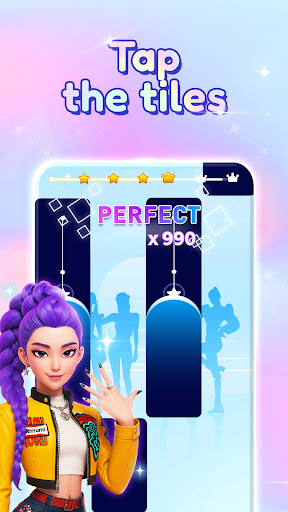

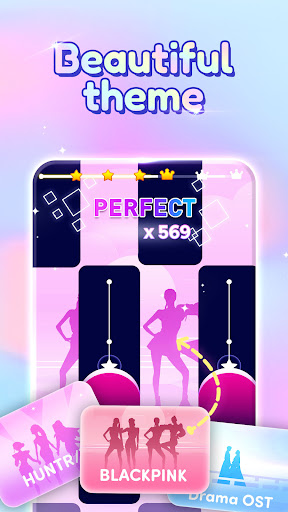
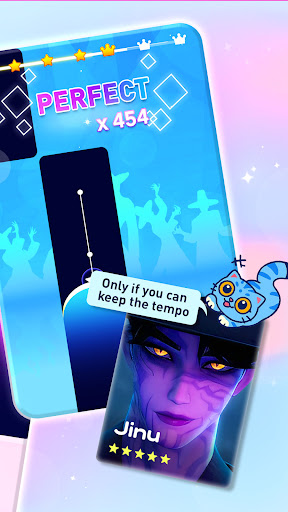
My Singing Pet: Pop Piano Game – Magic Music Tiles Adventure
Step into a colorful world where piano meets pop and adorable pets bring every melody to life! My Singing Pet: Pop Piano Game is the ultimate music game, blending addictive tile‑tapping gameplay with magical piano sounds. Tap the tiles to the rhythm, unlock charming singing pets, and experience a piano game like never before!
Key Features
Tap to the Beat – Hit each piano tile perfectly in this fast‑paced rhythm game.
Pop Piano Hits – Play hundreds of catchy pop melodies and classic tunes.
Magic Tiles – Discover special magic tiles that unlock bonus stages and dazzling effects.
Adorable Singing Pets – Collect and upgrade cute pets that sing along to every song.
Realistic Piano Sounds – Immerse yourself in high‑quality piano and keyboard audio.
Endless Rhythm Challenges – Test your reflexes across unlimited levels and difficulty modes.
Daily Rewards & Events – Earn free coins, magic gems, and exclusive pets every day.
Offline & Online Play – Enjoy your piano game anywhere, anytime, no internet needed.
Customizable Themes – Dress up your pet, change backgrounds, and select tile skins.
Why You’ll Love My Singing Pet
Ultimate Music Game – Combines the best of piano, tiles, and magic into a single addictive experience.
Fun for All Ages – Simple to learn, challenging to master—perfect for beginners and pros alike.
Vibrant Visuals – Colorful animations and magic effects bring each level to life.
Constant Updates – New songs, pets, and magic tiles added regularly to keep your rhythm fresh.
Skill & Creativity – Improve your timing, build combos, and perform perfect runs.
How to Play
Choose a Song – Select from pop hits, classical piano pieces, and original tracks.
Tap Piano Tiles – Follow the beat and tap each tile as it appears.
Unlock Magic – Trigger special magic tiles for bonus points and effects.
Collect Pets – Earn adorable singing pets and watch them groove to your music.
Climb Leaderboards – Compete with friends and global players for the highest score.
Ready for a magical piano adventure? Download My Singing Pet: Pop Piano Game now and start tapping tiles to your favorite tunes—one magical key at a time!
Show more

1. Download MEmu installer and finish the setup

2. Start MEmu then open Google Play on the desktop

3. Search My Singing Pet: Pop Piano Game in Google Play
Install
4. Download and Install My Singing Pet: Pop Piano Game
5. On install completion click the icon to start

6. Enjoy playing My Singing Pet: Pop Piano Game on PC with MEmu
MEmu Play is the best Android emulator and 100 million people already enjoy its superb Android gaming experience. The MEmu virtualization technology empowers you to play thousands of Android games smoothly on your PC, even the most graphic-intensive ones.
Bigger screen with better graphics; Long duration, without limitation of battery or mobile data.
Full Keymapping support for precise control of keyboard and mouse or gamepad.
Multiple game accounts or tasks on single PC at one time with Multi-Instance manager.
Play My Singing Pet: Pop Piano Game on PC by following steps: