
Piano Magic Beat 4: Music Game
Updated
Current Version
1.7.0
Offered By

With your passion for Piano Magic Beat 4: Music Game, you shouldn’t have to limit yourself to the small screen of a phone. Play like a pro and take full control of the game using a keyboard and mouse. MEmu gives you everything you’re looking for. Download and play Piano Magic Beat 4: Music Game on PC. Play as long as you want — no more worries about battery life, mobile data, or unexpected calls. The all-new MEmu 9 is the best way to play Piano Magic Beat 4: Music Game on PC. With our expertly designed keymapping system, Piano Magic Beat 4: Music Game feels just like a real PC game. The MEmu multi-instance manager lets you run two or more accounts on the same device at the same time. Most importantly, our exclusive emulation engine unlocks your PC’s full potential, delivering smooth and seamless performance.
Show more
Download Piano Magic Beat 4: Music Game on PC with MEmu Android Emulator. Enjoy playing on big screen. Unleash your inner musician and embark on a fantastic rhythm adventure with a furry twist!



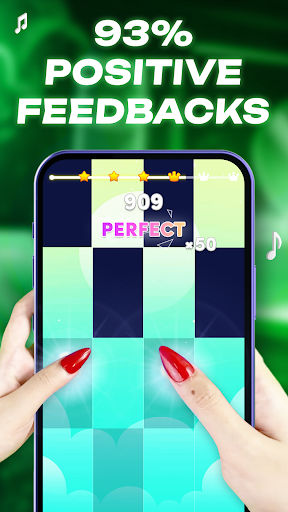
Unleash your inner musician and embark on a fantastic rhythm adventure with a furry twist! Welcome to the world of Piano Magic Beat 4: Music game, where notes, magic, chaotic meme and cute cats collide. Tap, slide, and hop along to millions of hit songs, from chart-topping Kpop to timeless piano classics. Chase the beats, master the melody, and collect adorable animal friends on your journey to becoming a rhythm hero. No Wi-Fi? No problem! Enjoy this endless music game offline, anytime, anywhere.
A HUGE music library
1. Play the hottest hits from pop, Kpop, Funkmagic, garageband and EDM.
2. Master beautiful melodies on the piano with Sonic & Blackpink magic tiles.
3. Our library is constantly updated & access with cool new songs to Chistmas 2025 and beyond.
Collect cute cats avatar
1. Unlock dozens of cute cat and animal characters, each with a unique """"meow"""" soundboard!
2. Complete challenges to earn star and collect songs.
3. Follow their adorable story as you progress through the levels.
Addictive gameplay modes
1. Classic Mode: Tap the black tiles and don't miss a single one. How high can you score?
2. Endless Mode: Bounce and dance your way through an endless scroll of tiles.
3. Challenge & Battle: Compete for the top score on the global leaderboard and win fantastic prizes.
Free forever - Offline playing
1. No Wi-Fi or internet connection needed. Your perfect companion for travel and moments of peace.
2. Enjoy all features, from the soundboard to the adventure levels, completely free.
Easy and for everyone
1. Simple tap-tap controls make it easy for kids and adults to play.
2. From easy chords to pro-level challenges, there's a perfect level for every player.
3. A fantastic fusion of music, fun, and cute animal games.
Step into a world of music and magic. Whether you're a fan of piano apps like Simply Piano, a guitar hero, or just love cute cat games, you'll find your rhythm here. Challenge your girlfriend or boyfriend, beat your high score, and feel the energy.
Download Piano Magic Beat 4: Music game now and start your music mood!
Note: If any producer or label has an issue with any music used in the game, please gmail contact and it will be removed immediately if necessary (this includes the images used).
Show more

1. Download MEmu installer and finish the setup

2. Start MEmu then open Google Play on the desktop

3. Search Piano Magic Beat 4: Music Game in Google Play
Install
4. Download and Install Piano Magic Beat 4: Music Game
5. On install completion click the icon to start

6. Enjoy playing Piano Magic Beat 4: Music Game on PC with MEmu
MEmu Play is the best Android emulator and 100 million people already enjoy its superb Android gaming experience. The MEmu virtualization technology empowers you to play thousands of Android games smoothly on your PC, even the most graphic-intensive ones.
Bigger screen with better graphics; Long duration, without limitation of battery or mobile data.
Full Keymapping support for precise control of keyboard and mouse or gamepad.
Multiple game accounts or tasks on single PC at one time with Multi-Instance manager.
Play Piano Magic Beat 4: Music Game on PC by following steps: