Onthel Life: Street Bike
Updated
Current Version
0.1.2
Offered By

With your passion for Onthel Life: Street Bike, you shouldn’t have to limit yourself to the small screen of a phone. Play like a pro and take full control of the game using a keyboard and mouse. MEmu gives you everything you’re looking for. Download and play Onthel Life: Street Bike on PC. Play as long as you want — no more worries about battery life, mobile data, or unexpected calls. The all-new MEmu 9 is the best way to play Onthel Life: Street Bike on PC. With our expertly designed keymapping system, Onthel Life: Street Bike feels just like a real PC game. The MEmu multi-instance manager lets you run two or more accounts on the same device at the same time. Most importantly, our exclusive emulation engine unlocks your PC’s full potential, delivering smooth and seamless performance.
Show more
Download Onthel Life: Street Bike on PC with MEmu Android Emulator. Enjoy playing on big screen. From village alleys to highways, from rice paddies to the beach.
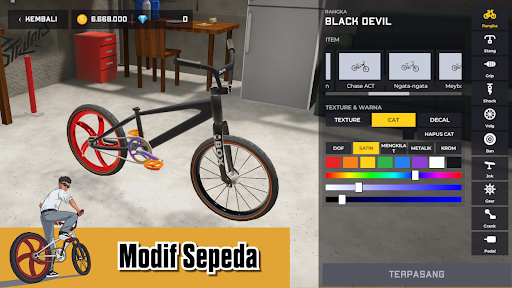
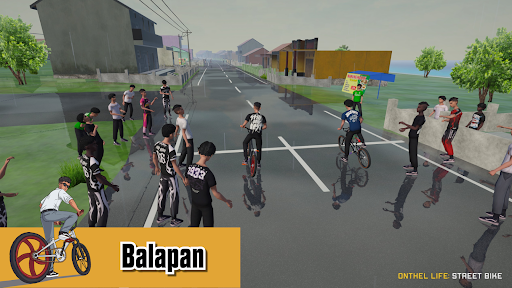
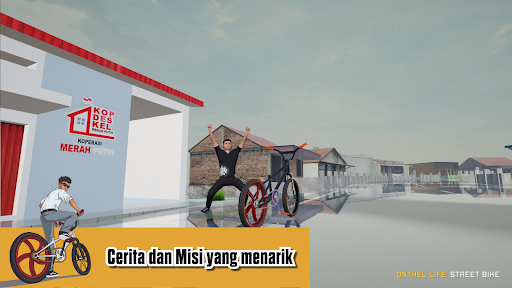
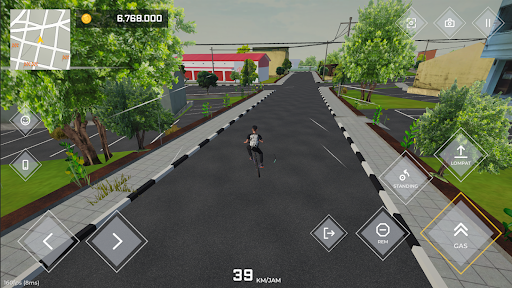
From village alleys to highways, from rice paddies to the beach. Onthel Life: Street Bike is a 3D bicycle simulator game created by an indie developer from Indonesia, for those of you who love cycling, tinkering with your bike, and showing off your results.
A CYCLING WITH POWER
Your bike doesn't just go fast without limits. It has an energy system: keep accelerating until you get tired, then hold the pedals down for a leisurely stroll until your energy recovers. You can run, jump, wheelie, get off the bike and walk, and even use emotes. The mini city you explore features highways, villages, rice paddies, and beaches, with weather that can change to rain.
MODIFY YOUR ONTHEL BIKE UNTIL IT'S YOUR OWN
Choose the frame, handlebars, rims, tires, seat, and gears. Repaint each part, choose the texture and finish, then apply your own custom decal design directly to the bike. Adjust it to your liking: seat height, handlebar position, and hubcap size. Better parts make your bike faster, so modifications here are about results, not just style.
YOUR STYLE MATTERS TOO
Clothes, hair, and accessories have their own aesthetic value. Level up, collect coins, and look your best before hitting the streets.
100 TO 400 METER DRAG RACES
Four distances, four locations, four increasingly large coin prizes. Win, collect coins, upgrade your bike, repeat.
A REAL PHONE YOU CAN USE
Press a button and your phone appears in the middle of the game. From there, you can teleport to the race starting line, take on daily missions that award coins and EXP, play your favorite music, read the latest news, and enter redeem codes. Log in every day for a bigger bonus until the 7th day.
IMMORT YOUR BIKE
Photo mode is complete with a free camera, filters, and various screen ratios. In the garage, there's a cinematic mode for viewing your bike and character from various angles.
FOR ONTHEL BIKE LOVERS
If you love onthel bikes, casual rides around the village, or unique bike modifications, this game is for you.
WHAT YOU NEED TO KNOW
The game is still under development. Story Mode, Downhill, and many other features will be coming in the next update.
Found a bug or have an idea? Let us know, we'll read your feedback right away. Happy cycling!
Show more

1. Download MEmu installer and finish the setup

2. Start MEmu then open Google Play on the desktop

3. Search Onthel Life: Street Bike in Google Play
Install
4. Download and Install Onthel Life: Street Bike
5. On install completion click the icon to start

6. Enjoy playing Onthel Life: Street Bike on PC with MEmu
MEmu Play is the best Android emulator and 100 million people already enjoy its superb Android gaming experience. The MEmu virtualization technology empowers you to play thousands of Android games smoothly on your PC, even the most graphic-intensive ones.
Bigger screen with better graphics; Long duration, without limitation of battery or mobile data.
Full Keymapping support for precise control of keyboard and mouse or gamepad.
Multiple game accounts or tasks on single PC at one time with Multi-Instance manager.
Play Onthel Life: Street Bike on PC by following steps: