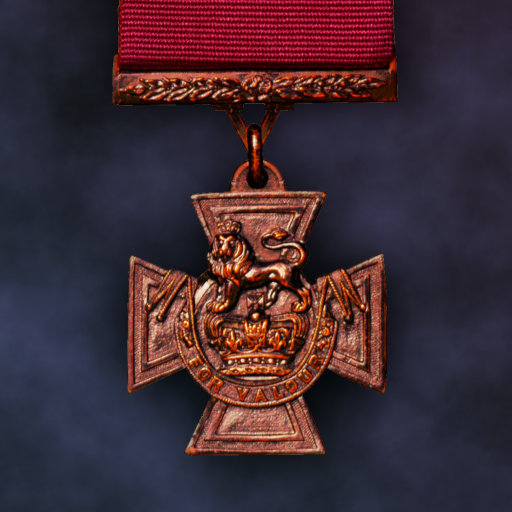
Pacific Fire
Updated
Current Version
1.801
Offered By

With your passion for Pacific Fire, you shouldn’t have to limit yourself to the small screen of a phone. Play like a pro and take full control of the game using a keyboard and mouse. MEmu gives you everything you’re looking for. Download and play Pacific Fire on PC. Play as long as you want — no more worries about battery life, mobile data, or unexpected calls. The all-new MEmu 9 is the best way to play Pacific Fire on PC. With our expertly designed keymapping system, Pacific Fire feels just like a real PC game. The MEmu multi-instance manager lets you run two or more accounts on the same device at the same time. Most importantly, our exclusive emulation engine unlocks your PC’s full potential, delivering smooth and seamless performance.
Show more
Download Pacific Fire on PC with MEmu Android Emulator. Enjoy playing on big screen. Pacific Fire is a turn-based strategic wargame set in the Pacific Theater of World War II created by a solo developer.
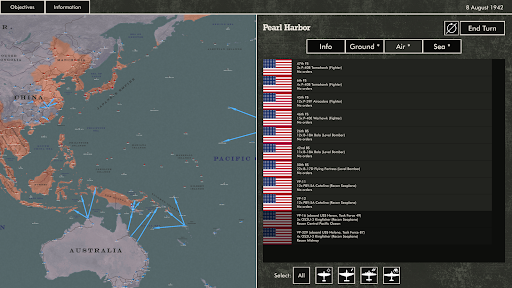
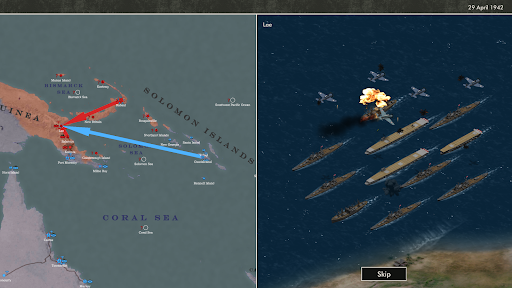
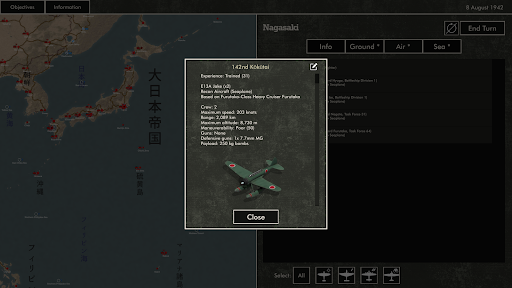
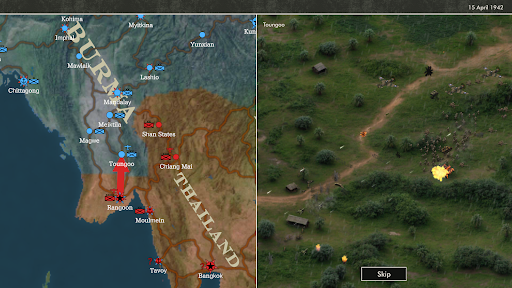
Pacific Fire is a turn-based strategic wargame set in the Pacific Theater of World War II created by a solo developer. Take command of US, Japanese, British, Australian, New Zealand, Chinese, Thai, Indian, and Dutch forces in the Pacific and Southeast Asia from 1941-1945.
Unparalleled depth and historical accuracy
Experience the entire war in the Pacific through 20 historically accurate campaigns, from the attack on Pearl Harbor to the Empire of Japan's surrender. Command squadrons of more than 180 types of aircraft, from iconic warbirds like the A6M2 Zero and P-38 Lightning to less well-known types like the CAC Boomerang and Vickers Wellington. Control the seas with more than 170 types of warships including submarines, battleships and aircraft carriers.
Classic strategic wargaming
Pacific Fire is powered by a detailed and realistic simulation of WW2 air and naval combat. Fight against an intelligent AI which constantly adapts its strategy to ensure every game is challenging and unique. Challenge a friend in hotseat multiplayer (pass-and-play).
No in-app purchases or ads
Buy the game once and get access to all current and future content. Pacific Fire contains no in-app purchases or ads of any kind, and an internet connection is not required to play.
Join the community
Discord: https://discord.gg/nGvHDaD
Twitter: https://twitter.com/WirrawayDev
The game features 20 campaigns, including:
- Pacific Fire: Fight the whole of WW2 month-by-month on a map spanning from India to the west coast of the US.
- Centrifugal Offensive: Command Imperial Japanese forces invading the Philippines, Singapore, and the Dutch East Indies at the beginning of WW2.
- Coral Sea: Fight the first battle between aircraft carriers in history, and experience the battles for Guadalcanal and the Kokoda Track.
- Yamamoto's Gambit: Devise a strategy to lure the US Pacific Fleet into a decisive battle with the Kido Butai, and change history at the Battle of Midway.
- Central Pacific: Lead the US Pacific Fleet and US Marine Corps seize strategic islands and liberate the Philippines in 1943 - 1944.
- Operation Downfall: Command a massive Allied invasion of the Japanese Home Islands in this alternate history campaign.
Feedback and suggestions are very welcome at wirraways@gmail.com.
Show more

1. Download MEmu installer and finish the setup

2. Start MEmu then open Google Play on the desktop

3. Search Pacific Fire in Google Play
Install
4. Download and Install Pacific Fire
5. On install completion click the icon to start

6. Enjoy playing Pacific Fire on PC with MEmu
MEmu Play is the best Android emulator and 100 million people already enjoy its superb Android gaming experience. The MEmu virtualization technology empowers you to play thousands of Android games smoothly on your PC, even the most graphic-intensive ones.
Bigger screen with better graphics; Long duration, without limitation of battery or mobile data.
Full Keymapping support for precise control of keyboard and mouse or gamepad.
Multiple game accounts or tasks on single PC at one time with Multi-Instance manager.
Play Pacific Fire on PC by following steps: