Papa's Freezeria To Go!
Updated
Current Version
1.2.6
Offered By

With your passion for Papa's Freezeria To Go!, you shouldn’t have to limit yourself to the small screen of a phone. Play like a pro and take full control of the game using a keyboard and mouse. MEmu gives you everything you’re looking for. Download and play Papa's Freezeria To Go! on PC. Play as long as you want — no more worries about battery life, mobile data, or unexpected calls. The all-new MEmu 9 is the best way to play Papa's Freezeria To Go! on PC. With our expertly designed keymapping system, Papa's Freezeria To Go! feels just like a real PC game. The MEmu multi-instance manager lets you run two or more accounts on the same device at the same time. Most importantly, our exclusive emulation engine unlocks your PC’s full potential, delivering smooth and seamless performance.
Show more
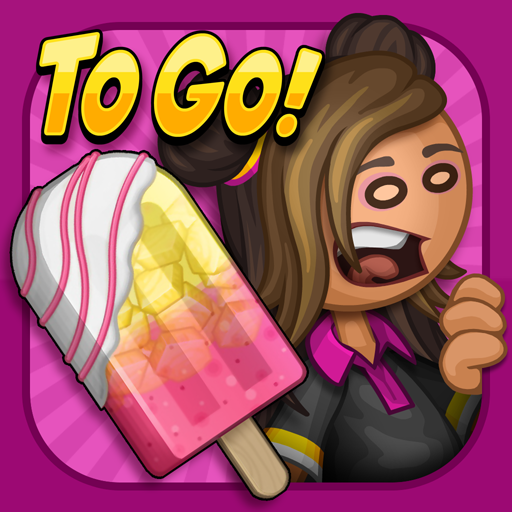
Download Papa's Freezeria To Go! on PC with MEmu Android Emulator. Enjoy playing on big screen. Build and serve sundaes on the go with this brand-new version of Papa's Freezeria, with gameplay and controls reimagined for Android phones!
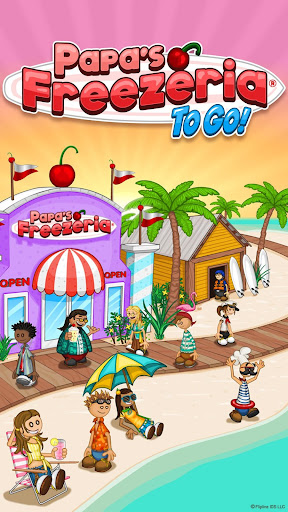
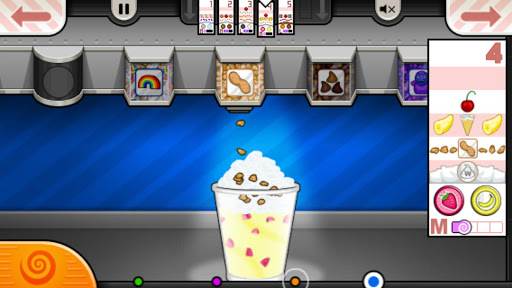
Build and serve sundaes on the go with this brand-new version of Papa's Freezeria, with gameplay and controls reimagined for Android phones!
You've just started a relaxing summer job at an oceanfront ice cream shop, but things get hectic when all of Papa Louie's customers arrive on the island! You'll need to whip up delicious Freezer sundaes by pouring ice cream, adding mixables and syrups, blending sundaes, adding whipped cream and toppings, and don't forget the cherry on top for a perfect summertime treat!
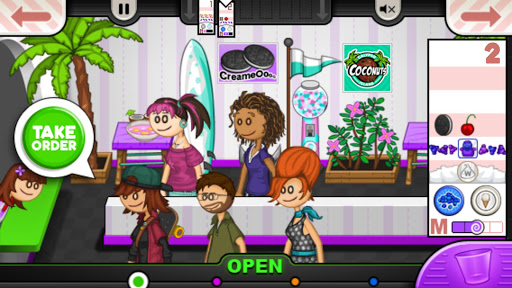
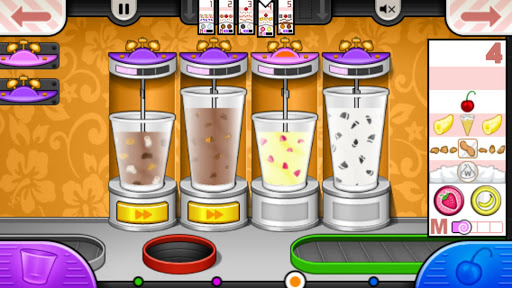
You'll need to multitask between each area of the restaurant, with new controls designed to work just right in the palm of your hand. Head to the Order Station to watch for customers waiting in the lobby. Switch to the Build Station to combine ice cream and mixables for each sundae. Jump to the Mix Station to mix sundaes until they're blended just right. Hop to the Top Station to pour whipped cream and toppings before serving the sundae to your picky customers. Each Station is a hands-on experience, where you'll need to drag, swipe, and tap your way through the sundae-building process.
Keep your customers happy to earn points and level up. As your level rises, you'll unlock new toppings for the shop, and new customers will start to visit the Freezeria! A well-crafted sundae also earns you tips, which you can spend on upgrades and decorations for the lobby!
** NEW FOR PAPA'S FREEZERIA TO GO**
Papa's Freezeria To Go is redesigned and reimagined for smaller screens, so your fingers won't get in the way of the action!
CONTROL WITH YOUR THUMBS - You'll switch stations using buttons in the corners of the screen, perfect for your thumbs. You can also use buttons in the top corners to quickly switch Order Tickets, and you can view all of your Order Tickets in a zoomed-in mode for easy reading.
BUILD STATION - We've completely redesigned the Build Station for smaller screens, so you can quickly and easily pour ice cream and mixables like a master! The Pour Button and Bonus Meter are moved to the side and sized just right for your thumb, so you can watch the meter and tap at the right time without any fingers blocking your view. When it's time to choose a mixable or a syrup, the entire screen is filled with large buttons so you can easily tap the correct item.
MIX STATION - We've fine-tuned the Mix Station upgrades to work even better on small touch screens. Once you purchase the Blend Alarm upgrades, you can drag these large alarms and snap them onto any blender. Booster Buttons are also large and easy to press, and you can even use multi-touch to boost multiple blenders at once!
TOP STATION - We've brought back the Topping Bin carousel from "Papa's Burgeria To Go!", which lets you top sundaes in a brand-new way! Swipe the carousel of Topping Bins to choose the item you want to use, then grab the sundae cup to start pouring toppings evenly across the sundae. You can also tap a button to switch to placeable items like cherries and cookies. And with full multi-touch support, you can keep one finger sliding the bins and another tapping on the cup below, so you'll have those sundaes finished in no time!
NEW INGREDIENTS - We've added a ton of new ingredients that can't be found in the classic or HD versions of the game, including mixables, syrups, whipped cream flavors, and other toppings that you'll unlock as you play the game. There's over 70 unique ingredients for you to discover!
**GAME FEATURES**
- Hands-on ice cream shop in the Papa Louie universe
- All new controls and gameplay designed for smaller screens
- Multi-task between building, mixing, and topping
- Shop to buy upgrades using your in-game tips
- 85 customers to unlock with unique orders
- Challenging Closers and Food Critic
- 120 in-game achievements to earn
**NOTE FOR TABLET USERS**
Papa's Freezeria To Go is designed especially for smaller screens. If you're looking for large-screen gameplay, check out "Papa's Freezeria HD" for tablets!
Show more

1. Download MEmu installer and finish the setup

2. Start MEmu then open Google Play on the desktop

3. Search Papa's Freezeria To Go! in Google Play
Install
4. Download and Install Papa's Freezeria To Go!
5. On install completion click the icon to start

6. Enjoy playing Papa's Freezeria To Go! on PC with MEmu
MEmu Play is the best Android emulator and 100 million people already enjoy its superb Android gaming experience. The MEmu virtualization technology empowers you to play thousands of Android games smoothly on your PC, even the most graphic-intensive ones.
Bigger screen with better graphics; Long duration, without limitation of battery or mobile data.
Full Keymapping support for precise control of keyboard and mouse or gamepad.
Multiple game accounts or tasks on single PC at one time with Multi-Instance manager.
Play Papa's Freezeria To Go! on PC by following steps: