Pepp Heroes: Relic Quest
Updated
Current Version
1.3.50948
Offered By

With your passion for Pepp Heroes: Relic Quest, you shouldn’t have to limit yourself to the small screen of a phone. Play like a pro and take full control of the game using a keyboard and mouse. MEmu gives you everything you’re looking for. Download and play Pepp Heroes: Relic Quest on PC. Play as long as you want — no more worries about battery life, mobile data, or unexpected calls. The all-new MEmu 9 is the best way to play Pepp Heroes: Relic Quest on PC. With our expertly designed keymapping system, Pepp Heroes: Relic Quest feels just like a real PC game. The MEmu multi-instance manager lets you run two or more accounts on the same device at the same time. Most importantly, our exclusive emulation engine unlocks your PC’s full potential, delivering smooth and seamless performance.
Show more
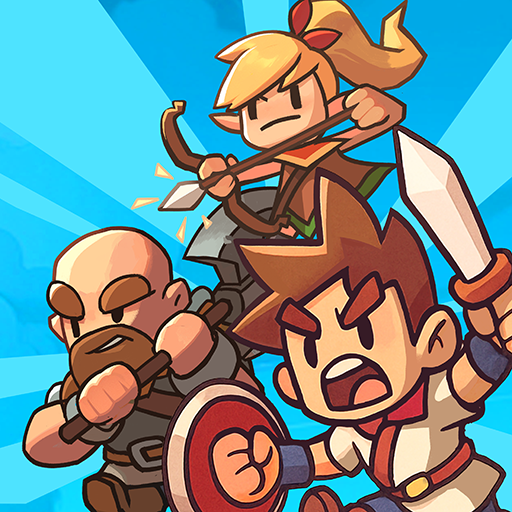
Download Pepp Heroes: Relic Quest on PC with MEmu Android Emulator. Enjoy playing on big screen. Experience a vertical collectible RPG packed with stunning visuals and endless content!
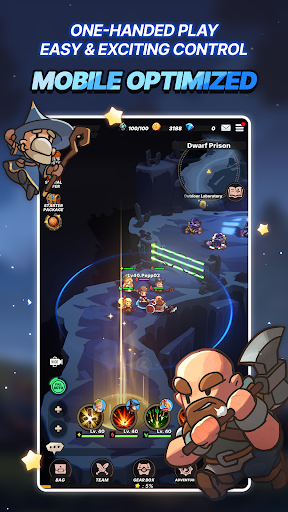
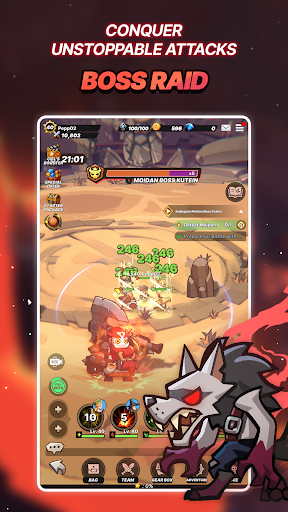
Experience a vertical collectible RPG packed with stunning visuals and endless content!
Unmatched rewards and a whole new world of 2.5D action await you.
《 Game Overview 》
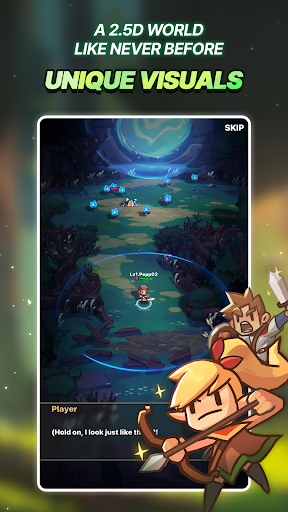
[A Living 2.5D World]
Experience depth and space with rich 2.5D graphics.
Unique hero designs bring a vivid, one-of-a-kind look and feel.
[The Thrill of Manual Controls]
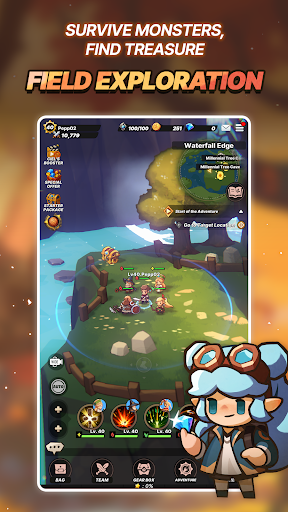
One-handed vertical play—easy to pick up, hard to put down!
Enjoy combat that’s optimized for mobile, but full of real control.
[Jobs, Classes & Squad Synergy]
Mix 8 Jobs and 4 Classes for explosive synergy.
Unlock new Jobs and combine Heroes to craft your perfect squad.
[Summon Legendary Heroes]
SSR Heroes bursting with personality, along with a diverse cast full of untapped potential!
Summon, strategize, and create your ultimate team.
[From Boss Raids to Thrilling PvP]
From cooperative Boss Raids with friends to a variety of PvP modes,
dive into endless gameplay experiences!
[Farm, Fight, Survive]
Enter a thrilling PvP survival mode set on a mysterious island.
Gather resources, outlast your rivals, and become the last one standing to claim special rewards.
[Accelerate Your Growth! Airship System]
Perfect your progression through Team Training!
Grow stronger with Team Training and facility upgrades.
***
[App Permissions]
We request access permissions to provide the following services when using this app:
1. (Optional) Storage (Photos/Media/Files): We request permission to use storage for downloading and storing game data.
- For Android 12 and below
2. (Optional) Notifications: We request permission to publish notifications related to the app's services.
※ Services can still be used without granting optional access permissions, excluding the functionalities associated with those permissions.
[How to Remove Permissions]
You can reset or remove permissions after allowing them as shown below.
1. Android 6.0 or above: Settings 》 Apps 》 Select App 》 Permissions 》 Allow or Remove Permissions
2. Android 6.0 or below: Upgrade the operating system to remove permissions or delete the app
※ If you are using Android 6.0 or below, we recommend that you upgrade to 6.0 or above as you can't change the optional permissions individually.
• Supported Languages: 한국어, English, 日本語, 简体中文, 繁體中文, Deutsch, Français, Español, ไทย
• This app is free-to-play and offers in-app purchases. Purchasing paid items may incur additional fees, and payment cancelation may not be available depending on the type of the item.
• Conditions regarding the usage of this game (contract termination/payment cancelation, etc.) can be viewed in the game or the Com2uS mobile game Terms of Service (available on the website, https://terms.withhive.com/terms/policy/view/M121/T1 ).
• Inquiries regarding the game can be submitted via Com2uS Customer Support 1:1 Inquiry ( https://customer.withhive.com/com2us ).
Show more

1. Download MEmu installer and finish the setup

2. Start MEmu then open Google Play on the desktop

3. Search Pepp Heroes: Relic Quest in Google Play
Install
4. Download and Install Pepp Heroes: Relic Quest
5. On install completion click the icon to start

6. Enjoy playing Pepp Heroes: Relic Quest on PC with MEmu
MEmu Play is the best Android emulator and 100 million people already enjoy its superb Android gaming experience. The MEmu virtualization technology empowers you to play thousands of Android games smoothly on your PC, even the most graphic-intensive ones.
Bigger screen with better graphics; Long duration, without limitation of battery or mobile data.
Full Keymapping support for precise control of keyboard and mouse or gamepad.
Multiple game accounts or tasks on single PC at one time with Multi-Instance manager.
Play Pepp Heroes: Relic Quest on PC by following steps: