Ragnarok Origin: Classic
Updated
Current Version
2.0.4
Offered By

With your passion for Ragnarok Origin: Classic, you shouldn’t have to limit yourself to the small screen of a phone. Play like a pro and take full control of the game using a keyboard and mouse. MEmu gives you everything you’re looking for. Download and play Ragnarok Origin: Classic on PC. Play as long as you want — no more worries about battery life, mobile data, or unexpected calls. The all-new MEmu 9 is the best way to play Ragnarok Origin: Classic on PC. With our expertly designed keymapping system, Ragnarok Origin: Classic feels just like a real PC game. The MEmu multi-instance manager lets you run two or more accounts on the same device at the same time. Most importantly, our exclusive emulation engine unlocks your PC’s full potential, delivering smooth and seamless performance.
Show more
Download Ragnarok Origin: Classic on PC with MEmu Android Emulator. Enjoy playing on big screen. The RO where you grow with Monthly Pass only, inviting you to enjoy the pure adventure.
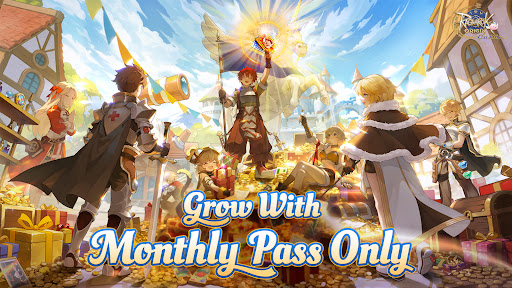
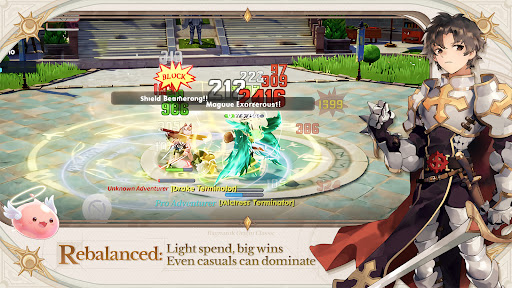
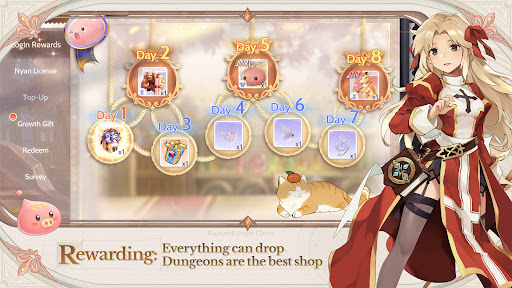
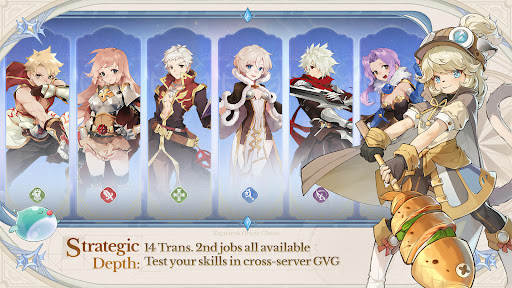
The RO where you grow with Monthly Pass only, inviting you to enjoy the pure adventure
Classic legacy, all 14 Trans. 2nd Jobs now available together
Hassle-free progression for easy adventuring, fast leveling, and loads of rewards
Fair PvP where skill speaks for itself, showcase your prowess in GvG across servers
Everything can drop — dungeons are the best shop
Play together across the Americas, team up and make friends with no region limits
Collect from 203 costumes freely, mix and match to create endless styles
[The RO where Players Grow with Monthly Pass Only]
Experience a fair adventure environment driven solely by the [Monthly Pass] – with the pass in hand, the world is yours.
Here, we completely shatter the dominance of "whale players". You can earn Gold Coins through active play and directly exchange them for a Monthly Pass. MVP cards and rare headwear are all obtained from loot, and you can even gift them to friends. In the land of Midgard, your effort and strategy are the only standards that define your status.
[Re-discover the original ROO excitement]
For all adventurers who love Ragnarok Origin: ROO
No more gacha draws — no S-tier Pets, no Red Sigils, no colorful Statues
Classic protects the pure adventure experience
[Rich Job Builds]
Re-created 14 classic Trans. 2nd jobs with 27 unique builds, offering stress-free job switching.
The Cute Doram job [Summoner] makes its debut!
Experiment with limitless job builds, and relive the most cherished, most thrilling adventures from your memories.
[Pan-America Cross-Server Competition]
Breaking boundaries, from New York to São Paulo — no matter what language you speak, you'll always find friends to fight alongside.
Defying distance, could you stumble upon a long-distance romance?
Or maybe take down a formidable rival and earn glory for your city!
[Fair PvP Open to All]
This is a paradise for PvP enthusiasts: from 5v5 tactical squads to epic 80v80 guild wars.
Join all classic events with zero entry barriers — victory or defeat depends entirely on your skills and team coordination.
Together, we will witness the rise of the true champions!
[Battle for Your Style]
Dungeons are the best marketplace, where you sell loot to get your favorite costumes.
With 203 costumes to collect freely, it's easy to fill up your wardrobe. Even non-paying players can stay cute and switch up their looks every single day!
==Official News==
【Official Website】:http://roocamer.gnjoy.game/
【Official Fan Page】:
https://www.facebook.com/RagnarokOriginClassicNA/
https://www.facebook.com/RagnarokOriginClassicBR/
https://www.facebook.com/RagnarokOriginClassicLATAM/
【Discord】:https://discord.gg/ezStTDzxH8
【YouTube】:https://www.youtube.com/@RagnarokOriginClassic-AM
Show more

1. Download MEmu installer and finish the setup

2. Start MEmu then open Google Play on the desktop

3. Search Ragnarok Origin: Classic in Google Play
Install
4. Download and Install Ragnarok Origin: Classic
5. On install completion click the icon to start

6. Enjoy playing Ragnarok Origin: Classic on PC with MEmu
MEmu Play is the best Android emulator and 100 million people already enjoy its superb Android gaming experience. The MEmu virtualization technology empowers you to play thousands of Android games smoothly on your PC, even the most graphic-intensive ones.
Bigger screen with better graphics; Long duration, without limitation of battery or mobile data.
Full Keymapping support for precise control of keyboard and mouse or gamepad.
Multiple game accounts or tasks on single PC at one time with Multi-Instance manager.
Play Ragnarok Origin: Classic on PC by following steps: