The King of Fighters AFK
Updated
Current Version
1.0.1
Offered By

With your passion for The King of Fighters AFK, you shouldn’t have to limit yourself to the small screen of a phone. Play like a pro and take full control of the game using a keyboard and mouse. MEmu gives you everything you’re looking for. Download and play The King of Fighters AFK on PC. Play as long as you want — no more worries about battery life, mobile data, or unexpected calls. The all-new MEmu 9 is the best way to play The King of Fighters AFK on PC. With our expertly designed keymapping system, The King of Fighters AFK feels just like a real PC game. The MEmu multi-instance manager lets you run two or more accounts on the same device at the same time. Most importantly, our exclusive emulation engine unlocks your PC’s full potential, delivering smooth and seamless performance.
Show more
Download The King of Fighters AFK on PC with MEmu Android Emulator. Enjoy playing on big screen. Get 3,000 Draws, 210,000 Rubies, and 1 Legendary Fighter!
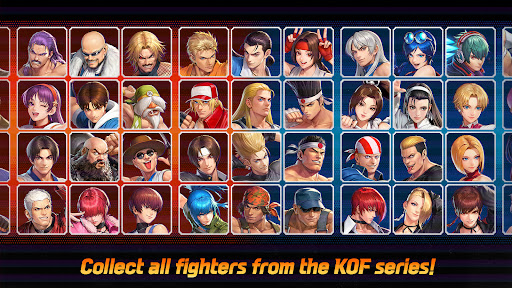
Get 3,000 Draws, 210,000 Rubies, and 1 Legendary Fighter!
Play now and get all the benefits without the ads for 7 days!
If you participated in EARLY ACCESS, you can receive the pre-registration reward, 'VICE', at the official global launch.
The legendary fighting game The King of Fighters returns!
Play now and battle to become the best fighter in the world!
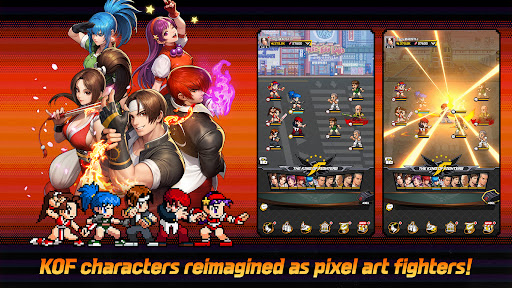
▶ The action-packed series KOF has been reimagined as an idle game!
KOF is back with a retro look and feel!
Power up your pixel fighters and beat your opponents!
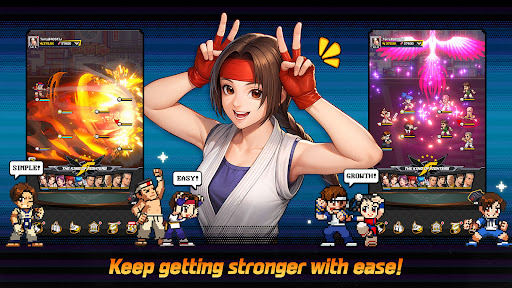
▶ Infinite power! Infinite fun! Power up with one tap!
No more tedious grinding! Tap once to boost your Combat Power!
Welcome to the world of quick & easy power ups!
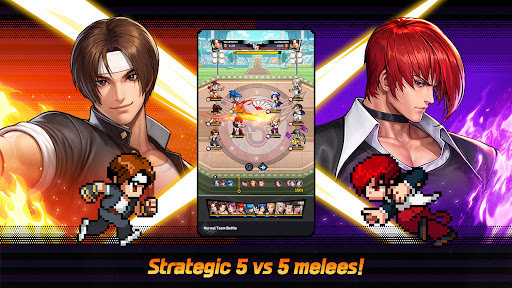
▶ KOF enhanced! Duke it out in big 5 vs. 5 fights!
The fight is now on a bigger scale! Emerge victorious in exciting 5 vs. 5 team battles.
Bigger moments and even bigger fights await!
▶ Strategize to become the King of Fighters!
Adapt to each fight with different placements and combinations!
Form the ultimate team and make your way to the top!
▶ You are the hero in THE KING OF FIGHTERS AFK!
Join forces with other Fighters and stop the factions trying to ruin the tournament!
Set off on a journey to become the champion of KOF!
▶ Tons of events, tons of rewards!
Join them all and quickly power up!
Get rewards just by logging in, and use them to make the strongest team of fighters in the tournament!
Get the latest news and learn more on the official community pages!
- Official Site: https://kofafk.netmarble.com/
- Official Forums: https://forum.netmarble.com/kofafk
- Official YouTube: https://www.youtube.com/@KOFAFK
- Official instagram : https://www.instagram.com/kof_afk/
Specifications
- Minimum specifications: Android 9.0 or higher, 4GB RAM
※ This app offers in-app purchases. You can disable this feature by adjusting your device’s settings.
※ By downloading this game, you are agreeing to our Terms of Service and Privacy Policy.
- Terms of Service: https://help.netmarble.com/terms/terms_of_service_en
- Privacy Policy: https://help.netmarble.com/terms/privacy_policy_en?lcLocale=en
Show more

1. Download MEmu installer and finish the setup

2. Start MEmu then open Google Play on the desktop

3. Search The King of Fighters AFK in Google Play
Install
4. Download and Install The King of Fighters AFK
5. On install completion click the icon to start

6. Enjoy playing The King of Fighters AFK on PC with MEmu
MEmu Play is the best Android emulator and 100 million people already enjoy its superb Android gaming experience. The MEmu virtualization technology empowers you to play thousands of Android games smoothly on your PC, even the most graphic-intensive ones.
Bigger screen with better graphics; Long duration, without limitation of battery or mobile data.
Full Keymapping support for precise control of keyboard and mouse or gamepad.
Multiple game accounts or tasks on single PC at one time with Multi-Instance manager.
Play The King of Fighters AFK on PC by following steps: