The Last Warlord
Updated
Current Version
v1.1.14.4081
Offered By

With your passion for The Last Warlord, you shouldn’t have to limit yourself to the small screen of a phone. Play like a pro and take full control of the game using a keyboard and mouse. MEmu gives you everything you’re looking for. Download and play The Last Warlord on PC. Play as long as you want — no more worries about battery life, mobile data, or unexpected calls. The all-new MEmu 9 is the best way to play The Last Warlord on PC. With our expertly designed keymapping system, The Last Warlord feels just like a real PC game. The MEmu multi-instance manager lets you run two or more accounts on the same device at the same time. Most importantly, our exclusive emulation engine unlocks your PC’s full potential, delivering smooth and seamless performance.
Show more
Download The Last Warlord on PC with MEmu Android Emulator. Enjoy playing on big screen. The Last Warlord is a turn-based lord-playing strategy game developed by the Chengdu Longyou Studio.
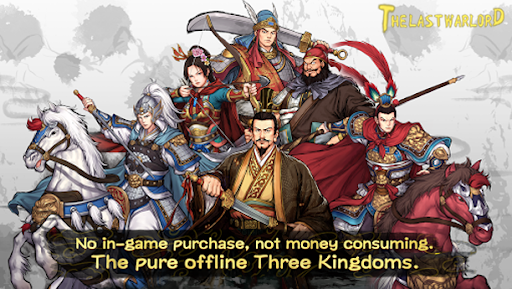
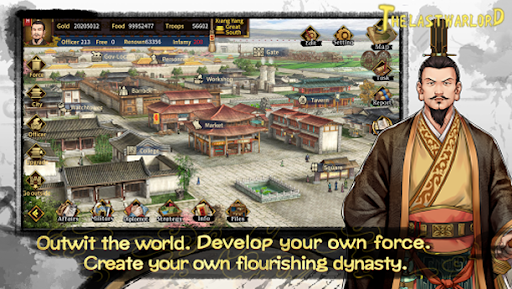
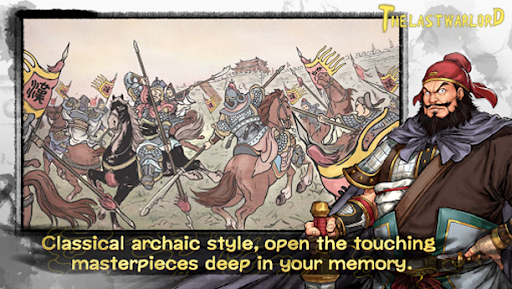
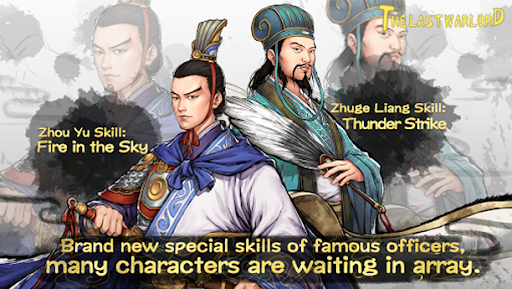
The Last Warlord is a turn-based lord-playing strategy game developed by the Chengdu Longyou Studio. The studio created this game world set in the period of the Three Kingdoms mainly based on people's opinions on other games set in that period. The game is very detailed in depicting the differences between various cities and also the abilities and features of the military officers. The game also applies an appealing battle system in which weather, landforms, and many other factors will influence the result of each battle.
The game is based on the famous Chinese historical novel by Luo Guanzhong (about A.D. 1330 - 1400).
Game Features
I. Classic and graceful graphics finished by fine-lined drawing
The head portrait of officers are pictures from the picture-story book "Romance of the Three Kingdoms" which are colored carefully by our artists. All interfaces of the game are designed in a typical Chinese style.
II. Governing mode easy to get started with:
Auto setting and operation of governing affairs allows players to manage various affairs easily and spend more time enjoying its other facets. Since it's a lord-playing game, players need only to pay attention to the capital by ordering prefects and make policies to govern non-captical cities automatically and giving them commands when necessary.
III. Rich gameplays and contents
Over 1,300 officers are available (including those recorded in historical books and novels).
Officers' abilties are distinguished in detail.
Officers are distinguish by over 100 unique features.
Almost 100 verified precious items appear in the game world.
Almost 60 cities of different styles and hundreds of features of cities are available.
A techs research system with rich content runs through and supports the whole game.
Six major basic arms and more than ten special arms constitute a rich arms system.
Ultra abundant official positions.
A marriage system dicided by you and a humanized child training and inheritance system.
Various natural phenomena and disasters simulate the disastrous period of the Three Kingdoms.
Merchants, seer, celebrities, famous doctors, craftsmen, blacksmiths and swordsmen wander around and visit you.
IV. The turn-based battle mode requires careful planning in deploying troops
Weather, landforms and even the height of the battlefield will influence any battles in the game.
Field battles and siege battles are presented differently. There are various siege vehicles for players to storm castles and also defending their own castles.
The troops formation system adds more interest to battles. Different arms with different formations have different enhancement effects.
About Refund Policy
Dear Players:
If you have made a wrong purchase or are not satisfied with the game, you can request a refund through Google Play if it’s less than 48 hours since you purchased it. Refund requests are all processed by google and overdue refund applies are not accepted. Developer will not be able to process any refund request. Thank you for your understanding and cooperation.
Please refer to :https://support.google.com/googleplay/answer/7205930
Show more

1. Download MEmu installer and finish the setup

2. Start MEmu then open Google Play on the desktop

3. Search The Last Warlord in Google Play
Install
4. Download and Install The Last Warlord
5. On install completion click the icon to start

6. Enjoy playing The Last Warlord on PC with MEmu
MEmu Play is the best Android emulator and 100 million people already enjoy its superb Android gaming experience. The MEmu virtualization technology empowers you to play thousands of Android games smoothly on your PC, even the most graphic-intensive ones.
Bigger screen with better graphics; Long duration, without limitation of battery or mobile data.
Full Keymapping support for precise control of keyboard and mouse or gamepad.
Multiple game accounts or tasks on single PC at one time with Multi-Instance manager.
Play The Last Warlord on PC by following steps: