The Room: Old Sins
Updated
Current Version
1.0.5
Offered By

With your passion for The Room: Old Sins, you shouldn’t have to limit yourself to the small screen of a phone. Play like a pro and take full control of the game using a keyboard and mouse. MEmu gives you everything you’re looking for. Download and play The Room: Old Sins on PC. Play as long as you want — no more worries about battery life, mobile data, or unexpected calls. The all-new MEmu 9 is the best way to play The Room: Old Sins on PC. With our expertly designed keymapping system, The Room: Old Sins feels just like a real PC game. The MEmu multi-instance manager lets you run two or more accounts on the same device at the same time. Most importantly, our exclusive emulation engine unlocks your PC’s full potential, delivering smooth and seamless performance.
Show more
Download The Room: Old Sins on PC with MEmu Android Emulator. Enjoy playing on big screen. Enter The Room: Old Sins and be transported to a place where tactile exploration meets challenging puzzles and a captivating story.
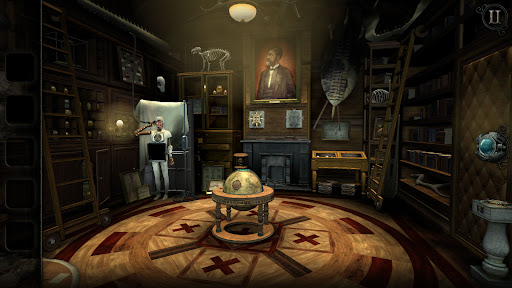
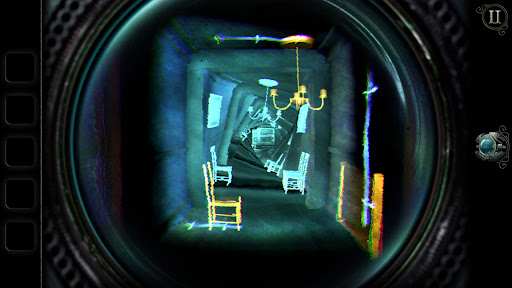
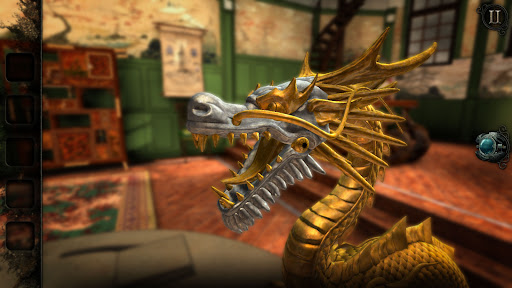
Enter The Room: Old Sins and be transported to a place where tactile exploration meets challenging puzzles and a captivating story.
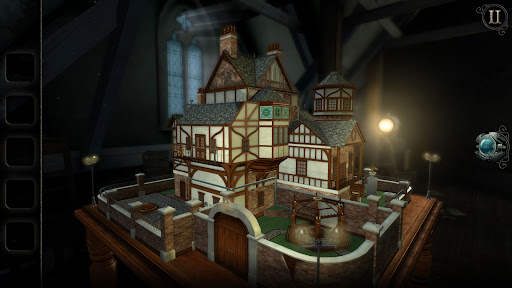
The sudden disappearance of an ambitious engineer and his high-society wife provokes the hunt for a precious artefact. The trail leads to the attic of their home, and the discovery of an old, peculiar dollhouse…
Explore unsettling locations, follow obscure clues and manipulate bizarre contraptions as you uncover the mysteries within Waldegrave Manor.
THE ULTIMATE PUZZLE BOX
Explore a deviously complex dollhouse which transforms at your fingertips. Each intricate room is a portal to a new, stunning environment.
PICK-UP-AND-PLAY DESIGN
Easy to begin yet hard to put down, enjoy a unique mix of intriguing puzzles with a simple user interface.
INTUITIVE TOUCH CONTROLS
A tactile experience so natural you can almost feel the surface of each object.
INTRICATE OBJECTS
Examine dozens of detailed objects to discover which of them conceal hidden mechanisms.
ATMOSPHERIC AUDIO
A haunting soundtrack coupled with dynamic sound effects create an unforgettable soundscape.
CLOUD SAVE SUPPORTED
Share your progress between multiple devices and unlock achievements.
MULTI LANGUAGE SUPPORT
Available in English, French, Italian, German, Spanish, Brazilian Portuguese, Turkish and Russian.
Fireproof Games is an independent studio from Guildford, United Kingdom.
Find out more at fireproofgames.com
Follow us @Fireproof_Games
Find us on Facebook
Show more

1. Download MEmu installer and finish the setup

2. Start MEmu then open Google Play on the desktop

3. Search The Room: Old Sins in Google Play
Install
4. Download and Install The Room: Old Sins
5. On install completion click the icon to start

6. Enjoy playing The Room: Old Sins on PC with MEmu
MEmu Play is the best Android emulator and 100 million people already enjoy its superb Android gaming experience. The MEmu virtualization technology empowers you to play thousands of Android games smoothly on your PC, even the most graphic-intensive ones.
Bigger screen with better graphics; Long duration, without limitation of battery or mobile data.
Full Keymapping support for precise control of keyboard and mouse or gamepad.
Multiple game accounts or tasks on single PC at one time with Multi-Instance manager.
Play The Room: Old Sins on PC by following steps: