
Thrifty Business
Updated
Current Version
Offered By

With your passion for Thrifty Business, you shouldn’t have to limit yourself to the small screen of a phone. Play like a pro and take full control of the game using a keyboard and mouse. MEmu gives you everything you’re looking for. Download and play Thrifty Business on PC. Play as long as you want — no more worries about battery life, mobile data, or unexpected calls. The all-new MEmu 9 is the best way to play Thrifty Business on PC. With our expertly designed keymapping system, Thrifty Business feels just like a real PC game. The MEmu multi-instance manager lets you run two or more accounts on the same device at the same time. Most importantly, our exclusive emulation engine unlocks your PC’s full potential, delivering smooth and seamless performance.
Show more
Download Thrifty Business on PC with MEmu Android Emulator. Enjoy playing on big screen. [TRY BEFORE YOU BUY].
[TRY BEFORE YOU BUY]
Try the first 60 minutes of Thrifty Business for free! If you like it, you can unlock the full game with a one-time purchase!
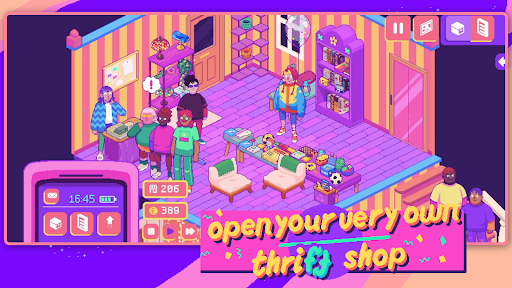
There’s a brand new thrift store in town, and guess what? You’re in charge!
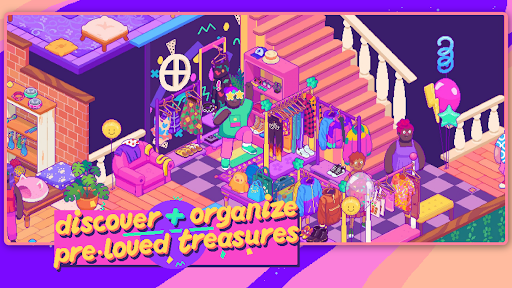
In Thrifty Business, you’ll set up and manage your very own 90’s-inspired vintage thrift shop. Search through boxes filled with pre-loved gems and use them to create gorgeous displays. Unlock furniture, decorations, wallpaper & floors to create a beautiful community space that brings everybody together!
Adjust your layout and organize your shelves and racks to the finest detail. Group your wares by colour, theme, purpose, or whatever you like. The more organized your store is, the more community points you’ll get to unlock new goodies!
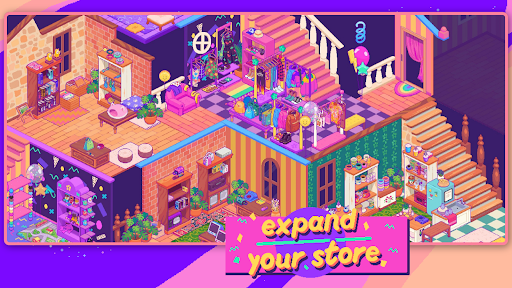
Customize the furniture, wallpaper, flooring and decor to make your store as welcoming and cozy as possible. As business grows, you might even need to expand into the adjacent rooms!
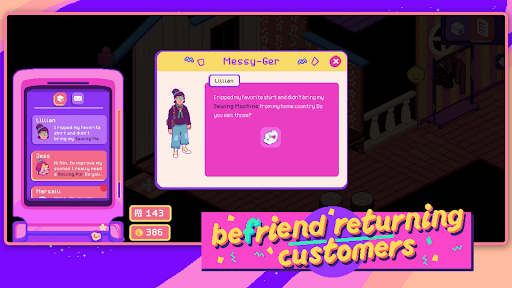
This is so much more than just a store. Listen to customer’s stories and try to fulfill their requests. You can also unlock and host hobbyist events, turning your business into a treasured third space for locals!
What Thrifty Business has in store for you:
- laid-back management sim
- colorful 90s-inspired graphics
- 500+ different items to add to your shelves
- precision placing so you can organize exactly how you want
- customization options: furniture, decorations, wallpaper & flooring
- a quirky and unique cast of customers
What you won’t find on our shelves:
- stressful min-maxing to get the best possible profit
- setting item prices or haggling
- impatient customers that leave your store in anger
Show more

1. Download MEmu installer and finish the setup

2. Start MEmu then open Google Play on the desktop

3. Search Thrifty Business in Google Play
Install
4. Download and Install Thrifty Business
5. On install completion click the icon to start

6. Enjoy playing Thrifty Business on PC with MEmu
MEmu Play is the best Android emulator and 100 million people already enjoy its superb Android gaming experience. The MEmu virtualization technology empowers you to play thousands of Android games smoothly on your PC, even the most graphic-intensive ones.
Bigger screen with better graphics; Long duration, without limitation of battery or mobile data.
Full Keymapping support for precise control of keyboard and mouse or gamepad.
Multiple game accounts or tasks on single PC at one time with Multi-Instance manager.
Play Thrifty Business on PC by following steps:
















































