VENTO
Updated
Current Version
1.0.4
Offered By

With your passion for VENTO, you shouldn’t have to limit yourself to the small screen of a phone. Play like a pro and take full control of the game using a keyboard and mouse. MEmu gives you everything you’re looking for. Download and play VENTO on PC. Play as long as you want — no more worries about battery life, mobile data, or unexpected calls. The all-new MEmu 9 is the best way to play VENTO on PC. With our expertly designed keymapping system, VENTO feels just like a real PC game. The MEmu multi-instance manager lets you run two or more accounts on the same device at the same time. Most importantly, our exclusive emulation engine unlocks your PC’s full potential, delivering smooth and seamless performance.
Show more
Download VENTO on PC with MEmu Android Emulator. Enjoy playing on big screen. The mountain seems calm, but peace has an expiration date.

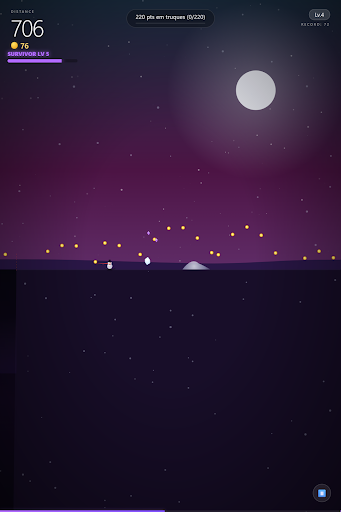
The mountain seems calm, but peace has an expiration date.
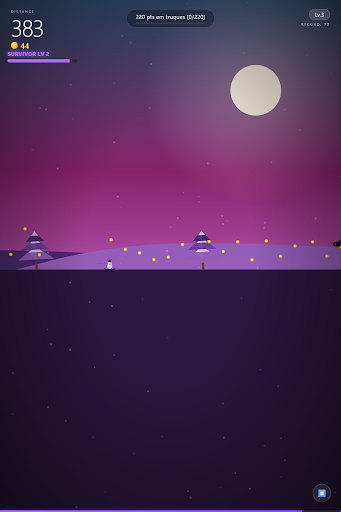
What starts as a relaxing descent through the snow turns into an epic test of survival. Cross the 200 meter mark and watch the world change before your eyes. The silence of the snow gives way to the frantic chaos of hordes of monsters.
Glide in style as your snowman automatically detonates everything. Energy spheres, slimy slimes and shadowy crows are everywhere. Just focus on control: combat is automatic, but survival depends on your skill.
Evolve in the heat of battle with the survivor level system. Collect XP gems and choose strategic upgrades that change the way you play. Throw giant snowballs, increase your cadence, or call upon the power of relic magnets to dominate the terrain.
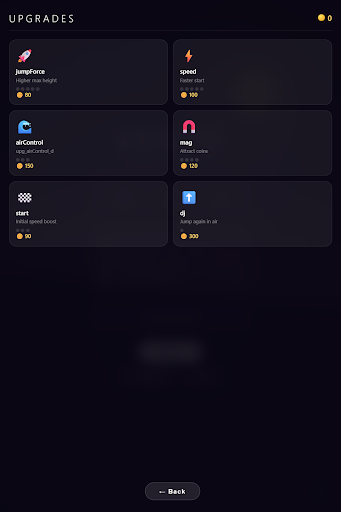
Each race is a new opportunity to become a mountain legend. Unlock permanent store upgrades, master perfect landings and beat your highscores. The journey is infinite, the dangers are constant and the fun is absolute.
Feel the adrenaline of Bullet Heaven mixed with the fluidity of a sports game. Customize your arsenal, face gigantic monsters and find out how far you can get. The mountain is calling, and it will show no mercy.
Show more

1. Download MEmu installer and finish the setup

2. Start MEmu then open Google Play on the desktop

3. Search VENTO in Google Play
Install
4. Download and Install VENTO
5. On install completion click the icon to start

6. Enjoy playing VENTO on PC with MEmu
MEmu Play is the best Android emulator and 100 million people already enjoy its superb Android gaming experience. The MEmu virtualization technology empowers you to play thousands of Android games smoothly on your PC, even the most graphic-intensive ones.
Bigger screen with better graphics; Long duration, without limitation of battery or mobile data.
Full Keymapping support for precise control of keyboard and mouse or gamepad.
Multiple game accounts or tasks on single PC at one time with Multi-Instance manager.
Play VENTO on PC by following steps:

![Neon Valley [AMOLED] PC](https://dl.memuplay.com/new_market/img/com.QuanticBit.NeonValley.icon.2026-07-15-09-56-44.png)


![Eternal Void [RUNNER] PC](https://dl.memuplay.com/new_market/img/com.QuanticBit.EternalVoid.icon.2026-01-09-10-18-10.png)
![Neon Valley 2 [AMOLED 3D] PC](https://dl.memuplay.com/new_market/img/com.QuanticBit.NeonValley23D.icon.2026-02-07-22-46-33.png)

![Neon Valley [CLASSIC] PC](https://dl.memuplay.com/new_market/img/com.QuanticBit.NeonValley2.icon.2026-04-11-01-10-29.png)