
Chathub Random Chat No Login
Updated
Current Version
2.115
Offered By

Stop worrying about high battery drain when using Chathub Random Chat No Login on your phone. Free yourself from the tiny screen and enjoy the app on a much larger display. From now on, get a full-screen experience of your app with the convenience of a keyboard and mouse. MEmu offers you all the surprising features you’d expect: quick installation and easy setup, intuitive controls, and no more worries about battery life, mobile data, or unexpected calls. The all-new MEmu 9 is the choice for using Chathub Random Chat No Login on your computer. With the MEmu multi-instance manager, you can run two or more accounts at the same time. Most importantly, our exclusive emulation engine unlocks your PC’s full potential, delivering smooth and enjoyable performance.
Show more
Enjoy superb experience of using Chathub Random Chat No Login on PC with MEMU App Player. It's a powerful free Android emulator which provides you with thousands of android apps for their desktop version. Enjoy connecting with friends and polishing your work with higher efficiency! Discover ChatHub - Your Ultimate Connection Destination.
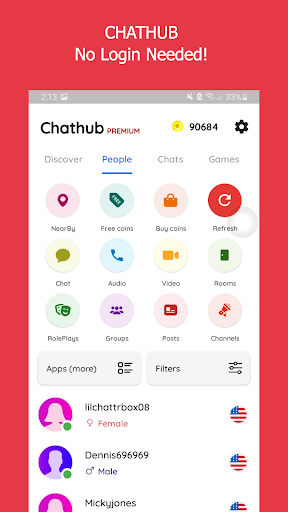
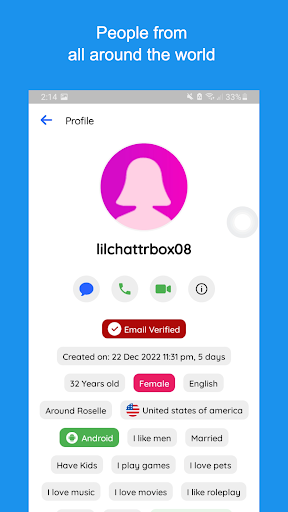
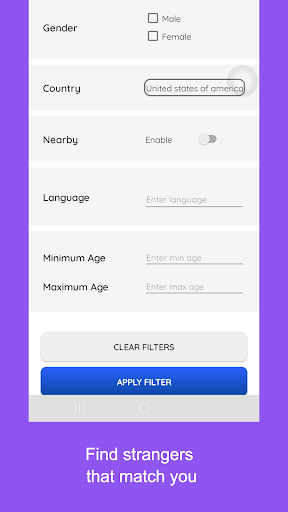
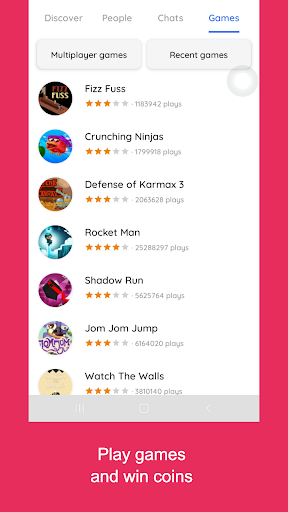
Discover ChatHub - Your Ultimate Connection Destination
Looking for thrilling connections and spontaneous chats? ChatHub is the answer! It's the latest vibrant platform designed for secure and anonymous interactions. Whether you seek meaningful connections, friendly chats, or new friends, ChatHub has you covered.
ChatHub - Where Connections Thrive
ChatHub is your ticket to engaging global conversations without the hassle of account creation. With just a tap, dive into one-on-one chats for an enjoyable and user-friendly experience.
At ChatHub, your privacy is paramount. Messages are auto-deleted, and no personal data is stored. We prioritize safety, requiring users to be over 18 and strictly prohibiting inappropriate content. Rest assured, we take action against violators.
ChatHub - Spark Authentic Conversations
ChatHub encourages genuine, free discussions without collecting personal data. Share images, audio, and videos confidently. Your privacy and conversation security are our priorities. Report any illegal activity through our reporting function.
ChatHub - Connect Globally
Connect with people globally or locally. Exchange media and engage in meaningful conversations with strangers. Our innovative random chat approach connects you with like-minded individuals.
ChatHub - Instant Connections
Experience instant connections worldwide without the need for login. Filter connections by location and language. Join a diverse community and enjoy seamless cam-to-cam chats through our Android app.
Join users from 200+ countries on ChatHub. Filter connections based on your preferences. Whether you seek friendly chats, flirting, or local dates, ChatHub has you covered.
Take advantage of features that will elevate your Chathub experience:
1. Talk with anyone for free, without any login required.
2. Know if your chat friend is chatting with someone else or only you.
3. Plenty of filters to find people that match your liking, age, gender, country, language, etc.
4. Send and receive pictures, make voice calls or video calls
5. Random chat, random voice call or random video call are 3 different features in app
6. Read roleplays or play a roleplay, join video channels or host a video channel
7. Create groups, ask questions or write posts/polls.
8. Find girls from your city or nearby
9. Safe for woman, no personal identification information is collected.
10. Meet new people and text them anonymously and make friends.
Craving something extra? Chathub Premium makes it even easier to chat with singles.
1. No advertisements
2. Send unlimited direct messages for free
3. Unlimited filters and refreshes
4. Create unlimited rooms, channels, groups or roleplays
5. Get free coins, voice and video calls
6. Themed messages will let everyone know you are a premium user and gets you more chats
7. Hide your calls and chats
Show more

1. Download MEmu installer and finish the setup

2. Start MEmu then open Google Play on the desktop

3. Search Chathub Random Chat No Login in Google Play
Install
4. Download and Install Chathub Random Chat No Login
5. On install completion click the icon to start

6. Enjoy using Chathub Random Chat No Login on PC with MEmu
MEmu Play is the best Android emulator, and 100 million users already enjoy its superb Android app experience. Powered by advanced virtualization technology, it lets you enjoy thousands of Android apps smoothly on your PC—including the most graphics-intensive ones.
Bigger screen with better graphics; Long duration, without limitation of battery or mobile data.
Full Keymapping support for precise control of keyboard and mouse or gamepad.
Multiple game accounts or tasks on single PC at one time with Multi-Instance manager.
Use Chathub Random Chat No Login on PC by following steps:






















![[3D Platformer] Super Bear Adventure PC](https://dl.memuplay.com/new_market/img/com.Earthkwak.Platformer.icon.2024-09-08-15-16-43.png)









