
Chathub Random Chat No Login
Actualizada
Versión actual
2.115
Ofrecida por

Deje de preocuparse por los recargos cuando use Chathub Random Chat No Login en su teléfono celular, libérese de la pequeña pantalla y disfrute usando la aplicación en una pantalla mucho más grande. A partir de ahora, obtenga una experiencia de pantalla completa de su aplicación con teclado y mouse. MEmu le ofrece todas las características sorprendentes que esperaba: instalación rápida y configuración fácil, controles intuitivos, no más limitaciones de batería, datos móviles y llamadas molestas. El nuevo MEmu 9 es la mejor opción para usar Chathub Random Chat No Login en su computadora. Codificado con nuestra absorción, el administrador de instancias múltiples hace posible abrir 2 o más cuentas al mismo tiempo. Y lo más importante, nuestro exclusivo motor de emulación puede liberar todo el potencial de su PC, hacer que todo sea fluido y agradable.
Más detalles
Descargar Chathub Random Chat No Login en PC con MEmu Android Emulador. Disfruta jugando en la pentalla grande. Discover ChatHub - Your Ultimate Connection Destination.

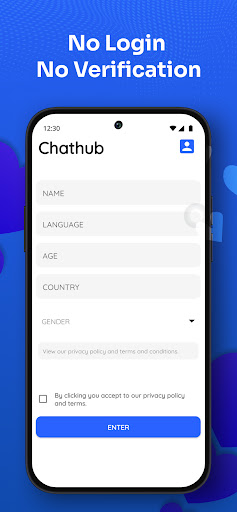
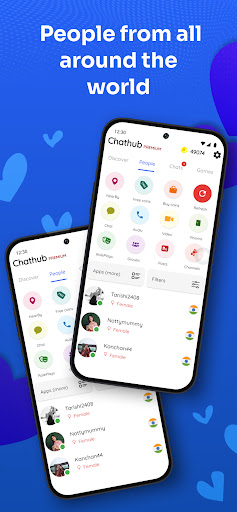
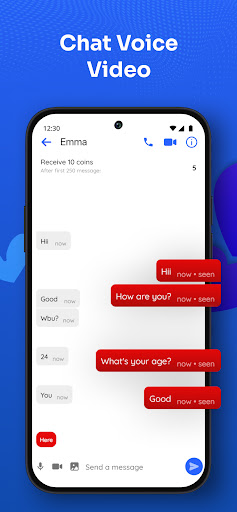
Discover ChatHub - Your Ultimate Connection Destination
Looking for thrilling connections and spontaneous chats? ChatHub is the answer! It's the latest vibrant platform designed for secure and anonymous interactions. Whether you seek meaningful connections, friendly chats, or new friends, ChatHub has you covered.
ChatHub - Where Connections Thrive
ChatHub is your ticket to engaging global conversations without the hassle of account creation. With just a tap, dive into one-on-one chats for an enjoyable and user-friendly experience.
At ChatHub, your privacy is paramount. Messages are auto-deleted, and no personal data is stored. We prioritize safety, requiring users to be over 18 and strictly prohibiting inappropriate content. Rest assured, we take action against violators.
ChatHub - Spark Authentic Conversations
ChatHub encourages genuine, free discussions without collecting personal data. Share images, audio, and videos confidently. Your privacy and conversation security are our priorities. Report any illegal activity through our reporting function.
ChatHub - Connect Globally
Connect with people globally or locally. Exchange media and engage in meaningful conversations with strangers. Our innovative random chat approach connects you with like-minded individuals.
ChatHub - Instant Connections
Experience instant connections worldwide without the need for login. Filter connections by location and language. Join a diverse community and enjoy seamless cam-to-cam chats through our Android app.
Join users from 200+ countries on ChatHub. Filter connections based on your preferences. Whether you seek friendly chats, flirting, or local dates, ChatHub has you covered.
Take advantage of features that will elevate your Chathub experience:
1. Talk with anyone for free, without any login required.
2. Know if your chat friend is chatting with someone else or only you.
3. Plenty of filters to find people that match your liking, age, gender, country, language, etc.
4. Send and receive pictures, make voice calls or video calls
5. Random chat, random voice call or random video call are 3 different features in app
6. Read roleplays or play a roleplay, join video channels or host a video channel
7. Create groups, ask questions or write posts/polls.
8. Find girls from your city or nearby
9. Safe for woman, no personal identification information is collected.
10. Meet new people and text them anonymously and make friends.
Craving something extra? Chathub Premium makes it even easier to chat with singles.
1. No advertisements
2. Send unlimited direct messages for free
3. Unlimited filters and refreshes
4. Create unlimited rooms, channels, groups or roleplays
5. Get free coins, voice and video calls
6. Themed messages will let everyone know you are a premium user and gets you more chats
7. Hide your calls and chats
Más detalles

1. Descargar el instalador de MEmu y finalice la instalación

2. Iniciar MEmu y abrir Google Play en la página de inicio

3. Buscar Chathub Random Chat No Login en Google Play
Install
4. Descargar y instalar Chathub Random Chat No Login
5. Hacer click al icono para iniciar

6. Experiencia Chathub Random Chat No Login en PC con MEmu
MEmu App Player es el mejor emulador de Android gratuito y 50 millones de personas ya están disfrutando su magnífica experiencia de aplicación en Android. La tecnología de virtualización de MEmu te permite jugar a miles de aplicaciones Android suavemente en tu PC, incluso los más intensivos gráficamente.
Pantalla más grande con mejores gráficos; Larga duración, sin limitación de batería o datos móviles.
Soporte completo de keymapping para un control preciso del teclado y el mouse o gamepad.
Múltiples cuentas de juegos o tareas en una sola PC a la vez con el administrador de instancias múltiples.
Use Chathub Random Chat No Login on PC by following steps: