
Simeji Japanese keyboard+Emoji
Updated
Current Version
D
Offered By

Stop worrying about high battery drain when using Simeji Japanese keyboard+Emoji on your phone. Free yourself from the tiny screen and enjoy the app on a much larger display. From now on, get a full-screen experience of your app with the convenience of a keyboard and mouse. MEmu offers you all the surprising features you’d expect: quick installation and easy setup, intuitive controls, and no more worries about battery life, mobile data, or unexpected calls. The all-new MEmu 9 is the choice for using Simeji Japanese keyboard+Emoji on your computer. With the MEmu multi-instance manager, you can run two or more accounts at the same time. Most importantly, our exclusive emulation engine unlocks your PC’s full potential, delivering smooth and enjoyable performance.
Show more
Enjoy superb experience of using Simeji Japanese keyboard+Emoji on PC with MEMU App Player. It's a powerful free Android emulator which provides you with thousands of android apps for their desktop version. Enjoy connecting with friends and polishing your work with higher efficiency! Simeji is a free Japanese input keyboard that has reached over 45M downloads!
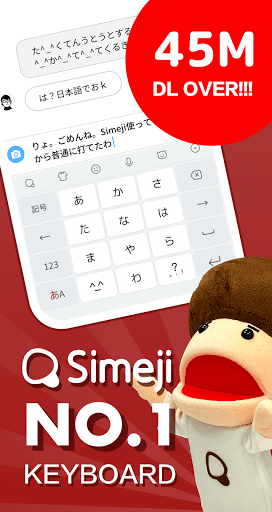
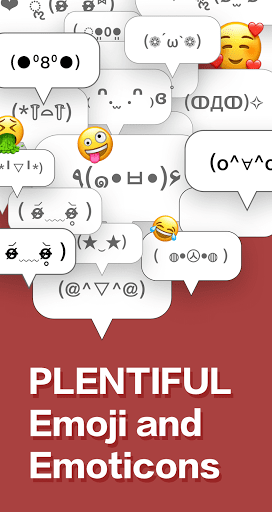
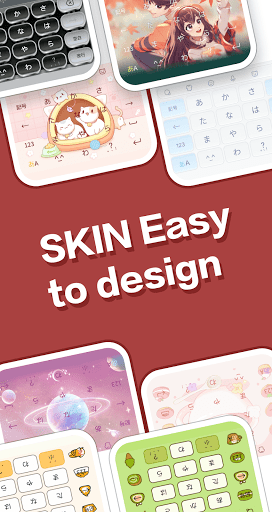
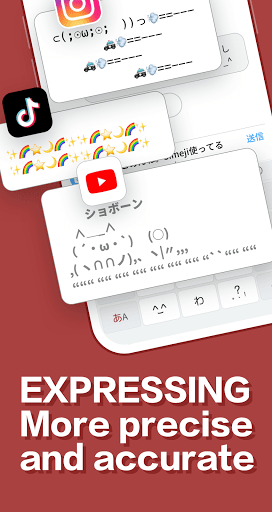
Simeji is a free Japanese input keyboard that has reached over 45M downloads! It comes with a skinnable keyboard, cute emoticons, emoji, and more!
This is the most popular keyboard app in Japan! Try it today!
Simeji is a keyboard with these features!
◆ Skinnable keyboard
- Add a wallpaper to your keyboard using a photo, image and video.
- Chock-full of keyboard themes!
- Also lots of features to change your text color and decorate your flick keyboard.
◆ Use cute emoticons and emoji
- See the emoticon and emoji rankings to find the most popular ones!
- Popular emoticons can be inserted immediately and let you add some spice to your chats on LINE, Twitter, and Facebook!
◆ Robust Japanese input and conversion features
- The cloud-based dictionary contains 2M entries, covering everything from anime slang to the latest buzzwords
- Lots of preset phrases you can use for Nico Nico, in-game chat, telling someone you're late, and more
- As requested by users, the "Fun conversion" feature has now been added! There's also the "Everyone's Dictionary" feature, which lets you share cute emoticons with others.
◆ Easy keyboard input
- Rapidly switch from the top of the keyboard to select emoticons, emoji, numerals, and special characters
◆ Popular Simeji stickers
- Comes with the popular set of Simeji stickers
New fun stickers are being uploaded by users every day! These cool stickers are free to use!
◆ ASCII art and mushroom function
- Easily insert from a range of over 500 ASCII art designs and emoji
- Long tap on the あ/A button to set your own text expansion dictionary
[Simeij VIP]
1) Simeji VIP monthly 400 yen / month
2) Simeji VIP 12 month 200 yen / month (2,400 yen per year) 50% OFF every year
[About automatic renewal and cancellation]
Free trial is only available when you register for VIP for the first time in the Google Play.
After the free trial, you will be automatically charged 400 yen per month.
A monthly fee will be charged within 24 hours before the end of the subscription period.
Unless canceled at least 24 hours before the end of the subscription period, your subscription will automatically continue.
Payment will be charged to Apple ID account.
Deleting an app does not cancel your subscription.
Cancellation procedure cannot be performed on the Simeji App side. Please manage or cancel your subscription in your Google Play account settings.
VIP exclusive theme
Unlimited use VIP special theme
-Unlimited use of luxury keyboard custom parts
theme and deco parts are upgraded for VIP only
-Unlimited photo theme settings
No need to organize when you create a new photo theme
VIP backup
-Easy backup of user user dictionary
-Real-time translation function available.
Remove ads
-Smooth input operations!
[The information desk]
・ Customer Support (simeji_support@baidu.com)
Business hours: Monday to Friday 10: 00-18: 00 (excluding Saturdays, Sundays and holidays, and our designated holidays)
* The contract for this service is automatically renewed. You will be automatically charged for renewal on a service-provided basis until the customer is suspended on the Google Play.
* If the service is in the free trial period, the free period ends when you apply for the service.
- Terms of use https://simeji.me/termofuse/
- Privacy Policy https://simeji.me/privacy/
- Display based on the Specified Commercial Transaction Law https://stat.ime.baidu.jp/page/terms/ios/premium/index.html
Show more

1. Download MEmu installer and finish the setup

2. Start MEmu then open Google Play on the desktop

3. Search Simeji Japanese keyboard+Emoji in Google Play
Install
4. Download and Install Simeji Japanese keyboard+Emoji
5. On install completion click the icon to start

6. Enjoy using Simeji Japanese keyboard+Emoji on PC with MEmu
MEmu Play is the best Android emulator, and 100 million users already enjoy its superb Android app experience. Powered by advanced virtualization technology, it lets you enjoy thousands of Android apps smoothly on your PC—including the most graphics-intensive ones.
Bigger screen with better graphics; Long duration, without limitation of battery or mobile data.
Full Keymapping support for precise control of keyboard and mouse or gamepad.
Multiple game accounts or tasks on single PC at one time with Multi-Instance manager.
Use Simeji Japanese keyboard+Emoji on PC by following steps:






























