Google Photos
Updated
Current Version
1737147361
Offered By

Stop worrying about high battery drain when using Google Photos on your phone. Free yourself from the tiny screen and enjoy the app on a much larger display. From now on, get a full-screen experience of your app with the convenience of a keyboard and mouse. MEmu offers you all the surprising features you’d expect: quick installation and easy setup, intuitive controls, and no more worries about battery life, mobile data, or unexpected calls. The all-new MEmu 9 is the choice for using Google Photos on your computer. With the MEmu multi-instance manager, you can run two or more accounts at the same time. Most importantly, our exclusive emulation engine unlocks your PC’s full potential, delivering smooth and enjoyable performance.
Show more
Enjoy superb experience of using Google Photos on PC with MEMU App Player. It's a powerful free Android emulator which provides you with thousands of android apps for their desktop version. Enjoy connecting with friends and polishing your work with higher efficiency! Google Photos is the home for all your photos and videos, automatically organized and easy to share.
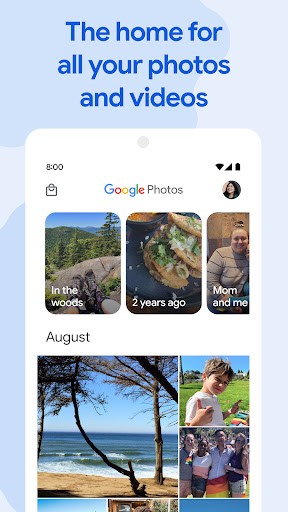
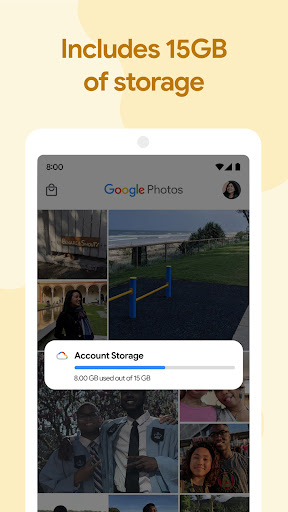
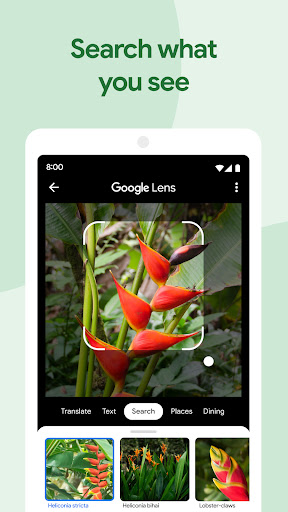
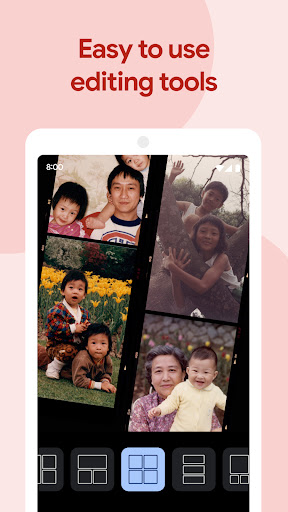
Google Photos is the home for all your photos and videos, automatically organized and easy to share.
- “The best photo product on Earth” – The Verge
- “Google Photos is your new essential picture app” – Wired
The official Google Photos app is made for the way you take photos today and includes essential features like shared albums, automatic creations and an advanced editing suite. Additionally every Google Account comes with 15 GB of storage and you can choose to automatically back up all your photos and videos in High quality or Original quality. You can then access them from any connected device and on photos.google.com.
With the official app, you get:
15 GB OF STORAGE: Back up 15 GB of photos and videos and access them from any device and photos.google.com—your photos are safe, secure, and private to you. All photos and videos you back up in high quality before June 1, 2021 will not count toward your Google Account storage.
FREE UP SPACE: Never worry about running out of space on your phone again. Photos that are safely backed up can be removed from your device's storage in just a tap.
NO ADS: Google Photos doesn't sell your photos, videos, or personal information to anyone and we don't use your photos and videos for advertising.
FAST AND POWERFUL SEARCH: Your photos are now searchable by the people, places and things in them — no tagging required.
GOOGLE LENS: Search the hard-to-describe and get stuff done, right from a photo. Copy and translate text, identify plants and animals, add events to your calendar, find products online, and more.
ADVANCED EDITING SUITE: Transform photos with a tap. Use intuitive and powerful photo editing tools to apply content-aware filters, adjust lighting, and more.
AUTOMATIC CREATIONS: Bring photos to life with automatically created movies, collages, animations, panoramas, and more from your photos. Or easily create them yourself.
SHARING SUGGESTIONS: With smart sharing suggestions, giving your friends the photos you took of them is painless. And they can add their photos, too, so you’ll finally get the photos you’re actually in.
LIVE ALBUMS: Select the people and pets you want to see and Google Photos will automatically add photos of them as you take them, no manual updates needed.*
PHOTO BOOKS: Create a photo book in just minutes from your phone or computer. You can also see suggested photo books based on your best shots from a trip or period of time.*
SEND PHOTOS IN SECONDS: Instantly share photos with any contact, email, or phone number.
SHARED LIBRARIES: Grant a trusted person access to all of your photos.
You can also upgrade storage for your Google Account, used for Original Quality photos and videos by subscribing to Google One. Subscriptions start at $1.99/month for 100 GB in the US. Pricing and availability can vary by region.
- Google One Terms of Service: https://one.google.com/terms-of-service
- One Google Pricing: https://one.google.com/about
For additional help visit https://support.google.com/photos
Google Photos is also available on Wear OS for the Google Pixel Watch. Set your favorite photos as your watch face.
*Face grouping, live albums and photo books are not available in all countries.
Show more

1. Download MEmu installer and finish the setup

2. Start MEmu then open Google Play on the desktop

3. Search Google Photos in Google Play
Install
4. Download and Install Google Photos
5. On install completion click the icon to start

6. Enjoy using Google Photos on PC with MEmu
MEmu Play is the best Android emulator, and 100 million users already enjoy its superb Android app experience. Powered by advanced virtualization technology, it lets you enjoy thousands of Android apps smoothly on your PC—including the most graphics-intensive ones.
Bigger screen with better graphics; Long duration, without limitation of battery or mobile data.
Full Keymapping support for precise control of keyboard and mouse or gamepad.
Multiple game accounts or tasks on single PC at one time with Multi-Instance manager.
Use Google Photos on PC by following steps: