
TD Ameritrade Mobile
Updated
Current Version
Varies with device
Offered By

Stop worrying about high battery drain when using TD Ameritrade Mobile on your phone. Free yourself from the tiny screen and enjoy the app on a much larger display. From now on, get a full-screen experience of your app with the convenience of a keyboard and mouse. MEmu offers you all the surprising features you’d expect: quick installation and easy setup, intuitive controls, and no more worries about battery life, mobile data, or unexpected calls. The all-new MEmu 9 is the choice for using TD Ameritrade Mobile on your computer. With the MEmu multi-instance manager, you can run two or more accounts at the same time. Most importantly, our exclusive emulation engine unlocks your PC’s full potential, delivering smooth and enjoyable performance.
Show more
Enjoy superb experience of using TD Ameritrade Mobile on PC with MEMU App Player. It's a powerful free Android emulator which provides you with thousands of android apps for their desktop version. Enjoy connecting with friends and polishing your work with higher efficiency! On the move?
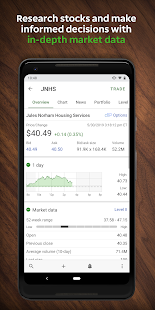
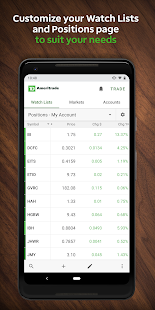
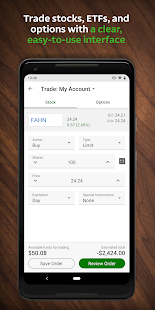
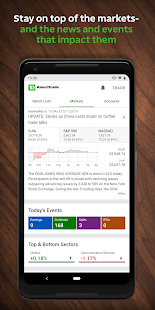
On the move? So is the market. Stay on top of it with the TD Ameritrade Mobile app. Monitor the markets and your positions, deposit funds with mobile check deposit, catch up on the latest news and research, or browse educational content—all from your mobile device. Trade with confidence everywhere you go, with the security and precision of your desktop right in the palm of your hand.
All the features you need:
• Keep up on the market with price alerts, real-time streaming quotes, helpful charts, Level II quotes, and News
• Track and trade stocks, options (up to two-leg strategies), options chains, and exchange-traded funds (ETFs), and even check your order status when on the go
• Transfer funds to and from your account, and use mobile check deposit to deposit funds whenever you want
• Use Face Unlock or fingerprint authentication to sign in and to authorize trades and transfers
• Take advantage of educational offerings and browse videos on investing strategies, stocks, options, and more—anytime, anywhere
• Access third-party research like on-demand video from Thomson Reuters and CNBC, plus stay up to date with the latest analyst reports, Social Signals, and Twitter integration
• Use alerts to spot potential trading opportunities, get notifications when certain price targets are met, and stay up to date when key news breaks or events occur.
• Manage and monitor your account with real-time balances and positions, statements and tax documents, transaction history, and our secure Message Center—right at your fingertips
• Customize your experience by setting up your Positions and Watch List screens just the way you want
Don't miss a minute of the market. Download the TD Ameritrade Mobile app and take your portfolio with you, wherever you go.
This is not an offer or solicitation in any jurisdiction where we are not authorized to do business or where such offer or solicitation would be contrary to the local laws and regulations of that jurisdiction, including, but not limited to persons residing in Australia, Canada, Hong Kong, Japan, Saudi Arabia, Singapore, U.K., and the countries of the European Union.
Show more

1. Download MEmu installer and finish the setup

2. Start MEmu then open Google Play on the desktop

3. Search TD Ameritrade Mobile in Google Play
Install
4. Download and Install TD Ameritrade Mobile
5. On install completion click the icon to start

6. Enjoy using TD Ameritrade Mobile on PC with MEmu
MEmu Play is the best Android emulator, and 100 million users already enjoy its superb Android app experience. Powered by advanced virtualization technology, it lets you enjoy thousands of Android apps smoothly on your PC—including the most graphics-intensive ones.
Bigger screen with better graphics; Long duration, without limitation of battery or mobile data.
Full Keymapping support for precise control of keyboard and mouse or gamepad.
Multiple game accounts or tasks on single PC at one time with Multi-Instance manager.
Use TD Ameritrade Mobile on PC by following steps:
































