Flipbook Maker .Analog/digital
Updated
Current Version
1.0.2
Offered By

Stop worrying about high battery drain when using Flipbook Maker .Analog/digital on your phone. Free yourself from the tiny screen and enjoy the app on a much larger display. From now on, get a full-screen experience of your app with the convenience of a keyboard and mouse. MEmu offers you all the surprising features you’d expect: quick installation and easy setup, intuitive controls, and no more worries about battery life, mobile data, or unexpected calls. The all-new MEmu 9 is the choice for using Flipbook Maker .Analog/digital on your computer. With the MEmu multi-instance manager, you can run two or more accounts at the same time. Most importantly, our exclusive emulation engine unlocks your PC’s full potential, delivering smooth and enjoyable performance.
Show more
Enjoy superb experience of using Flipbook Maker .Analog/digital on PC with MEMU App Player. It's a powerful free Android emulator which provides you with thousands of android apps for their desktop version. Enjoy connecting with friends and polishing your work with higher efficiency! The definitive app for creating a Flipbook!
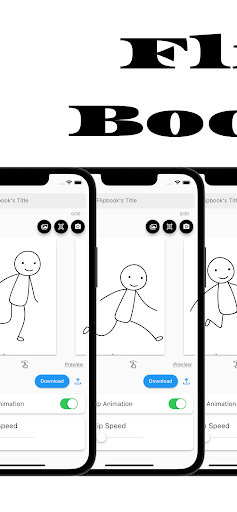
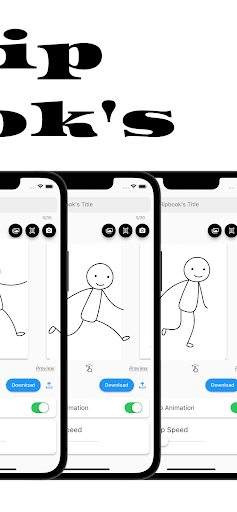
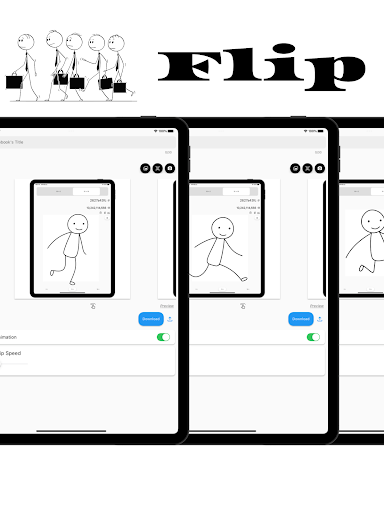
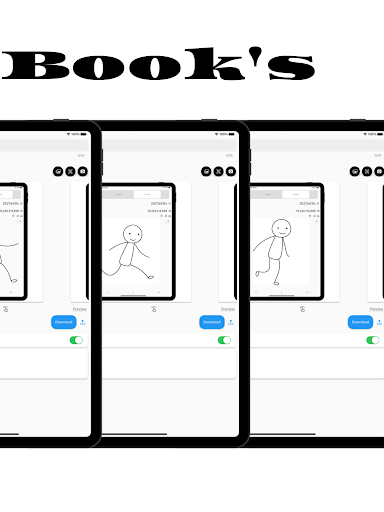
The definitive app for creating a Flipbook!
With this app, anyone can easily create a Flipbook.
It is also possible to scan and photograph hand-drawn Flipbooks to create Flipbook videos!
You will be able to make analog -> digital.
■How to create a Flipbook
1. put images into the app
Import images into the app.
Take a picture with the camera directly from the app.
Scan the image using the scanning function in the app.
2. rearrange the inserted images or change the flip speed
3. Press the download button
What you can create with the "Flipbook Maker App"
1. handwritten flip book. You can scan analog paper and make it digital.
2. a slideshow-like movie in which images are displayed at regular intervals
3. other things that can be created with the function of showing images at regular intervals
■Functions of Flipbook Maker App
1. image import and capture
Importing images into the app
Capture images directly from the app with the camera
Scanning using the scanning function in the app. 2.
Creating a Flipbook
Create a cartoon by arranging images in sequence
Adjust the order and placement of images as desired
Add custom flip animations
3. adjusting flip speed
3. adjust page flip speed
4. previewing and editing
Preview your video
5. edit and fine-tune your video to see the final result
6. output and share your video
Output high quality video
Share videos on social media and messaging apps.
■Use Cases for Flipbook Maker App
Of course. Below are some specific use cases for your Flipbook generation app
1. creator's creation of artwork
Illustrators and artists import their own illustrations into the app and adjust the flip speed to create their own flip-book cartoons. This allows them to express their art in a dynamic format.
2. digitizing traditional art
You can scan your analog illustrations or comics and import them into the app to enjoy them in digital media. This allows traditional art to be shared in a new way.
3. realization of storytelling
Novelists and storytellers use the app to create stories by combining text and illustrations. Through character movement and scene transitions, the story is visually conveyed to the reader.
4. teaching and learning tools
Teachers and students use apps to animate and illustrate historical events, scientific processes, and more. Incorporating visual elements helps increase comprehension.
5. entertainment and sharing
Regular users will use the app to share with friends and followers as a hobby. They create parapara cartoons documenting their travels, highlights of special events, or funny episodes from their daily lives, and share the fun.
6. special gifts and presents
Users can create and give personalized parapara manga as gifts for special events such as birthdays, anniversaries, weddings, etc. This can be a wonderful way to express emotions and memories.
7. slide show
・Creating Presentations :
Students will utilize slideshows to make effective presentations in business and academic settings. Students will combine images and text to present information and create presentation materials.
・training and education :
Trainers and educators use slideshows to illustrate topics and provide training materials.
Visual elements are used to communicate concepts clearly and enhance learning.
・Event announcements and announcements :
Event organizers use slideshows to provide event details, schedules, and venue information. Organize information with images and text to provide attendees with easy-to-understand directions.
■Finally
This application is a creative tool that allows you to easily create a Flipbook Manga comic or slideshow. You can use your own art and photos to create engaging animated works. It also supports analog to digital conversion, allowing you to enjoy your art and ideas in a new way. It is a simple and fun application that will expand your creativity. Please give it a try!
Show more

1. Download MEmu installer and finish the setup

2. Start MEmu then open Google Play on the desktop

3. Search Flipbook Maker .Analog/digital in Google Play
Install
4. Download and Install Flipbook Maker .Analog/digital
5. On install completion click the icon to start

6. Enjoy using Flipbook Maker .Analog/digital on PC with MEmu
MEmu Play is the best Android emulator, and 100 million users already enjoy its superb Android app experience. Powered by advanced virtualization technology, it lets you enjoy thousands of Android apps smoothly on your PC—including the most graphics-intensive ones.
Bigger screen with better graphics; Long duration, without limitation of battery or mobile data.
Full Keymapping support for precise control of keyboard and mouse or gamepad.
Multiple game accounts or tasks on single PC at one time with Multi-Instance manager.
Use Flipbook Maker .Analog/digital on PC by following steps:































