MAIS Card
Updated
Current Version
1.0.9
Offered By

Stop worrying about high battery drain when using MAIS Card on your phone. Free yourself from the tiny screen and enjoy the app on a much larger display. From now on, get a full-screen experience of your app with the convenience of a keyboard and mouse. MEmu offers you all the surprising features you’d expect: quick installation and easy setup, intuitive controls, and no more worries about battery life, mobile data, or unexpected calls. The all-new MEmu 9 is the choice for using MAIS Card on your computer. With the MEmu multi-instance manager, you can run two or more accounts at the same time. Most importantly, our exclusive emulation engine unlocks your PC’s full potential, delivering smooth and enjoyable performance.
Show more
Enjoy superb experience of using MAIS Card on PC with MEMU App Player. It's a powerful free Android emulator which provides you with thousands of android apps for their desktop version. Enjoy connecting with friends and polishing your work with higher efficiency! AQUI VOCÊ É MAIS!
AQUI VOCÊ É MAIS!
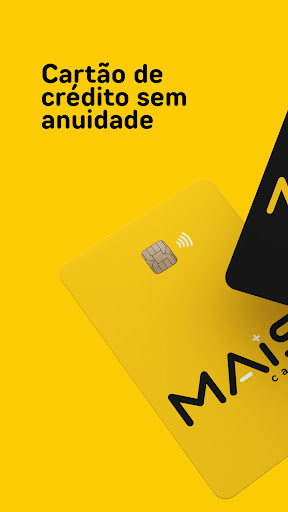
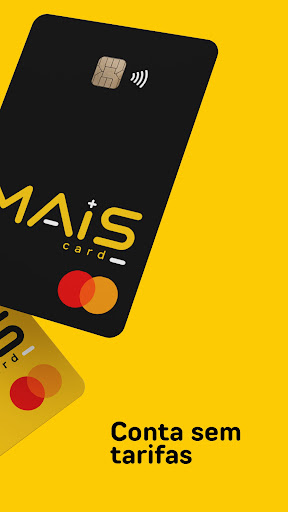
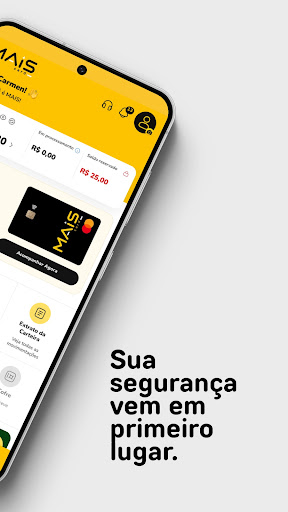
Cartão de crédito Mastercard sem anuidade, carteira digital e recompensas em um só app. A MAIS Card foi feita para quem quer mais acesso ao crédito, com tudo simples e na palma da mão.
POR QUE ESCOLHER A MAIS CARD
• Sem anuidade e sem taxa de emissão
• Sem consulta ao SPC ou Serasa: a análise é própria, com validação cadastral e de identidade
• Não exige comprovante de renda nem de residência
• Resposta da análise em até 10 minutos
• Limite inicial de até R$ 1.500, conforme análise
• Cartão Mastercard com chip e pagamento por aproximação (NFC)
• Compras físicas, online e internacionais
• Compatível com Google Pay
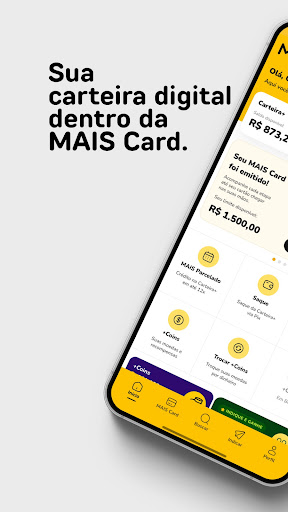
CARTEIRA+
Sua carteira digital dentro do app. Acompanhe seu saldo e veja o extrato completo de todas as movimentações.
+COINS: SUAS COMPRAS VIRAM CASHBACK
A cada R$ 1 em compras aprovadas no cartão, você ganha 1 +Coin. Troque seus +Coins por saldo na Carteira+. Seus +Coins não expiram.
MAIS PARCELADO
Crédito direto na sua Carteira+ em até 12x, com as parcelas lançadas na fatura do cartão. Juros e condições são exibidos no app antes da contratação. Liberação gradual para clientes com cartão ativo.
INDIQUE E GANHE
Indique amigos e ganhe recompensas quando o cartão deles for emitido. Sem limite de indicações.
CONTROLE E SEGURANÇA
• Consulte seu limite e suas faturas atuais e anteriores
• Pague a fatura por Pix ou com saldo da Carteira+
• Bloqueie e desbloqueie o cartão na hora
• Acompanhe a produção e a entrega do seu cartão
• Acesso com senha e biometria
• Notificações de compras e pagamentos
• Atendimento por ticket direto no app
EM BREVE NO APP
Conta+, transferências via Pix, Cofre+, link de pagamento, maquininha, pagamento de boletos e recarga de celular.
COMO PEDIR SEU CARTÃO
1. Baixe o app MAIS Card
2. Preencha seus dados e envie um documento com foto (RG, CNH ou CIN)
3. Faça a selfie de validação
4. Receba a resposta em até 10 minutos
Para maiores de 18 anos com CPF regular. Sujeito a análise cadastral: a aprovação e o valor do limite não são garantidos.
ATENDIMENTO
3003-0480 (capitais) | 0800 001 5303 (demais localidades)
sac@soumaiscard.com.br
MAIS UP Instituição de Pagamento LTDA – CNPJ 69.105.317/0001-99
MAIS CARD
AQUI VOCÊ É MAIS!
Show more

1. Download MEmu installer and finish the setup

2. Start MEmu then open Google Play on the desktop

3. Search MAIS Card in Google Play
Install
4. Download and Install MAIS Card
5. On install completion click the icon to start

6. Enjoy using MAIS Card on PC with MEmu
MEmu Play is the best Android emulator, and 100 million users already enjoy its superb Android app experience. Powered by advanced virtualization technology, it lets you enjoy thousands of Android apps smoothly on your PC—including the most graphics-intensive ones.
Bigger screen with better graphics; Long duration, without limitation of battery or mobile data.
Full Keymapping support for precise control of keyboard and mouse or gamepad.
Multiple game accounts or tasks on single PC at one time with Multi-Instance manager.
Use MAIS Card on PC by following steps: