Minecraft Education
Updated
Current Version
1.21.06.0
Offered By

Stop worrying about high battery drain when using Minecraft Education on your phone. Free yourself from the tiny screen and enjoy the app on a much larger display. From now on, get a full-screen experience of your app with the convenience of a keyboard and mouse. MEmu offers you all the surprising features you’d expect: quick installation and easy setup, intuitive controls, and no more worries about battery life, mobile data, or unexpected calls. The all-new MEmu 9 is the choice for using Minecraft Education on your computer. With the MEmu multi-instance manager, you can run two or more accounts at the same time. Most importantly, our exclusive emulation engine unlocks your PC’s full potential, delivering smooth and enjoyable performance.
Show more
Enjoy superb experience of using Minecraft Education on PC with MEMU App Player. It's a powerful free Android emulator which provides you with thousands of android apps for their desktop version. Enjoy connecting with friends and polishing your work with higher efficiency! THIS APP IS FOR SCHOOL AND ORGANIZATIONAL USE.
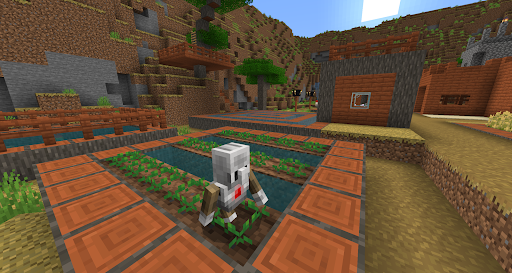
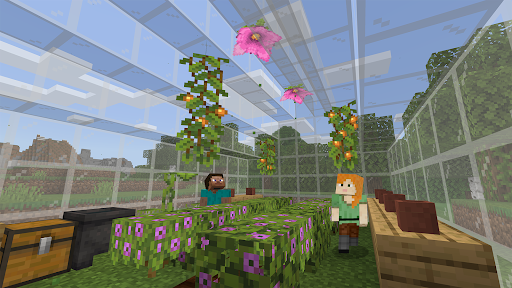
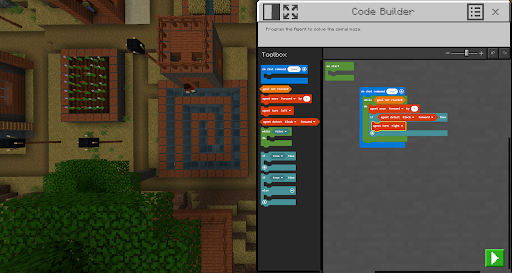
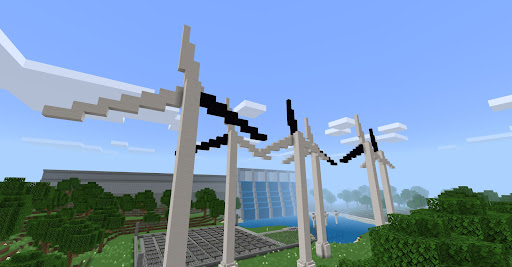
THIS APP IS FOR SCHOOL AND ORGANIZATIONAL USE.
Minecraft Education is a game-based platform that inspires creative, inclusive learning through play. Explore blocky worlds that unlock new ways to tackle any subject or challenge.
Dive into subjects like reading, math, history, and coding with lessons and standardized curriculum designed for all types of learners. Or explore and build together in creative open worlds.
USE IT YOUR WAY
With hundreds of ready-to-teach lessons, creative challenges, and blank canvas worlds, there are lots of ways to make Minecraft Education work for your students. It’s easy to get started, no gaming experience necessary.
PREPARE STUDENTS FOR THE FUTURE
Help learners develop key key skills like problem solving, collaboration, digital citizenship, and critical thinking to help students them thrive now and in the future workplace. Spark a passion for STEM.
GAME-BASED LEARNING
Unlock creativity and deep learning with immersive content created with partners including BBC Earth, NASA, and the Nobel Peace Center. Inspire students to engage in real-world topics with culturally relevant lessons and build challenges.
KEY FEATURES
- Multiplayer mode enables collaboration in-game across platforms, devices, and hybrid environments
- Code Builder supports block-based coding, JavaScript, and Python with intuitive interface and in-game execution
- Immersive Reader helps players read and translate text
- Camera and Book & Quill items allow documentation and export of in-game-creations
- Integration with Microsoft Teams and Flipgrid supports assessment and teacher controls
Minecraft Education licenses can be purchased with Admin access to a Microsoft 365 Admin Center account. Talk to your Tech Lead for information on academic licensing.
Terms of use: The terms that apply to this download are the terms that were presented when you purchased your Minecraft Education subscription.
Privacy policy: https://aka.ms/privacy
Show more

1. Download MEmu installer and finish the setup

2. Start MEmu then open Google Play on the desktop

3. Search Minecraft Education in Google Play
Install
4. Download and Install Minecraft Education
5. On install completion click the icon to start

6. Enjoy using Minecraft Education on PC with MEmu
MEmu Play is the best Android emulator, and 100 million users already enjoy its superb Android app experience. Powered by advanced virtualization technology, it lets you enjoy thousands of Android apps smoothly on your PC—including the most graphics-intensive ones.
Bigger screen with better graphics; Long duration, without limitation of battery or mobile data.
Full Keymapping support for precise control of keyboard and mouse or gamepad.
Multiple game accounts or tasks on single PC at one time with Multi-Instance manager.
Use Minecraft Education on PC by following steps: