Tekken 3 PC

Scarica Tekken 3 su PC

Tekken 3 PC

Tekken 3

  • Aggiornata

  • Versione corrente

    1.3

  • Offerta da

    Tekken 3 PC

Caratteristiche di Tekken 3 su PC

Vista tutta la passione dimostrata nel giocare a Tekken 3, le tue mani non dovrebbero essere limitate al minuscolo schermo di un telefono. Gioca come un professionista e ottieni il pieno controllo del gioco con tastiera e mouse. MEmu ti offre tutto ciò che ti aspetti. Scarica e gioca a Tekken 3 su PC. Gioca quanto vuoi, niente più limitazioni di batteria, dati mobili e chiamate inquietanti. Il nuovissimo MEmu 9 è la scelta migliore per giocare a Tekken 3 su PC. Realizzato sulla base della nostra esperienza, lo squisito sistema di mappatura dei tasti preimpostati rende Tekken 3 un vero e proprio gioco per PC. MEmu è un gestore multi-instanza che permette di giocare con 2 o più account sullo stesso dispositivo. E la cosa più importante, il nostro esclusivo motore di emulazione può liberare tutto il potenziale del tuo PC, rendendo tutto fluido.

Mostra altro

Screenshot & video del PC Tekken 3

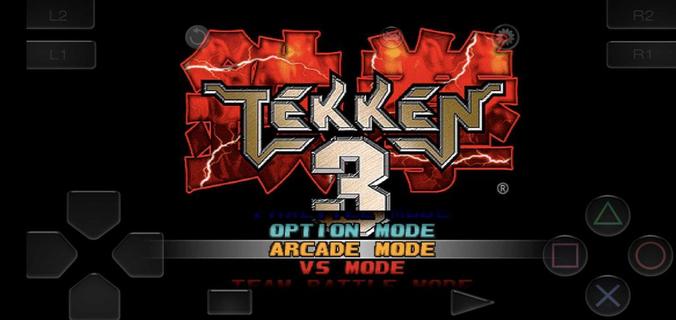
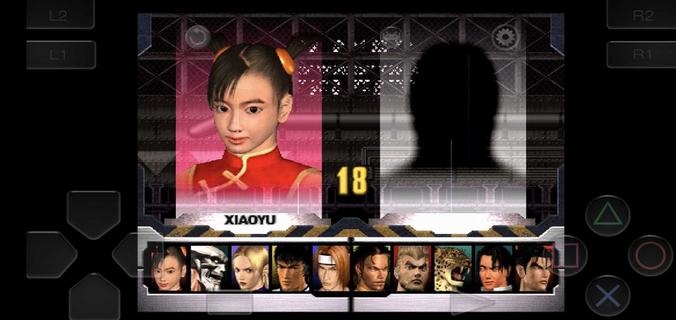
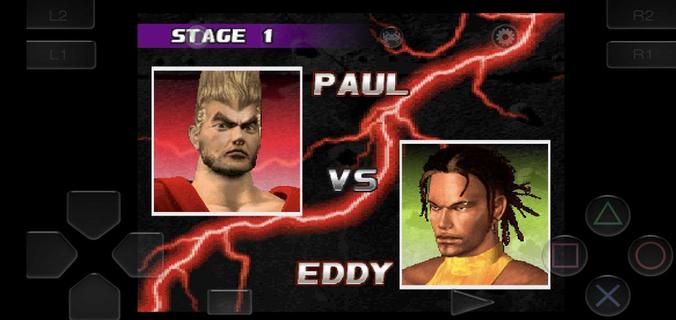
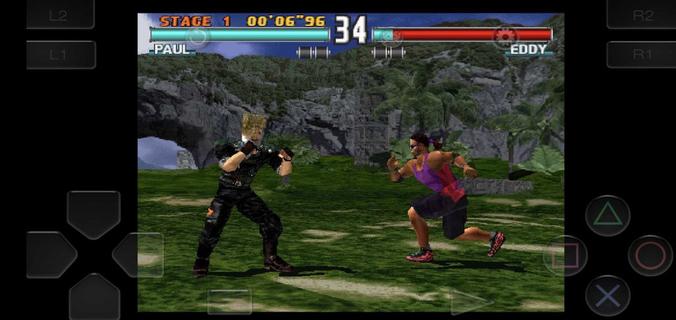
Scarica Tekken 3 su PC con MEmu Android Emulator. Divertiti giocando sul grande schermo. Tekken 3 fits short sessions and longer play, letting you jump into bouts without extra setup.

Informazioni del gioco

Tekken 3 fits short sessions and longer play, letting you jump into bouts without extra setup. The game keeps the arcade feel while adapting to phones, so you can focus on matches instead of configuration. Meanwhile, the embedded emulator streamlines installation and gets you playing in minutes. Tekken 3 APK is designed for a quick start, with clear menus and mode selection that feel familiar to series fans and approachable for new players. Tekken 3 features on AndroidTwo Android builds for different displaysTekken 3 offers a full screen variant without ads and a regular build that keeps the classic aspect ratio with ads. Both versions share the same gameplay and content. If you see black bars on the sides, that is the fixed aspect build. Switching to the full screen option fills modern displays more naturally.Simple install with a built in emulatorTekken 3 includes an embedded PlayStation emulator, so no separate app is required. You download once and play, which reduces steps and keeps setup straightforward. The game launches directly into the main menu after the first run, making it easy to choose a mode and start a match.Responsive controls and optional controller pairingTekken 3 uses on screen buttons and a virtual stick tuned for low latency inputs. You can perform juggles, side steps, and timed escapes with consistent response. The pause menu provides a move list, which helps you check strings between rounds. If you prefer a gamepad, you can pair a Bluetooth controller in the emulator settings and map buttons for a console like layout.Classic modes and mechanics preservedTekken 3 keeps Arcade and Story for solo runs, along with Tekken Force and Tekken Ball as extra challenges. Core mechanics such as side-stepping, air combos, quicker recoveries, and combo throws are intact. This setup keeps the original flow of rounds while fitting phone screens, so players familiar with the series can rely on known timings.Roster depth with clear progressionTekken 3 features 21 fighters, each with distinct styles, intros, and ending scenes. You start with a core lineup and unlock counterparts by clearing Arcade or Story with various characters. For special unlocks, Gon appears through mini modes like Tekken Ball or Survival, while Doctor B is tied to Tekken Force. These paths address common questions about missing fighters by showing how to open the full roster through regular play. How to play Tekken 3 on AndroidGetting started takes only a few steps and focuses on quick play. If you plan to download Tekken 3 for the first time, choose the build that fits your screen preference and follow the setup prompts.Choose the full screen or fixed aspect build on this page, then start the download and wait until it completes.Open the APK from your notifications, allow installation from APKPure in your device settings if prompted, and finish the install.Launch Tekken 3, pick Arcade, Story, Tekken Force, or Tekken Ball, and enter your first match.Pause during a round to open the move list, then practice simple strings and throws before trying juggles or side steps.If you want a pad, pair a Bluetooth controller in the emulator settings and map buttons. To unlock more characters, clear Arcade or Story with different fighters and try mini modes for the special unlocks. Start playing on mobileTekken 3 brings familiar 3D fighting to phones with a quick install and preserved modes. Players can pick a display fit, use responsive touch controls, or pair a controller for longer sessions. To keep up with improvements, download the Tekken 3 latest version APK on APKPure when ready to update.

Mostra altro

Come scaricare Tekken 3 su PC

  • Tekken 3 PC

    1. Scarica il programma di installazione di MEmu e completa l'installazione

  • Tekken 3 PC

    2. Avvia il Memu e apri il Google Play sulla homepage

  • Tekken 3 PC

    3. Cerca Tekken 3 in Google Play

  • Tekken 3 PC Install

    4. Scarica e installa Tekken 3

  • Tekken 3 PC

    5. Al termine dell'installazione, fai clic sull'icona per avviar

  • Tekken 3 PC
    Tekken 3 PC Tekken 3 PC

    6. Divertiti giocando a Tekken 3 su PC con MEmu

Perché Usare MEmu per Tekken 3

MEmu App Player è il miglior emulatore Android gratuito, utilizzato da 50 milioni di persone per ottenere un'esperienza di gioco Android superba. La tecnilogia di virtualizzazione MEmu ti permette di giocare a migliaia di giochi Android con semplicità sul tuo computer, anche i giochi con la grafica più esigente.

  • Schermo più grande con una grafica migliore; Lunga durata, senza limitazione di batteria o dati mobili.

  • Supporto completo per mappa di tastiera per un controllo preciso di tastiera e mouse o gamepad.

  • Multipli account di gioco o attività su un singolo PC contemporaneamente con il gestore di multi istanza.

Pronto per giocare?

Tekken 3 - FAQs

  • Come si gioca a Tekken 3 su PC?

    Play Tekken 3 on PC by following steps:

    • Download MEmu, then install and launch it
    • Login to Google Play Store, install the game
    • Enjoy playing the game on PC with MEmu
  • Quali sono i requisiti minimi di sistema per eseguire Tekken 3 su PC?
    • Intel or AMD Processor
    • Microsoft Windows 7 and above
    • 2GB of memory
    • 5GB of free disk space
    • Hardware Virtualization Technology