Tekken 3
Оновлено
Поточна версія
1.3
Постачальник

Перестаньте турбуватися про надмірні витрати, використовуючи ххх на своєму мобільному телефоні, звільніться від крихітного екрану і насолоджуйтеся використанням програми на набагато більшому дисплеї. Відтепер отримуйте повний екран свого додатка за допомогою клавіатури та миші. MEmu пропонує вам усі дивовижні функції, які ви очікували: швидка установка та просте налаштування, інтуїтивно зрозумілі елементи керування, більше обмежень від акумулятора, мобільних даних та тривожних дзвінків. Новий MEmu 9 - найкращий вибір використання Tekken 3 на вашому комп’ютері. За допомогою нашого поглинання менеджер із кількома примірниками одночасно дозволяє відкрити 2 або більше рахунків. І найголовніше, наш ексклюзивний емуляційний двигун може вивільнити весь потенціал вашого ПК, зробити все гладким і приємним.
Show more
Насолоджуйтесь чудовим досвідом Tekken 3 гри на ПК за допомогою програми MEMU App Player. Це потужний безкоштовний емулятор Android, який дозволяє вам грати в тисячі ігор Android. Tekken 3 suits players who want short, responsive matches with a simple setup and familiar modes.
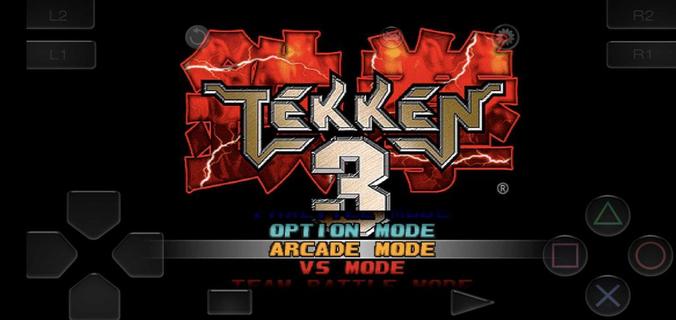
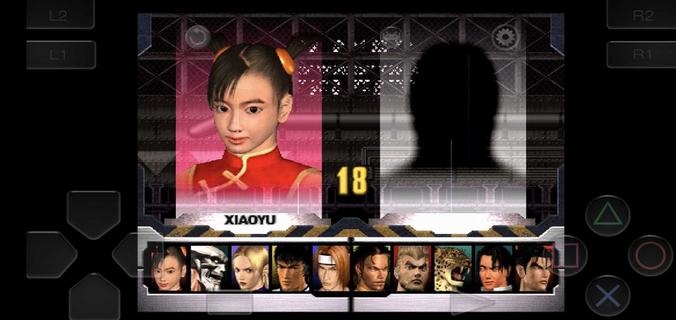
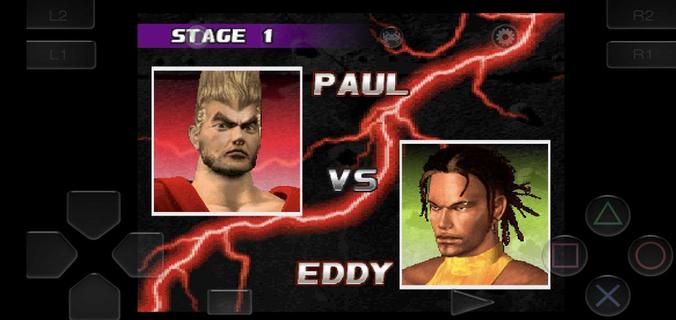
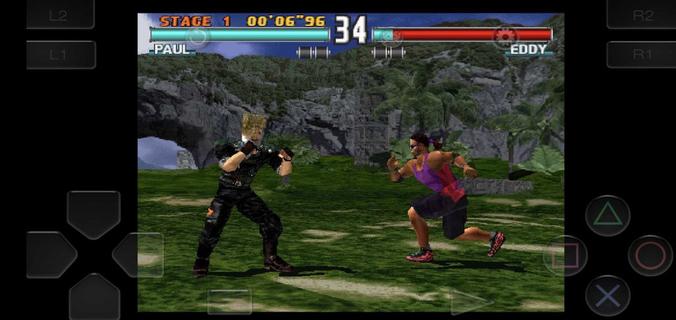
Tekken 3 suits players who want short, responsive matches with a simple setup and familiar modes. It starts quickly from a clear main menu, so you can pick a character and begin a bout with minimal steps. Touch input is tuned for fast reactions, while an optional controller layout helps during longer sessions. The classic arcade feel is adapted for mobile screens, and the roster grows as you clear modes. For those looking for a straightforward way to try the Tekken 3 APK, this build keeps the experience focused and direct.Tekken 3 features on AndroidFast start with embedded setupYou can install and jump into matches without a separate emulator. Tekken 3 opens straight to the main menu, so mode selection and character picks happen in seconds. This approach supports quick breaks and short practice sessions. It also keeps the process simple if you are returning after a long day.Responsive touch and controller supportTekken 3 uses an on screen stick and buttons with low latency input for precise moves. The pause menu includes a move list, which helps you learn combos and strings as you play. If you prefer physical buttons, you can pair a Bluetooth controller and enable mapping for a console style layout. This flexibility suits casual rounds as well as longer play.Classic modes preserved for mobileArcade and Story are available for traditional progression. You also get Tekken Force and Tekken Ball for variety, plus Team Battle and Survival for endurance play. The in game flow mirrors the original mode structure, so returning players can navigate without confusion. New players can sample each mode to find a pace that fits their day.Deep roster with clear unlock pathsTekken 3 includes more than 20 fighters, and additional characters unlock as you clear modes. Finishing runs opens counterparts and alternate choices, encouraging practice with different move sets. Specific unlocks are preserved, including Gon through Ball or Survival, and Doctor B through Force. Progress is steady, so your selection expands naturally while you learn the system.Arcade feel adapted to mobile playCharacter animations are fluid, and hit reactions look close to the arcade presentation on a phone screen. Core mechanics such as sidestep, juggles, and quick recoveries remain intact. As a result, advanced play stays possible while short sessions still feel satisfying. This balance supports both quick matches and focused training.How to play Tekken 3 on AndroidThis version keeps setup simple, so you can focus on matches and mode clears. For consistency, consider using the Tekken 3 latest version available on this page. Touch or controller layouts can be swapped at any time through in game options.Install the APK and open Tekken 3 to reach the main menu without extra configuration.Select a mode such as Arcade or Story, then choose a fighter to begin your first match.Use the on screen stick for movement and the face buttons for attacks and throws, then pause to check the move list.If you want a controller, pair a Bluetooth device in Android settings and enable controller mapping in the game options.Clear Arcade or other modes to unlock more characters, including special fighters through the noted side modes.Controls and learning tips for Tekken 3Start with simple strings from the pause menu move list and repeat them against the CPU until they feel natural. Practice sidesteps to avoid linear attacks, then add launchers and short juggles for reliable damage. If inputs feel crowded on a small device, try increasing button spacing in options or switch to a paired controller for extended practice.Get started with Tekken 3 on AndroidTekken 3 brings the classic Bandai Namco fighting experience to mobile with a quick start, preserved modes, and flexible controls. If you want short session play with a growing roster and an arcade feel, this release fits that need. When you are ready, download Tekken 3 and begin unlocking fighters at your own pace.
Show more

1. Download MEmu installer and finish the setup

2. Start MEmu then open Google Play on the desktop

3. Search Tekken 3 in Google Play
Install
4. Download and Install Tekken 3
5. On install completion click the icon to start

6. Enjoy playing Tekken 3 on PC with MEmu
MEmu App Player є кращим безкоштовним емулятором Android, і 50 мільйонів людей вже користуються його чудовим ігровим досвідом Android. Технологія віртуалізації MEmu дає вам змогу відтворювати тисячі ігор Android на вашому комп'ютері, навіть найбільш насичених графікою.
Bigger screen with better graphics; Long duration, without limitation of battery or mobile data.
Full Keymapping support for precise control of keyboard and mouse or gamepad.
Multiple game accounts or tasks on single PC at one time with Multi-Instance manager.
Play Tekken 3 on PC by following steps: