Tekken 3 PC

Pobierz Tekken 3 na PC

Tekken 3 PC

Tekken 3

  • Zaktualizowano

  • Aktualna wersja

    1.3

  • Sprzedawca

    Tekken 3 PC

Funkcje Tekken 3 na PC

Przy całej swojej pasji do grania w Tekken 3, twoje ręce nie powinny być ograniczone na małym ekranie telefonu. Graj jak zawodowiec i uzyskaj pełną kontrolę nad grą za pomocą klawiatury i myszy. MEmu oferuje ci wszystko, czego oczekujesz. Pobierz i graj Tekken 3 na PC. Graj tak długo, jak chcesz, bez ograniczeń baterii, danych komórkowych i niepokojących połączeń. Zupełnie nowy MEmu 9 to najlepszy wybór do grania w Tekken 3 na PC. Przygotowany dzięki naszej wiedzy, znakomity, wstępnie ustawiony system mapowania klawiszy sprawia, że Tekken 3 jest prawdziwą grą na PC. Zakodowany naszą absorpcją, menedżer wielu instancji umożliwia granie na 2 lub więcej kontach na tym samym urządzeniu. A co najważniejsze, nasz emulator może uwolnić pełny potencjał twojego komputera, sprawić, że wszystko będzie płynne. Dbamy nie tylko o to, jak grasz, ale także o cały proces czerpania radości z grania.

Pokaż więcej

Zrzuty ekranu i wideo z Tekken 3 PC

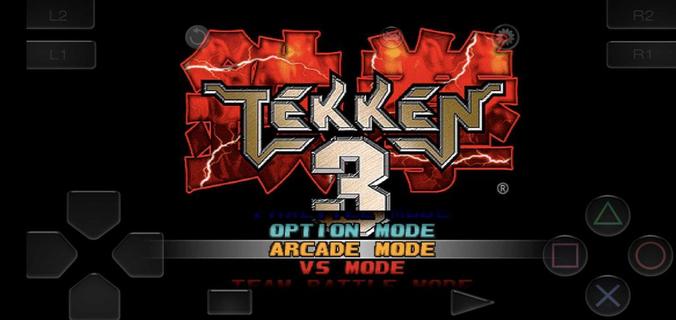
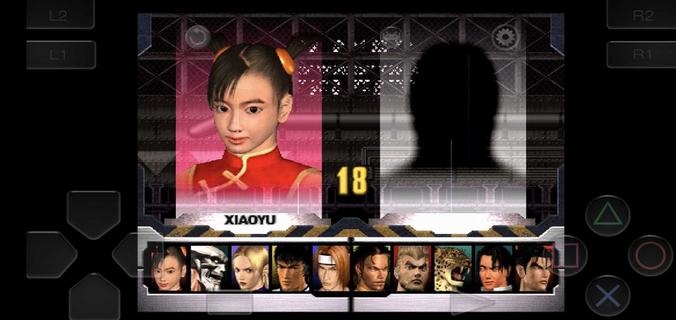
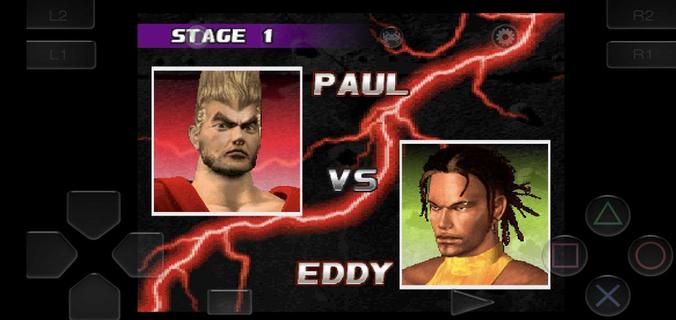
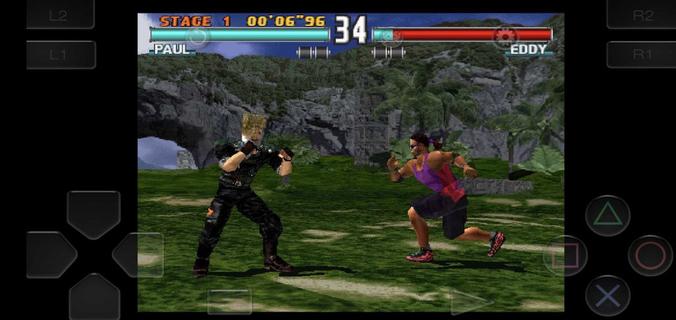
Ciesz się wspaniałym doświadczeniem podczas grania w Tekken 3 na komputerze z aplikacją MEMU App Player. Jest to potężny darmowy emulator Androida pozwalający grać w tysiące gier na Androida. Tekken 3 fits short sessions and longer play, letting you jump into bouts without extra setup.

Informacje o grze

Tekken 3 fits short sessions and longer play, letting you jump into bouts without extra setup. The game keeps the arcade feel while adapting to phones, so you can focus on matches instead of configuration. Meanwhile, the embedded emulator streamlines installation and gets you playing in minutes. Tekken 3 APK is designed for a quick start, with clear menus and mode selection that feel familiar to series fans and approachable for new players. Tekken 3 features on AndroidTwo Android builds for different displaysTekken 3 offers a full screen variant without ads and a regular build that keeps the classic aspect ratio with ads. Both versions share the same gameplay and content. If you see black bars on the sides, that is the fixed aspect build. Switching to the full screen option fills modern displays more naturally.Simple install with a built in emulatorTekken 3 includes an embedded PlayStation emulator, so no separate app is required. You download once and play, which reduces steps and keeps setup straightforward. The game launches directly into the main menu after the first run, making it easy to choose a mode and start a match.Responsive controls and optional controller pairingTekken 3 uses on screen buttons and a virtual stick tuned for low latency inputs. You can perform juggles, side steps, and timed escapes with consistent response. The pause menu provides a move list, which helps you check strings between rounds. If you prefer a gamepad, you can pair a Bluetooth controller in the emulator settings and map buttons for a console like layout.Classic modes and mechanics preservedTekken 3 keeps Arcade and Story for solo runs, along with Tekken Force and Tekken Ball as extra challenges. Core mechanics such as side-stepping, air combos, quicker recoveries, and combo throws are intact. This setup keeps the original flow of rounds while fitting phone screens, so players familiar with the series can rely on known timings.Roster depth with clear progressionTekken 3 features 21 fighters, each with distinct styles, intros, and ending scenes. You start with a core lineup and unlock counterparts by clearing Arcade or Story with various characters. For special unlocks, Gon appears through mini modes like Tekken Ball or Survival, while Doctor B is tied to Tekken Force. These paths address common questions about missing fighters by showing how to open the full roster through regular play. How to play Tekken 3 on AndroidGetting started takes only a few steps and focuses on quick play. If you plan to download Tekken 3 for the first time, choose the build that fits your screen preference and follow the setup prompts.Choose the full screen or fixed aspect build on this page, then start the download and wait until it completes.Open the APK from your notifications, allow installation from APKPure in your device settings if prompted, and finish the install.Launch Tekken 3, pick Arcade, Story, Tekken Force, or Tekken Ball, and enter your first match.Pause during a round to open the move list, then practice simple strings and throws before trying juggles or side steps.If you want a pad, pair a Bluetooth controller in the emulator settings and map buttons. To unlock more characters, clear Arcade or Story with different fighters and try mini modes for the special unlocks. Start playing on mobileTekken 3 brings familiar 3D fighting to phones with a quick install and preserved modes. Players can pick a display fit, use responsive touch controls, or pair a controller for longer sessions. To keep up with improvements, download the Tekken 3 latest version APK on APKPure when ready to update.

Pokaż więcej

Jak pobrać Tekken 3 na PC

  • Tekken 3 PC

    1. Pobierz instalator MEmu i zakończ instalację

  • Tekken 3 PC

    2. Uruchom MEmu, a następnie otwórz Google Play na pulpicie

  • Tekken 3 PC

    3. Wyszukaj Tekken 3 w Google Play

  • Tekken 3 PC Install

    4. Pobierz i zainstaluj Tekken 3

  • Tekken 3 PC

    5. Po zakończeniu instalacji kliknij ikonę, aby rozpocząć

  • Tekken 3 PC
    Tekken 3 PC Tekken 3 PC

    6. Ciesz się grą Tekken 3 na PC z MEmu

Dlaczego warto używać MEmu do korzystania z Tekken 3

MEmu Play to najlepszy emulator Androida, a 100 milionów ludzi już korzysta z jego i dosta doskonałe wrażenia z gier na Androida. Technologia wirtualizacji MEmu umożliwia płynne granie w tysiące gier Androida na komputerze, nawet tych najbardziej wymagających grafiki.

  • Większy ekran z lepszą grafiką; Długi czas, bez ograniczeń baterii lub danych mobilnych.

  • Pełna obsługa mapowania klawiszy dla precyzyjnego sterowania klawiaturą i myszą lub gamepadem.

  • Wiele kont gier lub zadań na jednym komputerze jednocześnie z menedżerem wielu instancji.

Gotowy do gry?

Gorące tematy

Tekken 3 - FAQs

  • Jak grać w Tekken 3 na PC?

    Play Tekken 3 on PC by following steps:

    • Download MEmu, then install and launch it
    • Login to Google Play Store, install the game
    • Enjoy playing the game on PC with MEmu
  • Jakie są minimalne wymagania systemowe, aby uruchomić Tekken 3 na PC?
    • Intel or AMD Processor
    • Microsoft Windows 7 and above
    • 2GB of memory
    • 5GB of free disk space
    • Hardware Virtualization Technology