Tekken 3
Обновлено
Текущая версия
1.3
Продавец

При всей вашей страсти к игре в ххх, ваши руки не должны быть ограничены на крошечном экране вашего телефона. Играйте как профессионал и получите полный контроль над игрой с помощью клавиатуры и мыши. MEmu предлагает вам все то, что вы ожидаете. Скачайте и играйте ххх на ПК. Играйте сколько угодно, никаких ограничений по батарее, мобильным данным и звонкам. Совершенно новый MEmu 9 - лучший выбор для игры в ххх на ПК. Благодаря изысканной системе предустановки клавиш, ххх превращается в настоящую игру для ПК. Менеджер нескольких экземпляров делает возможным игру с двумя или более учетными записями на одном устройстве. И самое главное, наш эксклюзивный механизм эмуляции может полностью раскрыть потенциал вашего ПК, сделать все гладко. Нам важно не только то, как вы играете, но и весь процесс наслаждения игровым счастьем.
Показать больше
Скачайте Tekken 3 на ПК с помощью Андроид эмулятора MEmu. Наслаждайтесь на большом экране. Tekken 3 сохраняет дух оригинала от BANDAI NAMCO Entertainment и переносит его на смартфоны: знакомые по PS1 бойцы, динамика аркад и узнаваемая механика ударов и бросков доступны без интернета.
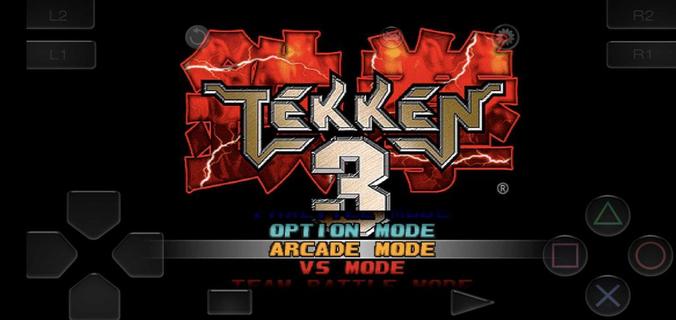
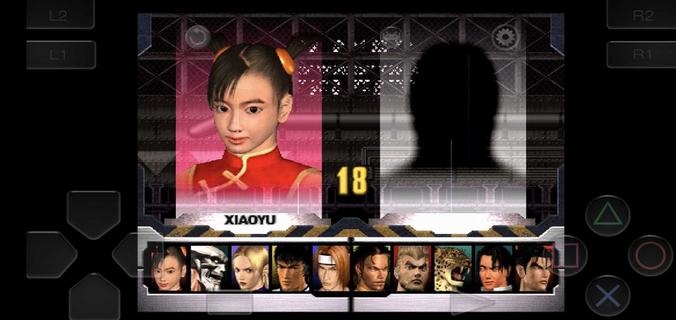
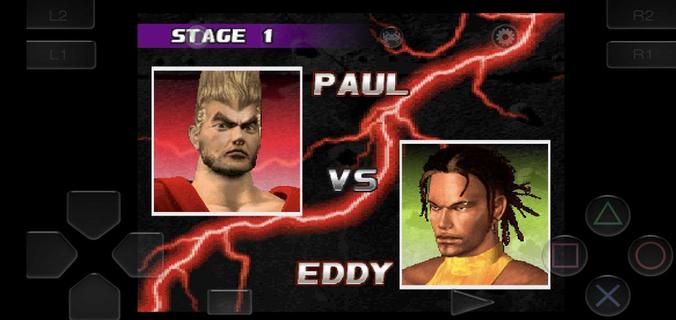
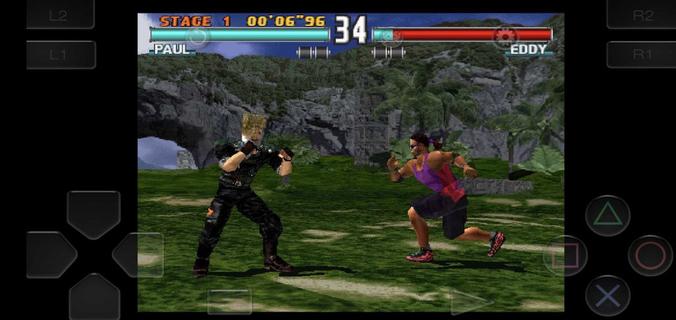
Tekken 3 сохраняет дух оригинала от BANDAI NAMCO Entertainment и переносит его на смартфоны: знакомые по PS1 бойцы, динамика аркад и узнаваемая механика ударов и бросков доступны без интернета. На APKPure вы найдете варианты для быстрого запуска, включая сборки с встроенным эмулятором и форматы для внешних эмуляторов. Это удобный способ вернуться к легендарным схваткам, не прибегая к сложным настройкам. Мы собрали ключевую информацию о версиях и установке, чтобы вы могли скачать Tekken 3 и начать играть без лишних шагов.Основные особенности Tekken 3Классика аркад на мобильномTekken 3 переносит узнаваемый стиль конца 90‑х на смартфон. Вы получаете знакомую механику, привычные режимы и атмосферу оригинала, сохраняя автономность и простоту запуска.Быстрые серии и понятный таймингTekken 3 поддерживает динамичный темп боев с точным откликом на нажатия. Это помогает тренировать комбо и связки, как на консоли, и быстрее адаптироваться к управлению на экране.Управление под сенсорВы используете виртуальный джойстик и кнопки, которые легко освоить с первых минут. Раскладка оптимизирована для касаний, поэтому базовые комбинации удобно выполнять даже одной рукой.Плавная 3D‑картинка и анимацииTekken 3 предлагает стабильное изображение с естественными движениями бойцов. Это делает поединки на мобильном визуально близкими к аркадной версии без сложных настроек.Игра офлайн в любое времяTekken 3 не требует сети для одиночных режимов. Это удобно в поездках и местах без стабильного соединения: вы проходите аркаду и тренируетесь без интернета.Гибкие варианты запускаВы выбираете между APK, который запускается сразу, и образом игры для внешнего эмулятора. Такой подход упрощает установку и помогает подобрать вариант под ваше устройство.Tekken 3: варианты сборок и запускAPK без внешнего эмулятора. Устанавливается как обычное приложение и открывается с ярлыка. Подходит, если вы хотите скачать Tekken 3 и играть сразу, без дополнительной настройки.ROM/образ (например, PBP) + эмулятор. Вы устанавливаете любой совместимый эмулятор отдельно, затем указываете путь к файлу образа и запускаете игру из интерфейса эмулятора.Оба варианта позволяют играть офлайн. Если вы ищете «Tekken 3 apk» для быстрого старта, выбирайте сборку с встроенным запуском. Если удобнее тонкая настройка, подойдут файлы образов под внешний эмулятор.Tekken 3: важные заметки перед установкойОфлайн‑режим. Одиночные режимы работают без подключения к сети.Язык интерфейса. Русский язык обычно не поддерживается; в меню используются английские термины.Возрастная маркировка. Контент рекомендован для игроков 12+.Совместимость. Разные сборки Tekken 3 могут отличаться по совместимости с устройствами. Если одна не подошла, попробуйте альтернативный вариант.Tekken 3: устранение ошибок установки«Приложение не установлено». Проверьте свободную память, удалите предыдущую версию Tekken 3, если она есть, и скачайте файл заново через кнопку «Скачать APK» на APKPure.Неизвестные источники. Разрешите установку из неизвестных источников в настройках безопасности, затем повторите установку Tekken 3 APK.Поврежденный файл. Если установка прерывается, удалите загруженный файл и загрузите Tekken 3 апк снова при стабильном соединении.Несовместимая сборка. Попробуйте альтернативный вариант (APK со встроенным запуском или ROM для эмулятора). Это часто решает проблемы на конкретных моделях устройств.Конфликт подписи. Если ранее стояла другая сборка, полностью удалите ее и перезапустите устройство перед установкой новой.Как установить и играть в Tekken 3 на AndroidНиже — базовая схема запуска, независимо от выбранного типа сборки. Следуйте шагам последовательно. Это поможет быстро скачать Tekken 3 и начать бой.Нажмите «Скачать APK» на APKPure и загрузите Tekken 3 APK или файл образа (например, PBP) на устройство.Для APK со встроенным запуском откройте файл через системный установщик и завершите установку. Затем найдите ярлык Tekken 3 в меню приложений.Затем, если у вас ROM/образ, установите совместимый эмулятор и в его меню выберите «Открыть» или «Импортировать», указав путь к файлу Tekken 3.После первого запуска настройте управление: подберите расположение виртуального джойстика и кнопок под размер экрана, сохраните схему.Таким образом, вы можете начать с аркадного режима, потренировать базовые удары в тренировке, а затем переходить к освоению серий и бросков.Скачайте и начните игратьTekken 3 — классический файтинг в мобильном формате с офлайн‑режимом и знакомой механикой. Чтобы скачать Tekken 3, используйте кнопку «Скачать APK» на APKPure и установите подходящую сборку.FAQГде скачать Tekken 3 APK?Скачать Tekken 3 APK можно на APKPure: нажмите «Скачать APK» на странице игры и следуйте инструкциям установщика. Для ROM‑варианта загрузите образ и откройте его в эмуляторе.Можно ли играть в Tekken 3 онлайн на Android?Tekken 3 на Android ориентирован на офлайн‑режим и не включает официальный онлайн. Некоторые внешние эмуляторы поддерживают локальные функции, но это зависит от эмулятора, а не от APK Tekken 3.
Показать больше

1. Скачать инсталлятор MEmu и завершайте установку

2. Запускайте MEmu, затем откройте Google Play на главной странице

3. Ищите Tekken 3 в Google Play
Install
4. Скачайте и установите Tekken 3
5. При завершении установки, нажмите на значок для старта

6. Наслаждайтесь Tekken 3 на своем компьютере с помощью MEmu
MEmu App Player лучший бесплатный андроид эмулятор и 50 миллионов людей уже наслаждаются превосходным игровым опытом в андроид. Технология виртуализации MEmu позволяет вам запускать тысячи игр андроида на вашем ПК без тормозов, даже самые графически насыщенные.
Большой экран с лучшей графикой; Большая продолжительность, без ограничения батареи или мобильных данных.
Полная поддержка установки клавиш для точного управления клавиатурой и мышью или геймпадом.
Несколько игровых учетных записей или задач на одном компьютере одновременно с менеджером нескольких экземпляров.
Play Tekken 3 on PC by following steps: