spacedesk - USB Display for PC
Aggiornata
Versione corrente
2.1.38
Offerta da

Non devi più preoccuparti dei sovraccarichi durante l'utilizzo di spacedesk - USB Display for PC sul tuo cellulare, liberati dal piccolo schermo e goditi dell'App su uno schermo molto più grande. D'ora in poi, sperimenta la tua App a schermo intero con tastiera e mouse. MEmu ti offre tutte le sorprendenti funzioni che ti aspettavi: installazione rapida e impostazione semplice, controlli intuitivi, niente più limitazioni di batteria, dati mobili e chiamate fastidiose. Il MEmu 9 nuovo di zecca è la prima scelta per utilizzare spacedesk - USB Display for PC sul tuo computer. Codificato con il nostro assorbimento, il gestore multi-istanza consente di aprire 2 o più account contemporaneamente. E soprattutto, il nostro esclusivo motore di emulazione può sbloccare il pieno potenziale del tuo PC, rendendo tutto liscio e piacevole.
Mostra altro
Scarica spacedesk - USB Display for PC su PC con MEmu Android Emulator. Divertiti giocando sul grande schermo. Estensione desktop per computer Windows, strumento di mirroring e comunicazione remota per WiFi, USB o LAN.
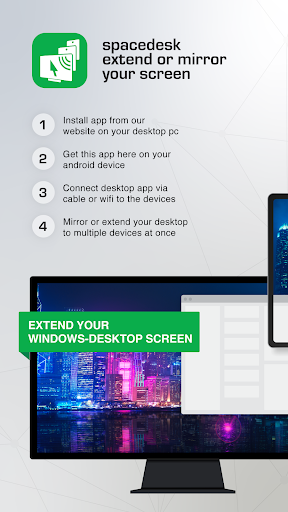
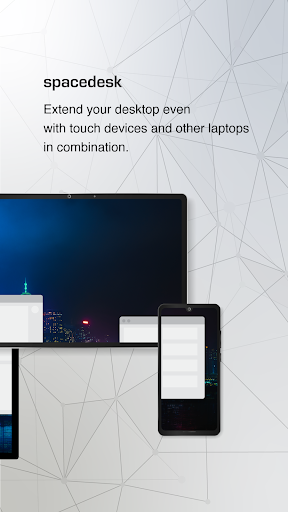
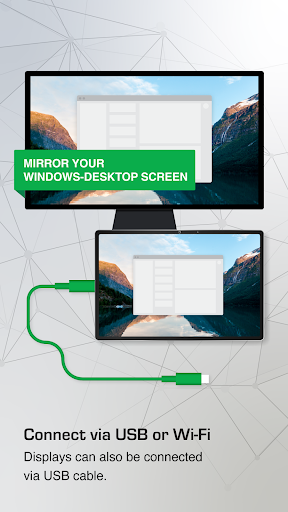
Estensione desktop per computer Windows, strumento di mirroring e comunicazione remota per WiFi, USB o LAN. Supporta applicazioni come:
- Screen Cast (su TV, tablet o smartphone)
- Desktop Remoting Viewer (tramite USB e rete locale)
- Tavoletta grafica (disegno e pittura con penna digitale)
- Monitor wireless (simile a Miracast, RDP, AirPlay e Sidecar)
- Monitor USB (simile a DisplayLink)
- Accesso remoto (tramite collegamento USB, Wi-Fi e LAN)
- Controllo remoto (wireless e cablato)
- Streaming dello schermo (incluso audio)
- Screen Mirroring (via etere e via cavo)
- Clonazione dello schermo
- Schermo esteso
- Estensione dell'area di lavoro del desktop di Windows
- Duplicazione del desktop di Windows (clonazione)
- Desktop di Windows Streaming
- Presentatore desktop per PC
- Monitor virtuale per PC desktop
- Monitor aggiuntivo
- Secondo display in movimento
- Schermo TV, cellulare o tablet come display affiancato
- Alternativa a Miracast, AirPlay e Sidecar
- Schermo portatile multimonitor per laptop da viaggio
- Accesso al computer principale dal dispositivo mobile
- Switch KVM software (tastiera, video, mouse)
- Hub display software
- Switch display software
- Visualizzatore schermo proiettore
- Console di input
- Terminale di input
- Dispositivo di input tablet
- App per tavoletta grafica Windows
- Tablet Windows come blocco da disegno per disegnare
- Videowall creativo App
- Videowall con rotazione a qualsiasi angolazione
Manuale di istruzioni, documentazione e configurazione dettagliata:
https://manual.spacedesk.net
Guida rapida:
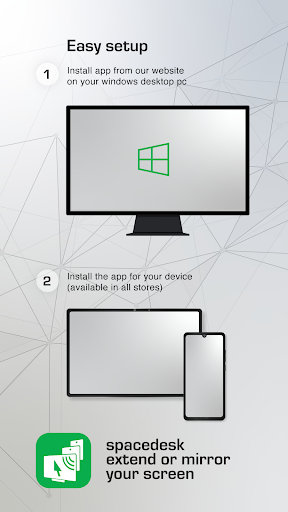
1. Installare il software DRIVER Spacedesk per il PC Windows principale.
Scaricare da: https://www.spacedesk.net
2. Installare l'app Spacedesk Viewer per Android.
3. Aprire l'app Spacedesk Viewer e connettersi al PC Windows principale.
Connessione: USB o LAN (rete locale).
LAN: Driver e Viewer devono essere sulla stessa rete
- tramite hotspot mobile
Nota: NON necessita di connessione a Internet!
Il computer Windows principale che esegue il driver Spacedesk...
...supporta Windows 11, Windows 10 o Windows 8.1. I Mac Apple non sono supportati.
Sono supportate le configurazioni a doppio e multi-monitor.
Richiede l'installazione dei driver di SpaceDesk. Download: https://www.spacedesk.net
Il computer o dispositivo secondario (client di visualizzazione di rete Android)...
...è un tablet, telefono o dispositivo Android che esegue l'app SpaceDesk per Android.
La connessione wireless e cablata...
...collega il computer primario Windows al computer o dispositivo secondario tramite USB, LAN (rete locale, ad esempio Ethernet) e/o WLAN (rete locale wireless).
La connessione alla rete locale può essere cablata o Wi-Fi. È richiesto il protocollo di rete TCP/IP.
Ulteriori informazioni su:
https://www.spacedesk.net
Manuale di istruzioni: https://manual.spacedesk.net/
Forum di supporto: https://forum.spacedesk.ph
Facebook: https://www.facebook.com/pages/spacedesk/330909083726073
YouTube: https://www.youtube.com/watch?v=YkWZSwBD-XY
— VELOCITÀ ULTRA-VELOCE —
Per ottenere prestazioni e qualità di visualizzazione senza pari e senza ritardi, utilizzare una connessione via cavo tramite USB o rete locale (LAN). Provare a bypassare il Wi-Fi e i router di rete. Ad esempio, configurare un PC Windows o un dispositivo Android come punto di accesso Wi-Fi (Hotspot) e connettersi direttamente prima di collegare SpaceDesk. Consultare il capitolo "Regolazione delle prestazioni" nel manuale di istruzioni: https://manual.spacedesk.net
— ACCESSORI PERIFERICI DI INGRESSO E USCITA PER IL TELECOMANDO —
- Touchscreen (multitouch e single touch)
- Touchpad
- Controllo puntatore mouse
- Tastiera
- Penna stilo sensibile alla pressione
- Altoparlante audio
— IMPOSTAZIONI E OPZIONI —
- Visualizzazione orizzontale
- Verticale Visualizza
— SUPPORTO DI SISTEMA —
Sono supportate le versioni Android 5.0 e successive e i PC con Windows 11 e Windows 10. I Mac Apple non sono supportati.
Mostra altro

1. Scarica il programma di installazione di MEmu e completa l'installazione

2. Avvia il Memu e apri il Google Play sulla homepage

3. Cerca spacedesk - USB Display for PC in Google Play
Install
4. Scarica e installa spacedesk - USB Display for PC
5. Al termine dell'installazione, fai clic sull'icona per avviar

6. Divertiti giocando a spacedesk - USB Display for PC su PC con MEmu
MEmu App Player è il miglior emulatore Android gratuito, utilizzato da 50 milioni di persone per ottenere un'esperienza di gioco Android superba. La tecnilogia di virtualizzazione MEmu ti permette di giocare a migliaia di giochi Android con semplicità sul tuo computer, anche i giochi con la grafica più esigente.
Schermo più grande con una grafica migliore; Lunga durata, senza limitazione di batteria o dati mobili.
Supporto completo per mappa di tastiera per un controllo preciso di tastiera e mouse o gamepad.
Multipli account di gioco o attività su un singolo PC contemporaneamente con il gestore di multi istanza.
Use spacedesk - USB Display for PC on PC by following steps: