Uber Eats: Food Delivery
Aggiornata
Versione corrente
Offerta da

Non devi più preoccuparti dei sovraccarichi durante l'utilizzo di Uber Eats: Food Delivery sul tuo cellulare, liberati dal piccolo schermo e goditi dell'App su uno schermo molto più grande. D'ora in poi, sperimenta la tua App a schermo intero con tastiera e mouse. MEmu ti offre tutte le sorprendenti funzioni che ti aspettavi: installazione rapida e impostazione semplice, controlli intuitivi, niente più limitazioni di batteria, dati mobili e chiamate fastidiose. Il MEmu 9 nuovo di zecca è la prima scelta per utilizzare Uber Eats: Food Delivery sul tuo computer. Codificato con il nostro assorbimento, il gestore multi-istanza consente di aprire 2 o più account contemporaneamente. E soprattutto, il nostro esclusivo motore di emulazione può sbloccare il pieno potenziale del tuo PC, rendendo tutto liscio e piacevole.
Mostra altro
Scarica Uber Eats: Food Delivery su PC con MEmu Android Emulator. Divertiti giocando sul grande schermo. Get food delivery to your doorstep from thousands of amazing local and national restaurants.
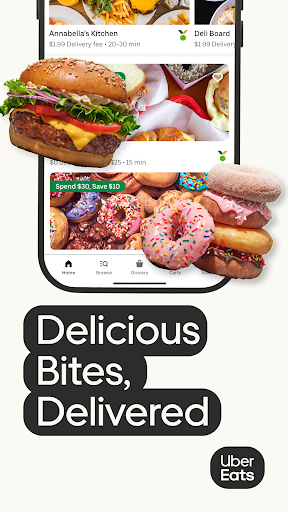
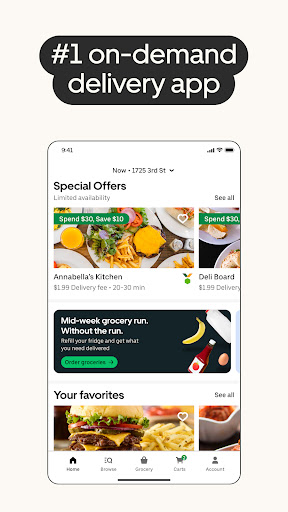
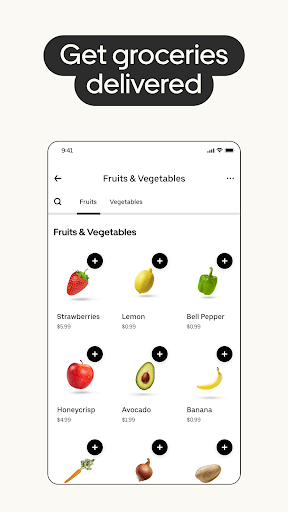
Get food delivery to your doorstep from thousands of amazing local and national restaurants. Find the meal you crave and order food from restaurants easily with the Uber Eats app. Track your order in real-time.
FIND YOUR FAVORITE FOOD & RESTAURANTS
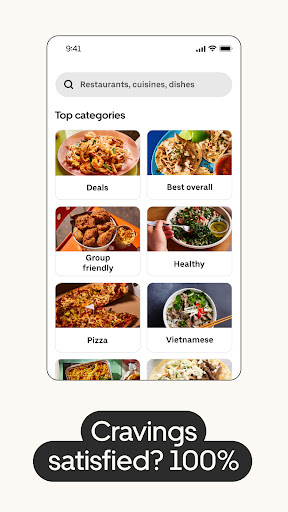
Order food from nearby restaurants and search by cuisine, restaurant name, dish, and meal.
Food delivery options for you to order and enjoy including pizza, burritos, burgers, sushi, donuts, and Chinese takeout.
Prefer pickup? Skip the line and reservations and choose to pick up your order instead. Choose your favorite delivery options with the Uber Eats app now.
SUBSCRIBE TO UBER ONE
For $9.99 per month, Uber One subscribers enjoy $0 Delivery Fee and up to 10% off orders over $15 at participating non-grocery stores (and 5% off orders over $35 at participating grocery stores) available on Uber Eats. Members are also eligible for rewards, perks, coupons, and offers. View full Uber One Terms & Conditions in app.
ORDER ALMOST ANYTHING, ANYTIME
Order household needs from your favorite drug stores, supermarkets, and pet shops. Baby food or diapers, pharmacy needs, beauty products and cosmetics. Grocery staples like bread and milk, bananas and produce, flowers and plants, packaged foods or frozen treats.
SIMPLE DELIVERY ORDERING
Pick your food order from any menu and add it to your cart with a few taps. That’s it.
Uber Eats makes it easy to order food delivery online or through the app and have it delivered by restaurants and delivery people near you.
Or, schedule your order in advance for a delivery person to pick it up later. Your choice!
ORDER FOOD AHEAD WITH PICKUP
Now you can also order food ahead for Pickup instead of just ordering delivery. Select Pickup, add food items to your cart, and skip the lines to the restaurant to get your food.
REAL-TIME ORDER TRACKING
Track your food delivery order on a map as it heads your way.
See the estimated arrival time at your address.
Get notified when your order arrives.
FIND SOME OF YOUR FAVORITE NATIONAL RESTAURANTS
Some of our food delivery partners include: Pizza Hut, Little Caesars, Buffalo Wild Wings, Papa Johns, Shake Shack, Domino’s Pizza, Nando’s, Burger King, CAVA, A&W, Chick-fil-A, Chipotle, Dunkin', IHOP, KFC, McDonald's, Panda Express, Panera, Popeyes, Shake Shack, Sonic, Starbucks, Subway, Sweetgreen, Taco Bell, Tim Hortons, Wendy's, Five Guys, Jersey Mikes, White Castle, Jack in the Box, Outback Steakhouse, Red Lobster.
FIND PHARMACIES, GROCERY STORES, AND MORE
Order from grocers such as Albertsons and SEG. Other delivery partners in the pharmacy, convenience, and retail space include CVS, Walgreens, 7-Eleven, Wawa, BevMo!, and Gopuff. Order from stores such as Walmart, Walgreens, CVS and Safeway. Other delivery partners include Petco, Drizly, and Favor.
ABOUT UBER EATS
Uber Eats is the way to order the food you love through an easy delivery experience. Uber Eats is available in hundreds of cities around the world. Enter your delivery address to explore restaurant and grocery delivery options near you.
AVAILABLE INTERNATIONALLY
Join the thousands of others in your city who use the Uber Eats app to order from their favorites restaurants and schedule delivery
Uber Eats is currently available in cities and metro areas including Adelaide, Amsterdam, Atlanta, Auckland, Austin, Baltimore, Brussels, Cape Town, Chicago, Dallas, Denver, Johannesburg, Glasgow, London, Los Angeles, Madrid, Melbourne, Mexico City, Miami, Milan, Nashville, New Orleans, New York, Ottawa, Paris, Philadelphia, Rio de Janeiro, San Diego, San Francisco, Seattle, Stockholm, Sydney, Taipei, Tokyo, Toronto, Warsaw, and Washington DC. Uber Eats helps you find food delivery around the world. See full list of available countries in the app.
Mostra altro

1. Scarica il programma di installazione di MEmu e completa l'installazione

2. Avvia il Memu e apri il Google Play sulla homepage

3. Cerca Uber Eats: Food Delivery in Google Play
Install
4. Scarica e installa Uber Eats: Food Delivery
5. Al termine dell'installazione, fai clic sull'icona per avviar

6. Divertiti giocando a Uber Eats: Food Delivery su PC con MEmu
MEmu App Player è il miglior emulatore Android gratuito, utilizzato da 50 milioni di persone per ottenere un'esperienza di gioco Android superba. La tecnilogia di virtualizzazione MEmu ti permette di giocare a migliaia di giochi Android con semplicità sul tuo computer, anche i giochi con la grafica più esigente.
Schermo più grande con una grafica migliore; Lunga durata, senza limitazione di batteria o dati mobili.
Supporto completo per mappa di tastiera per un controllo preciso di tastiera e mouse o gamepad.
Multipli account di gioco o attività su un singolo PC contemporaneamente con il gestore di multi istanza.
Use Uber Eats: Food Delivery on PC by following steps: