Uber Eats: Food Delivery
อัปเดตเมื่อ
เวอร์ชันปัจจุบัน
ให้บริการโดย

เมื่อใช้ Uber Eats: Food Delivery บนโทรศัพท์ของคุณไม่ต้องกังวลกับการชาร์จไฟมากเกินไปปลดปล่อยตัวคุณเองจากหน้าจอขนาดเล็กและสนุกกับการใช้แอพนี้บนหน้าจอขนาดใหญ่ จากนี้ไปรับประสบการณ์เต็มหน้าจอของแอปพลิเคชันของคุณด้วยคีย์บอร์ดและเมาส์ MEmu มีคุณสมบัติที่น่าแปลกใจที่คุณคาดหวัง: การติดตั้งที่รวดเร็วและการตั้งค่าที่ง่ายควบคุมได้ง่ายไม่ จำกัด แบตเตอรี่ข้อมูลมือถือและการโทรที่รบกวน MEmu 9 ใหม่ล่าสุดเป็นตัวเลือกที่ดีที่สุดสำหรับการใช้ Meitu – โปรแกรมแก้ไขภาพแนวธรรมชาติ บนคอมพิวเตอร์ของคุณ ด้วยรหัสการดูดซึมของเราผู้จัดการหลายอินสแตนซ์ทำให้สามารถเปิดบัญชี 2 บัญชีขึ้นไปในเวลาเดียวกันได้ และที่สำคัญที่สุดเอ็นจิ้นจำลองพิเศษของเราสามารถปลดปล่อยศักยภาพของPCของคุณและทำให้ทุกอย่างราบรื่นและสนุกสนาน
แสดงเพิ่มเติม
ดาวน์โหลด Uber Eats: Food Delivery บน PC ด้วย MEmu Android Emulator สนุกกับการเล่นบนหน้าจอขนาดใหญ่ Get food delivery to your doorstep from thousands of amazing local and national restaurants.
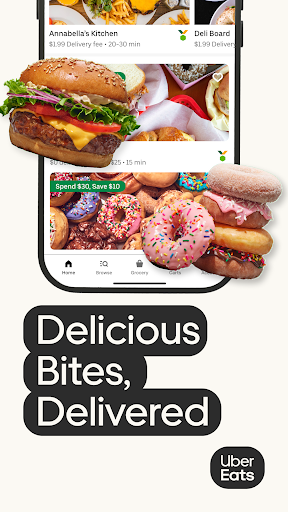
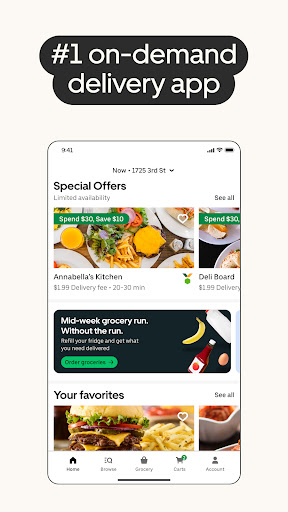
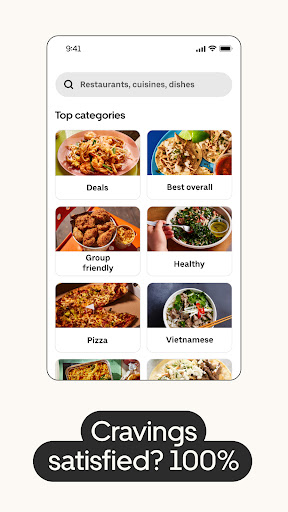
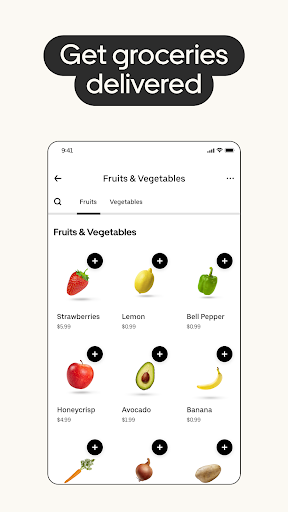
Get food delivery to your doorstep from thousands of amazing local and national restaurants. Find the meal you crave and order food from restaurants easily with the Uber Eats app. Track your order in real-time.
FIND YOUR FAVORITE FOOD & RESTAURANTS
Order food from nearby restaurants and search by cuisine, restaurant name, dish, and meal.
Food delivery options for you to order and enjoy including pizza, burritos, burgers, sushi, donuts, and Chinese takeout.
Prefer pickup? Skip the line and reservations and choose to pick up your order instead. Choose your favorite delivery options with the Uber Eats app now.
SUBSCRIBE TO UBER ONE
For $9.99 per month, Uber One subscribers enjoy $0 Delivery Fee and up to 10% off orders over $15 at participating non-grocery stores (and 5% off orders over $35 at participating grocery stores) available on Uber Eats. Members are also eligible for rewards, perks, coupons, and offers. View full Uber One Terms & Conditions in app.
ORDER ALMOST ANYTHING, ANYTIME
Order household needs from your favorite drug stores, supermarkets, and pet shops. Baby food or diapers, pharmacy needs, beauty products and cosmetics. Grocery staples like bread and milk, bananas and produce, flowers and plants, packaged foods or frozen treats.
SIMPLE DELIVERY ORDERING
Pick your food order from any menu and add it to your cart with a few taps. That’s it.
Uber Eats makes it easy to order food delivery online or through the app and have it delivered by restaurants and delivery people near you.
Or, schedule your order in advance for a delivery person to pick it up later. Your choice!
ORDER FOOD AHEAD WITH PICKUP
Now you can also order food ahead for Pickup instead of just ordering delivery. Select Pickup, add food items to your cart, and skip the lines to the restaurant to get your food.
REAL-TIME ORDER TRACKING
Track your food delivery order on a map as it heads your way.
See the estimated arrival time at your address.
Get notified when your order arrives.
FIND SOME OF YOUR FAVORITE NATIONAL RESTAURANTS
Some of our food delivery partners include: Pizza Hut, Little Caesars, Buffalo Wild Wings, Papa Johns, Shake Shack, Domino’s Pizza, Nando’s, Burger King, CAVA, A&W, Chick-fil-A, Chipotle, Dunkin', IHOP, KFC, McDonald's, Panda Express, Panera, Popeyes, Shake Shack, Sonic, Starbucks, Subway, Sweetgreen, Taco Bell, Tim Hortons, Wendy's, Five Guys, Jersey Mikes, White Castle, Jack in the Box, Outback Steakhouse, Red Lobster.
FIND PHARMACIES, GROCERY STORES, AND MORE
Order from grocers such as Albertsons and SEG. Other delivery partners in the pharmacy, convenience, and retail space include CVS, Walgreens, 7-Eleven, Wawa, BevMo!, and Gopuff. Order from stores such as Walmart, Walgreens, CVS and Safeway. Other delivery partners include Petco, Drizly, and Favor.
ABOUT UBER EATS
Uber Eats is the way to order the food you love through an easy delivery experience. Uber Eats is available in hundreds of cities around the world. Enter your delivery address to explore restaurant and grocery delivery options near you.
AVAILABLE INTERNATIONALLY
Join the thousands of others in your city who use the Uber Eats app to order from their favorites restaurants and schedule delivery
Uber Eats is currently available in cities and metro areas including Adelaide, Amsterdam, Atlanta, Auckland, Austin, Baltimore, Brussels, Cape Town, Chicago, Dallas, Denver, Johannesburg, Glasgow, London, Los Angeles, Madrid, Melbourne, Mexico City, Miami, Milan, Nashville, New Orleans, New York, Ottawa, Paris, Philadelphia, Rio de Janeiro, San Diego, San Francisco, Seattle, Stockholm, Sydney, Taipei, Tokyo, Toronto, Warsaw, and Washington DC. Uber Eats helps you find food delivery around the world. See full list of available countries in the app.
แสดงเพิ่มเติม

1. ดาวน์โหลดตัวติดตั้ง MEmu และสิ้นสุดการติดตั้ง

2. เริ่ม MEmu จากนั้นเปิด Google Play บนหน้าแรก

3. ค้นหา Uber Eats: Food Delivery ใน Google Play
Install
4. ดาวน์โหลดและติดตั้ง Uber Eats: Food Delivery
5. เมื่อติดตั้งเสร็จให้คลิกที่ไอคอนเพื่อเริ่มใช้งาน

6. ใช้ MEmu เพื่อสัมผัสประสบการณ์ Uber Eats: Food Delivery บนคอมพิวเตอร์ของคุณ
MEmu Play คือโปรแกรมจำลอง Android ที่ดีที่สุด มีผู้ใช้มากกว่า 50 ล้านคน มอบประสบการณ์การใช้งานแอป Android ขั้นสุดยอดให้กับคุณ เทคโนโลยีจำลองเสมือนของ MEmu ช่วยให้คุณรันแอป Android หลายพันแอปบนคอมพิวเตอร์ได้อย่างราบรื่น แม้แอปที่กินทรัพยากรเครื่องสูงที่สุด
จอใหญ่และกราฟฟิกสวยกว่า; เล่นได้นาน, ไม่ต้องใช้แบตเตอรี่โทรศัพท์หรือเน็ตโทรศัพท์.
ระบบปรับแต่งปุ่มคีย์บอร์ดและเม้าส์ตามที่คุณเลือก
เล่นมากกว่าหนึ่งเกมบน PC ในเวลาเดียวกันด้วยระบบหลายจอหรือ Multi-Instance manager.
Use Uber Eats: Food Delivery on PC by following steps: