Avatar Maker Dress up for kids
อัปเดตเมื่อ
เวอร์ชันปัจจุบัน
1.9
ให้บริการโดย

เวลาคุณเล่น Avatar Maker Dress up for kids, คุณอาจรู้สึกว่ามือคุณอาจบังจอแล้วทำให้ไม่ได้เล่นแบบเต็มที่. เล่นแบบไร้ขีดจำกัดด้วยเม้าส์และคีย์บอร์ด. MEmu มีตัวเลือกหลายอย่างให้คุณใช้งานเกมที่คุณเล่นแบบที่คุณต้องการ. ดาวน์โหลดและเล่น Avatar Maker Dress up for kids บน PC. เล่นนานแค่ไหนก็ได้, ไม่ต้องชาร์จแบตเตอรี่, หรือเจอคนโทรเข้ามาระหว่างเล่น. MEmu 9 เป็นตัวเลือกสำหรับการเล่น Avatar Maker Dress up for kids บน PC. ทางทีมงานเราได้ปรับแต่งเกม, ปรับให้เล่นเกมบางเกมได้เหมือนเล่น Avatar Maker Dress up for kids เป็นเกม PC เช่นเล็งด้วยเม้าส์หรือใช้คีย์บอร์ด. ระบบของเรายังทำให้คุณสามารถเปิดเล่นได้มากกว่า 2 เกมพร้อมๆกันในคอมของคุณ. และที่สำคัญที่สุด, ระบบโปรแกรมของเราสามารถทำให้คุณใช้ระบบของ PC ทำให้เกมลื่นเหมือนกับใช้โทรศัพท์รุ่นล่าสุด. เราไม่ได้ดูแลเรื่องการเล่นเกม, แต่เราดูแลถึงความสนุกสนานที่คุณได้จากการเล่นด้วย.
แสดงเพิ่มเติม
ดาวน์โหลด Avatar Maker Dress up for kids บน PC ด้วย MEmu Android Emulator สนุกกับการเล่นบนหน้าจอขนาดใหญ่ Have you ever dreamt of designing and decorating your very own cartoon character with this brand new Avatar maker dress-up for girls' & boys' games, a magical world where you can fulfill and recreate any style that comes to your mind!
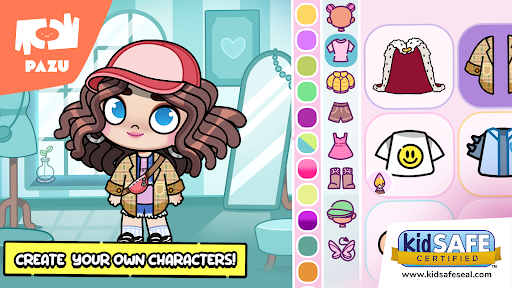
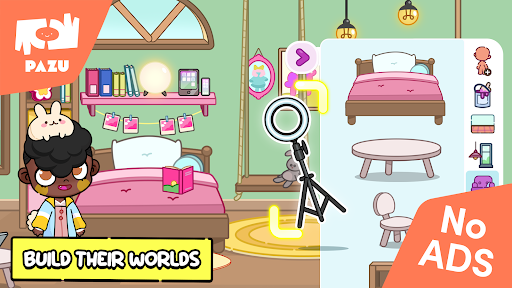
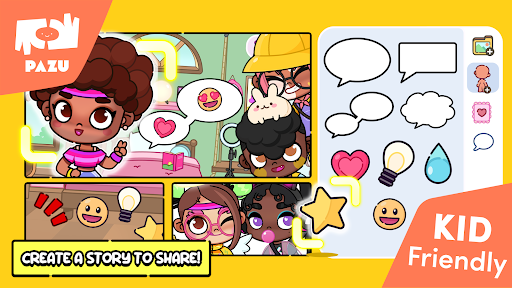
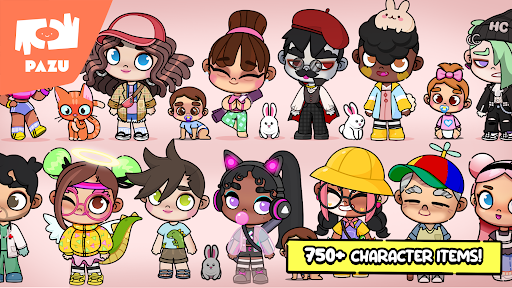
Have you ever dreamt of designing and decorating your very own cartoon character with this brand new Avatar maker dress-up for girls' & boys' games, a magical world where you can fulfill and recreate any style that comes to your mind! Enjoy a new kawaii avatar maker with a huge variety of accessories that give endless variations of styles.
Make a copy of yourself or recreate your favorite anime character. It's up to you! Choose your favorite hairstyle and customize its color. Pick up the skin color from an endless number of colors, decide what kind of facial expression your avatar is going to have, choose the eyes, mouth, and eyebrows for your cute avatar.
In addition to creating your avatar, you can decorate your room with tons of different items, make your room designing dreams come true! you get to choose all the furniture while accessorizing with all sorts of items.
1. You can choose a boy or girl avatar to start your cartoon character customization
2. A large number of cute personalized faces, hairstyles, and expressions with different details let you create unique cartoon expressions
3. Express various emotions on the face of your avatar with different shapes of eyebrows, eyes, and mouth
4. The skin color, hair color, and clothing color can be customized to give you a unique appearance and show your imagination and fashion sense
5. Various accessories: masks, hats, glasses, hairpins, clothing, headwear, wings, horns, and tails to make your personal style distinctive
✨Features of Avatar Maker Dress up for kids✨
แสดงเพิ่มเติม

1. ดาวน์โหลดตัวติดตั้ง MEmu และสิ้นสุดการติดตั้ง

2. เริ่ม MEmu จากนั้นเปิด Google Play บนหน้าแรก

3. ค้นหา Avatar Maker Dress up for kids ใน Google Play
Install
4. ดาวน์โหลดและติดตั้ง Avatar Maker Dress up for kids
5. เมื่อติดตั้งเสร็จให้คลิกที่ไอคอนเพื่อเริ่มใช้งาน

6. สนุกกับการเล่น Avatar Maker Dress up for kids บนพีซีด้วย MEmu
MEmu App Player เป็นอีมูเลเตอร์ Android ที่ดีที่สุดและผู้คนกว่า 50 ล้านคนเพลิดเพลินไปกับประสบการณ์การเล่นเกม Android ที่ยอดเยี่ยม เทคโนโลยีการจำลองเสมือนของ MEmu ช่วยให้คุณเล่นเกม Android หลายพันเกมได้อย่างราบรื่นบนพีซีของคุณแม้แต่เกมที่ต้องใช้กราฟิกมากที่สุด
จอใหญ่และกราฟฟิกสวยกว่า; เล่นได้นาน, ไม่ต้องใช้แบตเตอรี่โทรศัพท์หรือเน็ตโทรศัพท์.
ระบบปรับแต่งปุ่มคีย์บอร์ดและเม้าส์ตามที่คุณเลือก
เล่นมากกว่าหนึ่งเกมบน PC ในเวลาเดียวกันด้วยระบบหลายจอหรือ Multi-Instance manager.
Play Avatar Maker Dress up for kids on PC by following steps: