Grumpy Kingdom
อัปเดตเมื่อ
เวอร์ชันปัจจุบัน
ให้บริการโดย

เวลาคุณเล่น Grumpy Kingdom, คุณอาจรู้สึกว่ามือคุณอาจบังจอแล้วทำให้ไม่ได้เล่นแบบเต็มที่. เล่นแบบไร้ขีดจำกัดด้วยเม้าส์และคีย์บอร์ด. MEmu มีตัวเลือกหลายอย่างให้คุณใช้งานเกมที่คุณเล่นแบบที่คุณต้องการ. ดาวน์โหลดและเล่น Grumpy Kingdom บน PC. เล่นนานแค่ไหนก็ได้, ไม่ต้องชาร์จแบตเตอรี่, หรือเจอคนโทรเข้ามาระหว่างเล่น. MEmu 9 เป็นตัวเลือกสำหรับการเล่น Grumpy Kingdom บน PC. ทางทีมงานเราได้ปรับแต่งเกม, ปรับให้เล่นเกมบางเกมได้เหมือนเล่น Grumpy Kingdom เป็นเกม PC เช่นเล็งด้วยเม้าส์หรือใช้คีย์บอร์ด. ระบบของเรายังทำให้คุณสามารถเปิดเล่นได้มากกว่า 2 เกมพร้อมๆกันในคอมของคุณ. และที่สำคัญที่สุด, ระบบโปรแกรมของเราสามารถทำให้คุณใช้ระบบของ PC ทำให้เกมลื่นเหมือนกับใช้โทรศัพท์รุ่นล่าสุด. เราไม่ได้ดูแลเรื่องการเล่นเกม, แต่เราดูแลถึงความสนุกสนานที่คุณได้จากการเล่นด้วย.
แสดงเพิ่มเติม
ดาวน์โหลด Grumpy Kingdom บน PC ด้วย MEmu Android Emulator สนุกกับการเล่นบนหน้าจอขนาดใหญ่ WELCOME TO GRUMPY KINGDOM.


WELCOME TO GRUMPY KINGDOM
Spin your way into a world ruled by attitude, ambition, and big rewards. Grumpy Kingdom is a social, fast-paced adventure where every spin brings coins, chaos, and new opportunities to grow your empire. Meet the Grumps and begin your journey through a constantly expanding kingdom full of surprises.
SPIN FOR FORTUNE
The wheel is at the heart of Grumpy Kingdom. Spin to earn massive coin rewards, powerful boosts, shields, and special events that drive your progress forward. Every spin is a chance to strike it rich, protect your lands, or launch your next big move.
ATTACK, ROB, AND VAULT HEIST
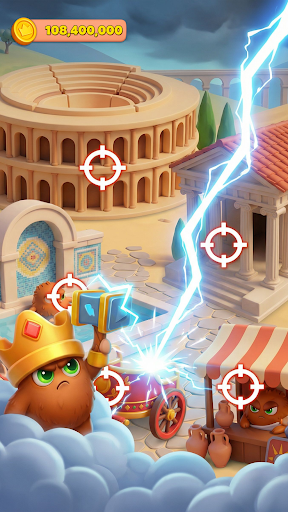
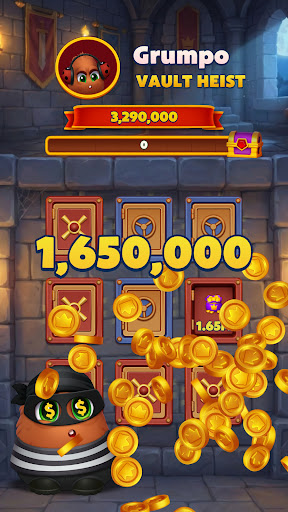
Test your nerve and target other players to steal their coins. Launch attacks or trigger Vault Heists where you break into vaults and claim hidden treasure. Big risks lead to big rewards, but be ready to defend your kingdom when others come knocking.
BUILD HUNDREDS OF GRUMPY LANDS
Use your winnings to build and upgrade hundreds of unique Grumpy Lands. Each land brings new visuals, progression, and challenges as you advance through an ever-growing world. The bigger your kingdom, the greater your power and prestige.
SOLVE THOUSANDS OF TILE PUZZLES
Grumpy Kingdom features a deep, fully fledged tile puzzle game with thousands of levels. Master complex mechanics, overcome clever obstacles, and unleash boosters and powerups to keep the challenge fresh and rewarding. Puzzle progress fuels your kingdom growth and unlocks even more content.
TEAM UP AND COMPETE
Join teams, work together on events, and compete on global leaderboards. Earn rewards as a group or climb the ranks solo to prove you are the grumpiest ruler of them all. Cooperation and competition go hand in hand in the kingdom.
CUSTOMIZE YOUR GRUMP
Collect special outfits for your Grump to unlock gameplay bonuses and show off your style. Each outfit adds strategy and personality, helping you spin smarter, steal bigger, and progress faster.
ENDLESS EVENTS AND REWARDS
Enjoy a constant flow of events, challenges, and limited-time rewards. There is always something new to chase, build, or conquer in Grumpy Kingdom.
Grumpy Kingdom is free to play, with optional in-app purchases. An internet connection is required. Step into the kingdom, spin the wheel, and build your legacy.
แสดงเพิ่มเติม

1. ดาวน์โหลดตัวติดตั้ง MEmu และสิ้นสุดการติดตั้ง

2. เริ่ม MEmu จากนั้นเปิด Google Play บนหน้าแรก

3. ค้นหา Grumpy Kingdom ใน Google Play
Install
4. ดาวน์โหลดและติดตั้ง Grumpy Kingdom
5. เมื่อติดตั้งเสร็จให้คลิกที่ไอคอนเพื่อเริ่มใช้งาน

6. สนุกกับการเล่น Grumpy Kingdom บนพีซีด้วย MEmu
MEmu App Player เป็นอีมูเลเตอร์ Android ที่ดีที่สุดและผู้คนกว่า 50 ล้านคนเพลิดเพลินไปกับประสบการณ์การเล่นเกม Android ที่ยอดเยี่ยม เทคโนโลยีการจำลองเสมือนของ MEmu ช่วยให้คุณเล่นเกม Android หลายพันเกมได้อย่างราบรื่นบนพีซีของคุณแม้แต่เกมที่ต้องใช้กราฟิกมากที่สุด
จอใหญ่และกราฟฟิกสวยกว่า; เล่นได้นาน, ไม่ต้องใช้แบตเตอรี่โทรศัพท์หรือเน็ตโทรศัพท์.
ระบบปรับแต่งปุ่มคีย์บอร์ดและเม้าส์ตามที่คุณเลือก
เล่นมากกว่าหนึ่งเกมบน PC ในเวลาเดียวกันด้วยระบบหลายจอหรือ Multi-Instance manager.
Play Grumpy Kingdom on PC by following steps:
























![[ไกด์เกม] CookieRun Classic แนะนำ 5 คุกกี้น่าปั้น น่าลงทุน ที่มือใหม่ห้ามพลาด! (เล่นบน PC ผ่าน MEmu ให้ลื่นสุด ๆ) PC](https://www.memuplay.com/blog/wp-content/uploads/2026/08/579c01ab-a953-45b3-8115-9b6279b7d6f9.png)