Kaldoris: Rising Crown
อัปเดตเมื่อ
เวอร์ชันปัจจุบัน
1.1.6
ให้บริการโดย

เวลาคุณเล่น Kaldoris: Rising Crown, คุณอาจรู้สึกว่ามือคุณอาจบังจอแล้วทำให้ไม่ได้เล่นแบบเต็มที่. เล่นแบบไร้ขีดจำกัดด้วยเม้าส์และคีย์บอร์ด. MEmu มีตัวเลือกหลายอย่างให้คุณใช้งานเกมที่คุณเล่นแบบที่คุณต้องการ. ดาวน์โหลดและเล่น Kaldoris: Rising Crown บน PC. เล่นนานแค่ไหนก็ได้, ไม่ต้องชาร์จแบตเตอรี่, หรือเจอคนโทรเข้ามาระหว่างเล่น. MEmu 9 เป็นตัวเลือกสำหรับการเล่น Kaldoris: Rising Crown บน PC. ทางทีมงานเราได้ปรับแต่งเกม, ปรับให้เล่นเกมบางเกมได้เหมือนเล่น Kaldoris: Rising Crown เป็นเกม PC เช่นเล็งด้วยเม้าส์หรือใช้คีย์บอร์ด. ระบบของเรายังทำให้คุณสามารถเปิดเล่นได้มากกว่า 2 เกมพร้อมๆกันในคอมของคุณ. และที่สำคัญที่สุด, ระบบโปรแกรมของเราสามารถทำให้คุณใช้ระบบของ PC ทำให้เกมลื่นเหมือนกับใช้โทรศัพท์รุ่นล่าสุด. เราไม่ได้ดูแลเรื่องการเล่นเกม, แต่เราดูแลถึงความสนุกสนานที่คุณได้จากการเล่นด้วย.
แสดงเพิ่มเติม
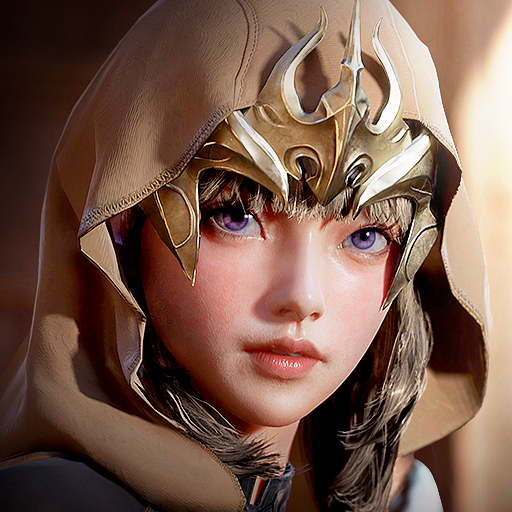
ดาวน์โหลด Kaldoris: Rising Crown บน PC ด้วย MEmu Android Emulator สนุกกับการเล่นบนหน้าจอขนาดใหญ่ Kaldoris: Rising Crown is a real-time action MMORPG built on three pillars: massive battles, guild warfare, and the Guardian Fusion system.
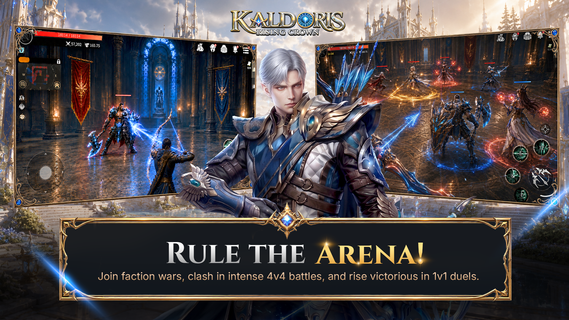
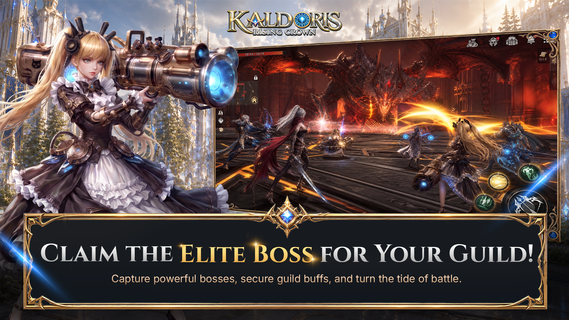
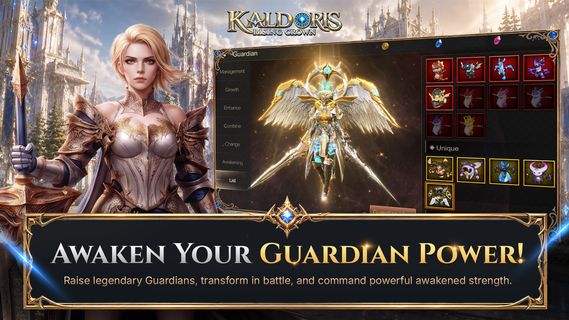
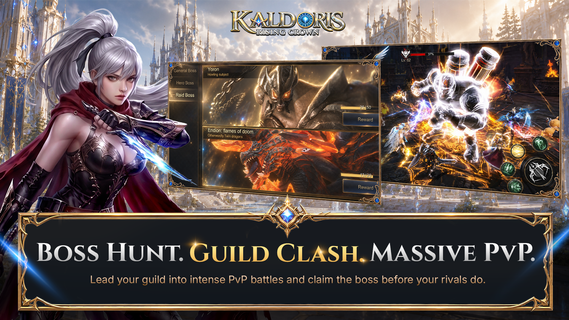
Kaldoris: Rising Crown is a real-time action MMORPG built on three pillars: massive battles, guild warfare, and the Guardian Fusion system. Step into a dark fantasy world, pick your class, and fight shoulder-to-shoulder with hundreds of players in live, large-scale combat.SIX UNIQUE CLASSESPlay as the Archer, Holy Knight, Assassin, Mage, Canon Shooter, or Warrior — each with its own branching skill tree built around Link, Take, Promote, and Stack mechanics. Mix and match to engineer the build that wins.GUARDIAN FUSIONGather and fuse more than 100 Guardians across five attributes — Angel, Demon, Otherworldly, Spirit, and Machine. Evolve and merge them to multiply your base damage and swing any fight in your favor.HUNDRED-PLAYER WORLD BOSS RAIDSRally your guild and converge with allies and rivals on open-field World Bosses, where hundreds of players battle at once. Bring down the boss together and claim the spoils.CROSS-SERVER GUILD WARSTake your guild beyond its home server. In mixed PvP and PvE modes, members are auto-matched into battle against rival guilds. Out-think, out-coordinate, and out-fight them for cross-server supremacy.NO LEVEL CAP — STRAIGHT TO THE ACTIONRace through main quests and level rewards, then head for the EXP map where auto-battle pushes your power higher fast. There's no ceiling — only the next fight.ELITE BOSS SYSTEMTeam up in dungeons to take down Elite Bosses. Beat one and it grants daily buffs to your entire guild — and joins you as a loyal Guardian ally.CRAFT YOUR OWN GEARForge and combine equipment that's truly yours. Every craft succeeds at 100%, and your gear is never destroyed no matter how far you push the enhancement. MASSIVE REAL-TIME BATTLESThrow yourself into large-scale PvP, guild wars, and world boss raids with hundreds of players on screen. New challenges and rewards land every day — this is intense combat at its purest. Your crown is waiting. Choose your class, forge your Guardians, rally your guild, and rise to claim it.Official Website: https://kaldoris.ntworld.com.sg/Discord: https://discord.gg/BHK4PvDJbqContact: support@ntworld.com.sg
แสดงเพิ่มเติม

1. ดาวน์โหลดตัวติดตั้ง MEmu และสิ้นสุดการติดตั้ง

2. เริ่ม MEmu จากนั้นเปิด Google Play บนหน้าแรก

3. ค้นหา Kaldoris: Rising Crown ใน Google Play
Install
4. ดาวน์โหลดและติดตั้ง Kaldoris: Rising Crown
5. เมื่อติดตั้งเสร็จให้คลิกที่ไอคอนเพื่อเริ่มใช้งาน

6. สนุกกับการเล่น Kaldoris: Rising Crown บนพีซีด้วย MEmu
MEmu App Player เป็นอีมูเลเตอร์ Android ที่ดีที่สุดและผู้คนกว่า 50 ล้านคนเพลิดเพลินไปกับประสบการณ์การเล่นเกม Android ที่ยอดเยี่ยม เทคโนโลยีการจำลองเสมือนของ MEmu ช่วยให้คุณเล่นเกม Android หลายพันเกมได้อย่างราบรื่นบนพีซีของคุณแม้แต่เกมที่ต้องใช้กราฟิกมากที่สุด
จอใหญ่และกราฟฟิกสวยกว่า; เล่นได้นาน, ไม่ต้องใช้แบตเตอรี่โทรศัพท์หรือเน็ตโทรศัพท์.
ระบบปรับแต่งปุ่มคีย์บอร์ดและเม้าส์ตามที่คุณเลือก
เล่นมากกว่าหนึ่งเกมบน PC ในเวลาเดียวกันด้วยระบบหลายจอหรือ Multi-Instance manager.
Play Kaldoris: Rising Crown on PC by following steps: