Shogi - Japanese Chess
อัปเดตเมื่อ
เวอร์ชันปัจจุบัน
5.6.0
ให้บริการโดย

เวลาคุณเล่น Shogi - Japanese Chess, คุณอาจรู้สึกว่ามือคุณอาจบังจอแล้วทำให้ไม่ได้เล่นแบบเต็มที่. เล่นแบบไร้ขีดจำกัดด้วยเม้าส์และคีย์บอร์ด. MEmu มีตัวเลือกหลายอย่างให้คุณใช้งานเกมที่คุณเล่นแบบที่คุณต้องการ. ดาวน์โหลดและเล่น Shogi - Japanese Chess บน PC. เล่นนานแค่ไหนก็ได้, ไม่ต้องชาร์จแบตเตอรี่, หรือเจอคนโทรเข้ามาระหว่างเล่น. MEmu 9 เป็นตัวเลือกสำหรับการเล่น Shogi - Japanese Chess บน PC. ทางทีมงานเราได้ปรับแต่งเกม, ปรับให้เล่นเกมบางเกมได้เหมือนเล่น Shogi - Japanese Chess เป็นเกม PC เช่นเล็งด้วยเม้าส์หรือใช้คีย์บอร์ด. ระบบของเรายังทำให้คุณสามารถเปิดเล่นได้มากกว่า 2 เกมพร้อมๆกันในคอมของคุณ. และที่สำคัญที่สุด, ระบบโปรแกรมของเราสามารถทำให้คุณใช้ระบบของ PC ทำให้เกมลื่นเหมือนกับใช้โทรศัพท์รุ่นล่าสุด. เราไม่ได้ดูแลเรื่องการเล่นเกม, แต่เราดูแลถึงความสนุกสนานที่คุณได้จากการเล่นด้วย.
แสดงเพิ่มเติม
ดาวน์โหลด Shogi - Japanese Chess บน PC ด้วย MEmu Android Emulator สนุกกับการเล่นบนหน้าจอขนาดใหญ่ It is a shogi application loaded with AI that you can play with confidence even beginners such as those who want to start shogi from now or those who understand the rules.
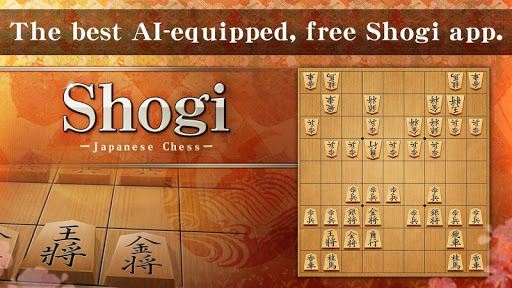
It is a shogi application loaded with AI that you can play with confidence even beginners such as those who want to start shogi from now or those who understand the rules.
Why do not you try Shogi as your partner for the first time.
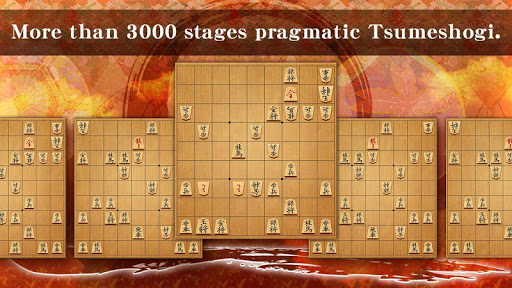
Also equipped with more than 3000 stages of practical packed shogi.
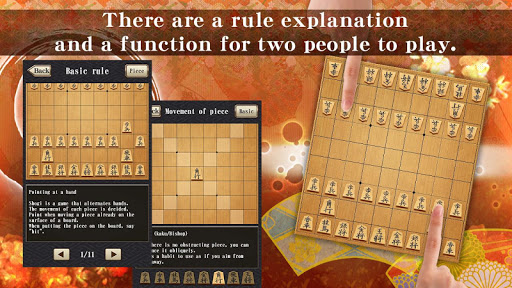
There are also interpersonal warfare functions that two people can use instead of a shogi board.
It is also perfect for those who want to remember the rules of Shogi because they contain explanation of shogi rules from the explanation of shogi pieces.
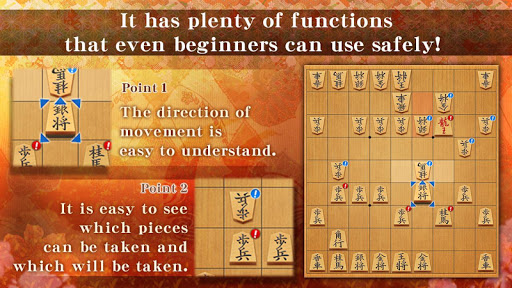
Since AI of a beginner level is also carried considerably, even those who remember the rules of Shogi can play with confidence.
Also to study shogi! You can use it for powerful maid shogi!
◆Before going to the online games with a lot of strong people First you can learn by playing all the things you must wear.
Why do not you make the best chess in the class?
Do not you want to win seniors with a strong work shogi?
Since it is an application game, it starts easily, it finishes in a short time, and since it is a game, it is easy to manage motivation.
It is also recommended for using it like a brain train.
◆Online
Since it is an online battleground where there are many beginners more than anywhere, it is the environment that makes it easiest to start the most online game.
Combine numerous parts and make your own avatar!
There is avatar of event limited distribution as well.
There is also a display of the battle pattern!
◆New features! Tsume Shogi every day!
I tried to pursue that I could continue with Tsume Shogi and created it.
Why do not you keep on tight shogi, which is the shortest practice to become stronger every day?
You can solve the problem of the number of hands set in 1 to 5 hands, increasing all 10 questions gradually with increasing difficulty.
Even if you do not know the answer, you can check the answer in 1 minute so it will not stop with a problem you do not understand.
You can receive reward every day by solving!
◆It is also possible to save game records
It can also be output as kif or sca format externally.
It is very useful when analyzing with strong Shogi software for other personal computers.
◆People who want to start shogi, people who want to become strong in apps
It is packed with functions necessary for beginners to strengthen Shogi.
Although studying Shogi is hard, I can reach it fully with this one application until the first stage of Ama.
Why do not you graduate a chess beginner while playing for a little free time or killing time at commuting school time?
From checking the rules, flowing in the game, wearing shogi with Tsume Shogi can all be done with this application.
◆Recommended for people like this!
- From weak AI to strong AI, those who want to play chess with a wide range of opponents
- Those who want to solve many packed shogi
- Those who are about to start shogi in their free time
- Those who do not know the rules of shogi, but who are trying to start shogi by watching animation and movies
◆Monthly withdrawal method
You can play Online without registering Premium member, but you can play more conveniently by registering as a member.
Registration is done from within the application and cancellation can be done in the following way.
1. Cancellation of Premium member can be done from the play store.
2. It is a cancellation method of Premium member, please open the google play store and check account information.
3. Since it is displayed as "Shogi" within the "subscription" of account information, you can cancel the member registration if you press the cancel button.
As a Premium member during the period purchased even after cancellation, you can continue to play, but please do not worry, as the subscription is renewed the next month, no charges will be incurred.
◆ When making inquiries, please contact us from the inquiry form within this application.
แสดงเพิ่มเติม

1. ดาวน์โหลดตัวติดตั้ง MEmu และสิ้นสุดการติดตั้ง

2. เริ่ม MEmu จากนั้นเปิด Google Play บนหน้าแรก

3. ค้นหา Shogi - Japanese Chess ใน Google Play
Install
4. ดาวน์โหลดและติดตั้ง Shogi - Japanese Chess
5. เมื่อติดตั้งเสร็จให้คลิกที่ไอคอนเพื่อเริ่มใช้งาน

6. สนุกกับการเล่น Shogi - Japanese Chess บนพีซีด้วย MEmu
MEmu App Player เป็นอีมูเลเตอร์ Android ที่ดีที่สุดและผู้คนกว่า 50 ล้านคนเพลิดเพลินไปกับประสบการณ์การเล่นเกม Android ที่ยอดเยี่ยม เทคโนโลยีการจำลองเสมือนของ MEmu ช่วยให้คุณเล่นเกม Android หลายพันเกมได้อย่างราบรื่นบนพีซีของคุณแม้แต่เกมที่ต้องใช้กราฟิกมากที่สุด
จอใหญ่และกราฟฟิกสวยกว่า; เล่นได้นาน, ไม่ต้องใช้แบตเตอรี่โทรศัพท์หรือเน็ตโทรศัพท์.
ระบบปรับแต่งปุ่มคีย์บอร์ดและเม้าส์ตามที่คุณเลือก
เล่นมากกว่าหนึ่งเกมบน PC ในเวลาเดียวกันด้วยระบบหลายจอหรือ Multi-Instance manager.
Play Shogi - Japanese Chess on PC by following steps: