Apartments by Apartment Guide
อัปเดตเมื่อ
เวอร์ชันปัจจุบัน
10.5.0
ให้บริการโดย

เมื่อใช้ Apartments by Apartment Guide บนโทรศัพท์ของคุณไม่ต้องกังวลกับการชาร์จไฟมากเกินไปปลดปล่อยตัวคุณเองจากหน้าจอขนาดเล็กและสนุกกับการใช้แอพนี้บนหน้าจอขนาดใหญ่ จากนี้ไปรับประสบการณ์เต็มหน้าจอของแอปพลิเคชันของคุณด้วยคีย์บอร์ดและเมาส์ MEmu มีคุณสมบัติที่น่าแปลกใจที่คุณคาดหวัง: การติดตั้งที่รวดเร็วและการตั้งค่าที่ง่ายควบคุมได้ง่ายไม่ จำกัด แบตเตอรี่ข้อมูลมือถือและการโทรที่รบกวน MEmu 9 ใหม่ล่าสุดเป็นตัวเลือกที่ดีที่สุดสำหรับการใช้ Meitu – โปรแกรมแก้ไขภาพแนวธรรมชาติ บนคอมพิวเตอร์ของคุณ ด้วยรหัสการดูดซึมของเราผู้จัดการหลายอินสแตนซ์ทำให้สามารถเปิดบัญชี 2 บัญชีขึ้นไปในเวลาเดียวกันได้ และที่สำคัญที่สุดเอ็นจิ้นจำลองพิเศษของเราสามารถปลดปล่อยศักยภาพของPCของคุณและทำให้ทุกอย่างราบรื่นและสนุกสนาน
แสดงเพิ่มเติม
ดาวน์โหลด Apartments by Apartment Guide บน PC ด้วย MEmu Android Emulator สนุกกับการเล่นบนหน้าจอขนาดใหญ่ Looking for the perfect new home?
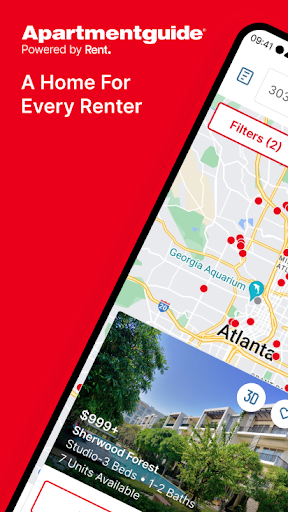
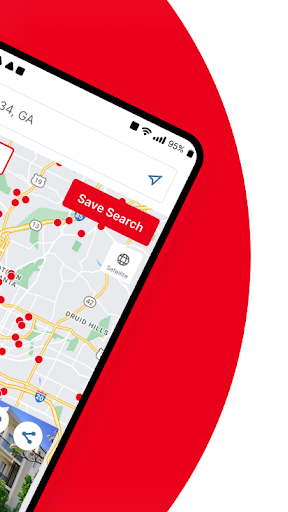
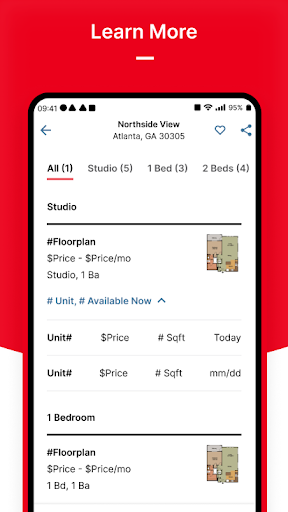
Looking for the perfect new home? Whether you’re trying to find an apartment or house for rent, your search just got easier with Apartment Guide!
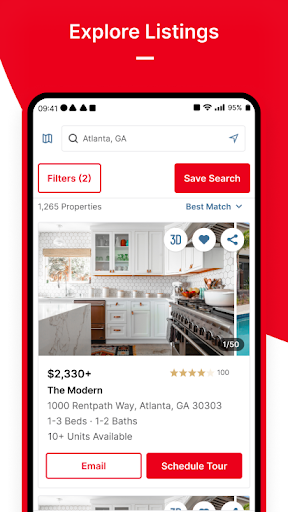
Browse thousands of houses, apartments and rentals all in one place with the easy-to-use Apartment Guide app. View detailed amenities, property photos, floor plans, and easily schedule a property tour in just a few taps.
There’s no endless scrolling through listings with Apartment Guide. We make finding a home for rent easy by allowing you to filter by amenities so you can find pet friendly properties, swimming pools, fitness centers and more! There are thousands of available apartment rentals on our app to help make your next move easy and stress-free. If you need a cheap apartment you can filter by price range. Plus, you can save your favorite rental apartments or send listings to friends and family to make the process even smoother.
Apartment Guide’s mobile app allows you to:
• Get an insider’s perspective with the help of real ratings and reviews you can trust from actual residents.
• Use your current location to quickly find nearby apartments and rental homes.
• Search by city, neighborhood, zip code or draw a custom map to search areas you’re interested in living.
• Save time with our Advanced Search Filters that allow you to specify the number of bedrooms, bathrooms, price range, and desired amenities, whether you want a penthouse or a cozy studio apartment.
• Take virtual tours of select apartments, with high quality videos and panoramic tours.
• Explore properties using map or list view with an expansive set of filters.
Check out high quality apartment photos and floor plans to get a glimpse of what each unit and room has to offer.
• Quickly share listing details and photos via SMS, Facebook, Twitter or email with friends and family.
• Build a list of your favorite properties while you browse house and apartment listings.
• Call or message property managers directly through the app.
With so many rental apartments listed on our app, it’s never been easier to find your next place. Whether you’re looking for cheap apartments or a luxury penthouse, Apartment Guide makes it easy to find apartments and houses for rent.
Are you ready to find your dream home? Start the search on Apartment Guide today!
แสดงเพิ่มเติม

1. ดาวน์โหลดตัวติดตั้ง MEmu และสิ้นสุดการติดตั้ง

2. เริ่ม MEmu จากนั้นเปิด Google Play บนหน้าแรก

3. ค้นหา Apartments by Apartment Guide ใน Google Play
Install
4. ดาวน์โหลดและติดตั้ง Apartments by Apartment Guide
5. เมื่อติดตั้งเสร็จให้คลิกที่ไอคอนเพื่อเริ่มใช้งาน

6. ใช้ MEmu เพื่อสัมผัสประสบการณ์ Apartments by Apartment Guide บนคอมพิวเตอร์ของคุณ
MEmu Play คือโปรแกรมจำลอง Android ที่ดีที่สุด มีผู้ใช้มากกว่า 50 ล้านคน มอบประสบการณ์การใช้งานแอป Android ขั้นสุดยอดให้กับคุณ เทคโนโลยีจำลองเสมือนของ MEmu ช่วยให้คุณรันแอป Android หลายพันแอปบนคอมพิวเตอร์ได้อย่างราบรื่น แม้แอปที่กินทรัพยากรเครื่องสูงที่สุด
จอใหญ่และกราฟฟิกสวยกว่า; เล่นได้นาน, ไม่ต้องใช้แบตเตอรี่โทรศัพท์หรือเน็ตโทรศัพท์.
ระบบปรับแต่งปุ่มคีย์บอร์ดและเม้าส์ตามที่คุณเลือก
เล่นมากกว่าหนึ่งเกมบน PC ในเวลาเดียวกันด้วยระบบหลายจอหรือ Multi-Instance manager.
Use Apartments by Apartment Guide on PC by following steps: