Cool Bubble Level (Clinometer)
อัปเดตเมื่อ
เวอร์ชันปัจจุบัน
2.0.0
ให้บริการโดย

เมื่อใช้ Cool Bubble Level (Clinometer) บนโทรศัพท์ของคุณไม่ต้องกังวลกับการชาร์จไฟมากเกินไปปลดปล่อยตัวคุณเองจากหน้าจอขนาดเล็กและสนุกกับการใช้แอพนี้บนหน้าจอขนาดใหญ่ จากนี้ไปรับประสบการณ์เต็มหน้าจอของแอปพลิเคชันของคุณด้วยคีย์บอร์ดและเมาส์ MEmu มีคุณสมบัติที่น่าแปลกใจที่คุณคาดหวัง: การติดตั้งที่รวดเร็วและการตั้งค่าที่ง่ายควบคุมได้ง่ายไม่ จำกัด แบตเตอรี่ข้อมูลมือถือและการโทรที่รบกวน MEmu 9 ใหม่ล่าสุดเป็นตัวเลือกที่ดีที่สุดสำหรับการใช้ Meitu – โปรแกรมแก้ไขภาพแนวธรรมชาติ บนคอมพิวเตอร์ของคุณ ด้วยรหัสการดูดซึมของเราผู้จัดการหลายอินสแตนซ์ทำให้สามารถเปิดบัญชี 2 บัญชีขึ้นไปในเวลาเดียวกันได้ และที่สำคัญที่สุดเอ็นจิ้นจำลองพิเศษของเราสามารถปลดปล่อยศักยภาพของPCของคุณและทำให้ทุกอย่างราบรื่นและสนุกสนาน
แสดงเพิ่มเติม
ดาวน์โหลด Cool Bubble Level (Clinometer) บน PC ด้วย MEmu Android Emulator สนุกกับการเล่นบนหน้าจอขนาดใหญ่ Cool Bubble Level (Clinometer) - Angle & slope measure tool for Android.
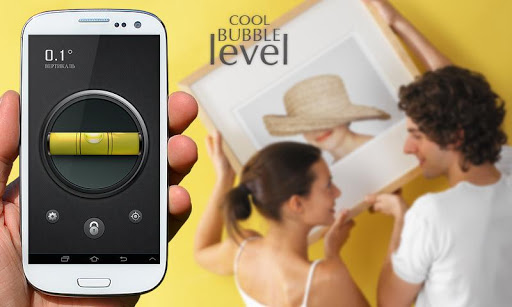
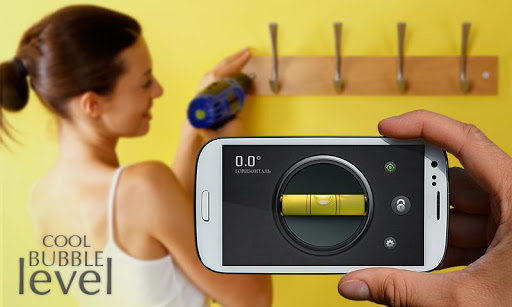
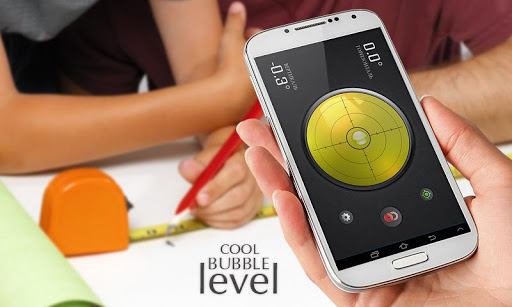
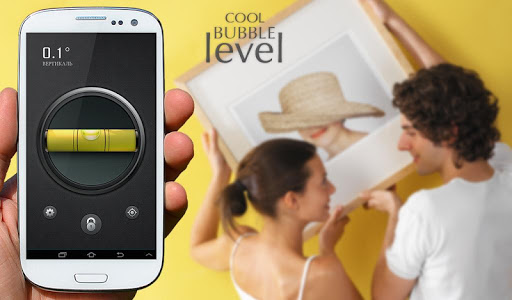
Cool Bubble Level (Clinometer) - Angle & slope measure tool for Android. Hold your phone against an object to test it for level or plumb, or lay it face-up on a flat object for a surface level. Try out our Smart Tools that is always at hand.
-
- Full HD (1920x1080) and WQHD (2560x1440) screens support without loss of quality
- Easy and quick calibration function
- Show angle or inclination
- Level or plumb angle measurements
- Surface level meter
- Units of measurement: 2 types of degrees and roof pitch :12
- Lock angle meter button
- Sound on bubble centered position for easier control
- X and Y axis switch mode (for some devices)
- Easy to use smart level tool
- Install on SD
-
Wiki - An inclinometer or clinometer is an instrument for measuring angles of slope (or tilt).
We will try to make the best bubble level free app for Android devices. Bubble Level app tries to mimic the real bull's eye level and displays the data as real bull's eye level meter would. If you'll get an error, please don't leave bad comment right away. Leave us a chance to fix it, send the error report and your comments. We are trying hard to make it work on every device.
With questions or suggestions please contact us: support@kidsgamesgalaxy.com
แสดงเพิ่มเติม

1. ดาวน์โหลดตัวติดตั้ง MEmu และสิ้นสุดการติดตั้ง

2. เริ่ม MEmu จากนั้นเปิด Google Play บนหน้าแรก

3. ค้นหา Cool Bubble Level (Clinometer) ใน Google Play
Install
4. ดาวน์โหลดและติดตั้ง Cool Bubble Level (Clinometer)
5. เมื่อติดตั้งเสร็จให้คลิกที่ไอคอนเพื่อเริ่มใช้งาน

6. ใช้ MEmu เพื่อสัมผัสประสบการณ์ Cool Bubble Level (Clinometer) บนคอมพิวเตอร์ของคุณ
MEmu Play คือโปรแกรมจำลอง Android ที่ดีที่สุด มีผู้ใช้มากกว่า 50 ล้านคน มอบประสบการณ์การใช้งานแอป Android ขั้นสุดยอดให้กับคุณ เทคโนโลยีจำลองเสมือนของ MEmu ช่วยให้คุณรันแอป Android หลายพันแอปบนคอมพิวเตอร์ได้อย่างราบรื่น แม้แอปที่กินทรัพยากรเครื่องสูงที่สุด
จอใหญ่และกราฟฟิกสวยกว่า; เล่นได้นาน, ไม่ต้องใช้แบตเตอรี่โทรศัพท์หรือเน็ตโทรศัพท์.
ระบบปรับแต่งปุ่มคีย์บอร์ดและเม้าส์ตามที่คุณเลือก
เล่นมากกว่าหนึ่งเกมบน PC ในเวลาเดียวกันด้วยระบบหลายจอหรือ Multi-Instance manager.
Use Cool Bubble Level (Clinometer) on PC by following steps: